Loading manual…
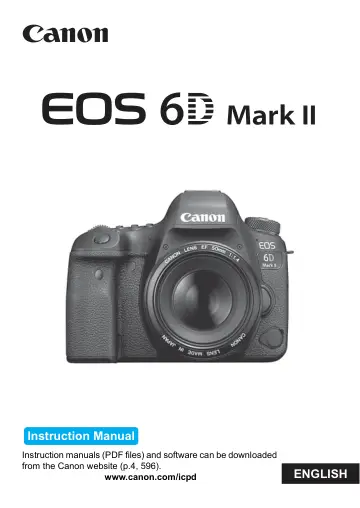
Canon 6D Mark II (1897C003) user manual
- Type
- User manual
- Language
- English
- Pages
- 610
- Category
- Cameras & lenses
- Models
- 1897C003
Open PDFOpens the file on objects.icecat.biz.
Contents
- EOS 6D Mark IIp. 1
ENGLISH Instruction Manual Instruction manuals (PDF files) and software can be downloaded from the Canon website (p.4, 596). www.canon.com/icpd
- Introductionp. 2
- Getting Started and Basic Camera Operationsp. 39
This chapter describes preparatory steps before you start shooting and the basic camera operations.
- Basic Shootingp. 93
This chapter describes how to use the Basic Zone modes on the Mode Dial for best results. With Basic Zone modes, all you do is point and shoot, and the camera…
- Setting the AF and Drive Modesp. 129
The AF points in the viewfinder are arranged to make AF shooting suitable for a wide variety of subjects and scenes. You can also select the AF operation and…
- Image Settingsp. 161
This chapter describes image-related functions: Imagerecording quality, aspect ratio, ISO speed, Picture Style, white balance, Auto Lighting Optimizer, noise…
- GPS Settingsp. 217
This chapter describes the camera’s built-in GPS settings. The EOS 6D Mark II can receive satellite navigation signals from GPS satellites (USA), GLONASS…
- Advanced Operations for Photographic Effectsp. 233
In Creative Zone modes, you can change various settings of the camera as you desire to obtain a wide variety of shooting results, by selecting the shutter…
- Flash Photographyp. 277
This chapter describes how to shoot with external EX- series Speedlites (sold separately) and how to set Speedlite settings on the camera’s menu screen.
- Shooting with the LCD Monitor (Live View Shooting)p. 289
You can shoot while viewing the image on the camera’s LCD monitor. This is called “Live View shooting”. Live View shooting is enabled by setting the Live View…
- Shooting Moviesp. 325
Movie shooting is enabled by setting the Live View shooting/ Movie shooting switch to <k>. Before shooting movies, see page 343 and make sure the card is able…
- Image Playbackp. 387
This chapter describes how to play back and erase the captured images (still photos/movies), how to view them on a TV screen, and other playback-related…
- Post-Processing Imagesp. 437
This chapter describes RAW image processing, JPEG image resizing, and JPEG image cropping. The M icon at the upper right of the page title indicates that the…
- Sensor Cleaningp. 449
The camera has a Self Cleaning Sensor Unit to automatically shake off dust adhered to the image sensor’s front layer (low-pass filter). The Dust Delete Data…
- Print order and Photobook Set-upp. 457
Digital Print Order Format (DPOF) (p.458) You can specify printing instructions such as the image selection, quantity to print, etc. for the images recorded…
- Customizing the Camerap. 467
You can make fine adjustments to various camera functions and change the functionality of buttons and dials to suit your picture-taking preferences with Custom…
- Referencep. 513
This chapter provides reference information for system accessories, camera features, etc. Certification Logo Select [55: Certification Logo Display] and press…
- Software Start Guide / Downloading Images to a Computerp. 593
This chapter describes about the EOS software, how to download and install the software, how to use the Software Instruction Manuals (PDF files), and how to…