Loading manual…
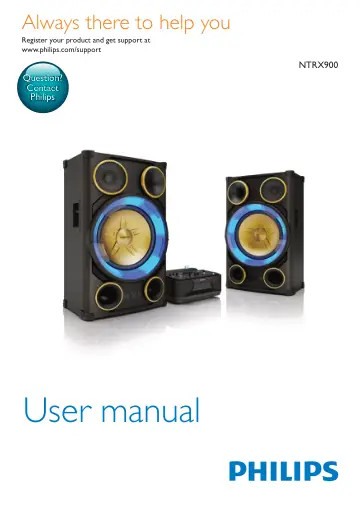
Philips Mini Hi-Fi System NTRX900/12 user manual
- Type
- User manual
- Language
- English
- Pages
- 28
- Category
- Speakers
- Models
- NTRX900NTRX900/12
Open PDFOpens the file on objects.icecat.biz.
Contents
- 1 Importantp. 4
Safety Know these safety symbols This 'bolt of lightning' indicates uninsulated material within your unit may cause an electrical shock. For the safety of…
- 2 Your Mini Hi-Fi Systemp. 6
Congratulations on your purchase, and welcome to Philips! To fully benefit from the support that Philips offers, register your product at…
- 3 Get startedp. 10
Caution • Use of controls or adjustments or performance of procedures other than herein may result in hazardous laser exposure or other unsafe operation.…
- 4 Playp. 13
Play from a disc or USB Play disc Note • Make sure that the disc contains playable audio contents. 1 Slide CROSS FADER to the far left. 2 Press CD to select…
- 5 Listen to radiop. 18
Tune to a radio station Tip • Keep the unit away from other electronic devices to avoid radio interference. • For better reception, fully extend and adjust the…
- 6 Adjust volume level and sound effectp. 19
Adjust volume level During play, press VOL +/- to increase or decrease volume. Mute sound During play, press MUTE to mute or unmute sound. Apply AUTO DJ effect…
- 7 Other featuresp. 21
Mix sound You can play from Source A (Disc/USB A/ Bluetooth/Tuner/Audio in A mode) and from Source B (USB B/Audio in B mode) at the same time. 1 Play from…
- 8 Product informationp. 22
Note • Product information is subject to change without prior notice. Specifications Amplifier Total Output Power 4200 W Frequency Response 20-20000 Hz, ±3 dB…
- 9 Troubleshootingp. 24
Caution • Never remove the casing of this unit. To keep the warranty valid, never try to repair the system yourself. If you encounter problems when using this…
- 10 Noticep. 26
Any changes or modifications made to this device that are not expressly approved by Gibson Innovations may void the user’s authority to operate the equipment.…