Loading manual…
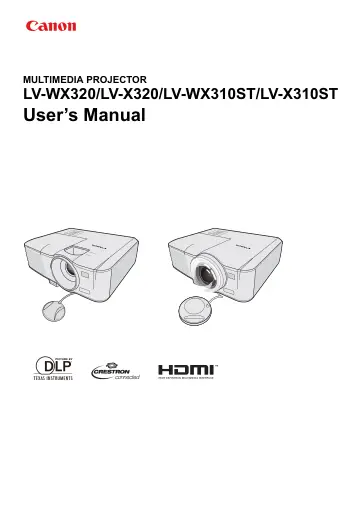
Canon X310ST (0911C003) user manual
Open PDFOpens the file on objects.icecat.biz.
Contents
- Safety instructionsp. 3
Before installing and operating the projector, read this manual thoroughly. This projector provides many convenient features and functions. Operating the…
- Projector exterior viewp. 14
1. External control panel (See "Projector" on page 15 for details.) 2. Lamp cover 3. Vent (heated air exhaust) 4. Quick-release button 5. Focus ring and Zoom…
- Controls and functionsp. 15
Projector 8. TEMPerature indicator light Lights up red if the projector's temperature becomes too high. See "Indicators" on page 67 for details. 9. LAMP…
- Positioning your projectorp. 19
Choosing a location Your room layout or personal preference will dictate which installation location you select. Take into consideration the size and position…
- Connectionp. 24
When connecting a signal source to the projector, be sure to: 1. Turn all equipment off before making any connections. 2. Use the correct signal cables for…
- Operationp. 30
Starting up the projector 1. Plug the power cord into the projector and into a wall socket. Turn on the wall socket switch (where fitted). Check that the POWER…
- Adjusting the projected imagep. 35
Adjusting the projection angle The projector is equipped with 1 quick-release adjuster foot and 1 rear adjuster foot. These adjusters change the image height…
- Useful functions available during a presentationp. 39
Selecting a image mode The projector is preset with several predefined image modes so that you can choose one to suit your operating environment and input…
- Watching 3D contentp. 46
This projector supports 3D content display using the DLP Link system. This projector supports 3D image signals in Frame Sequential/Frame…
- Supervising and controlling by computerp. 48
With a proper LAN cable connection and LAN Control settings, you can operate the projector from a computer using a web browser or PJLink™ application when the…
- Menu operationp. 54
Menu system Please note that the on-screen display (OSD) menus vary according to the signal type selected. * Indicates an item that is factory-set (after…
- Maintenancep. 61
Care of the projector Your projector needs maintenance from time to time, depending on the environmental circumstances, and should be done by authorized…
- Lamp informationp. 62
Getting to know the lamp hour When the projector is in operation, the duration (in hours) of lamp usage is automatically calculated by the built-in timer. The…
- Indicatorsp. 67
Light Status & Description POWER TEMP LAMP Power events Orange Off Off Stand-by mode. Green Flashing Off Off Powering up. Green Off Off Normal operation.…
- Troubleshootingp. 68
The projector does not turn on No picture Blurred image Remote control does not work The password is incorrect The LAN function cannot be used Cause Remedy…
- Specificationsp. 69
Projector specifications All specifications are subject to change without notice. Model name LV-WX320 LV-X320 LV-WX310ST LV-X310ST Display system 1-CHIP DLP™…