Loading manual…
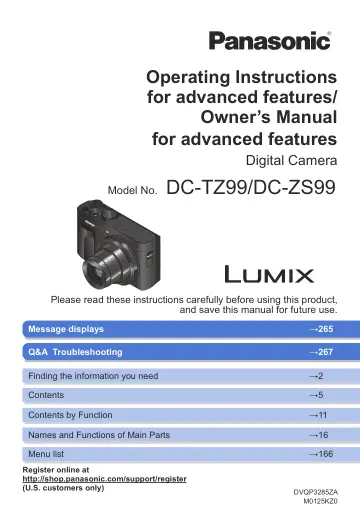
Panasonic ZS99 Pocket sized Travel (DCZS99K) user manual
- Type
- User manual
- Language
- English
- Pages
- 283
- Models
- DCZS99KDVQP3285ZA
Open PDFOpens the file on content.abt.com.
Contents
- Finding the information you needp. 2
In this “Operating Instructions for advanced features / Owner’s Manual for advanced features”, you can find the information you need from the following pages.…
- How to use this manualp. 3
Recording mode icons Recording mode: In Recording modes that show icons in black, you can select and execute indicated menus and functions. / (Custom Mode) has…
- Before Usep. 13
Camera handling Keep the camera away from excessive vibration, force, or pressure. •Avoid using the camera under the following conditions, which may damage the…
- Preparationsp. 18
Attaching the Hand Strap To prevent dropping, be sure to attach the supplied strap and fit it to your wrist. Strap eyelet
- Basicsp. 33
Holding the camera Hold the camera gently with both hands keeping your arms close to your body while standing with your feet slightly apart. • To prevent…
- Recording modep. 53
Taking pictures with automatic settings (Intelligent Auto Mode) Recording mode: This mode is recommended for those who want to point and shoot as the camera…
- Focus, Brightness (Exposure) and Color tone Settingsp. 88
Taking pictures with Auto Focus Recording mode: 1 Press [ ] button ( ) 2 Press to select [AF] and press [MENU/SET] • Set the focusing action when the shutter…
- 4K Photo and Drive Settingsp. 111
Selecting a Drive Mode Recording mode: You can switch the operation to be performed when you press the shutter button. 1 Press [ ] button ( ) 2 Press to select…
- Stabilizer, Zoom and Flashp. 139
Correcting jitter Recording mode: Automatically detects and prevents jitter. → [Rec] / [Motion Picture] → [Stabilizer] (Normal) Corrects vertical and…
- Recording motion picturesp. 149
Recording mode: You can record 4K or high-definition quality motion pictures in MP4 format. (→151) Audio is recorded in stereo. 1 Press the motion picture…
- Playing Back and Editing Picturesp. 158
Viewing your pictures 1 Press [ ] (Playback) button 2 Press to select a picture to be displayed • When you press and hold , the pictures are displayed one…
- Using Menu Functionsp. 166
Menu list Menus to be displayed in each recording mode [Intelligent Auto] • [Intelligent Auto Mode] (→53) • [iHandheld Night Shot] (→55) • [iHDR] (→56)…
- Wi-Fi/Bluetoothp. 222
What you can do with the Wi-Fi ®/Bluetooth ® function Operating the camera by connecting it to a smartphone • Operating the shutter button of the camera using…
- Connecting with other devicesp. 249
Enjoying 4K motion pictures Viewing 4K motion pictures •Viewing on TV screen When you connect this unit to a 4K-compatible TV and play back a motion picture…
- Othersp. 258
Optional accessories Tripod Grip (Optional) Attach a Tripod Grip (DMW-SHGR2: optional) to use it as a grip for recording while walking, a tripod, or a Shutter…