Loading manual…
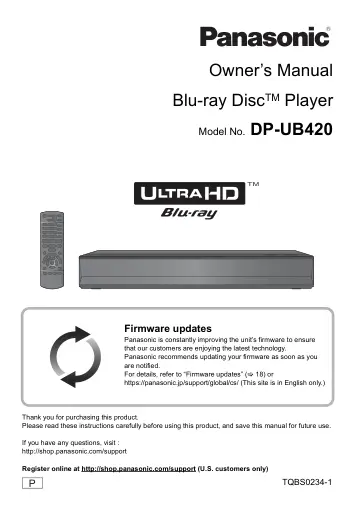
Panasonic Streaming 4K Blu ray Player Hi Res Audio (DPUB420K) user manual
Open PDFOpens the file on content.abt.com.
Contents
- IMPORTANT SAFETY INSTRUCTIONSp. 2
Read these operating instructions carefully before using the unit. Follow the safety instructions on the unit and the applicable safety instructions listed…
- Precautionsp. 3
Unit To reduce the risk of fire, electric shock or product damage, ≥Do not expose this unit to rain, moisture, dripping or splashing. ≥Do not place objects…
- Getting startedp. 5
- Accessoriesp. 5
Check the supplied accessories before using this unit. ≥Product numbers are provided in this Owner’s Manual correct as of June 2019. These may be subject to…
- Unit and media carep. 5
∫Clean this unit with a soft, dry cloth ≥Never use alcohol, paint thinner or benzine to clean this unit. ≥Before using chemically treated cloth, carefully read…
- Playable mediap. 6
Device Media markings Device types Contents format Ultra HD Blu-ray*1*2 Video BD-Video Video BD-RE BD-RE DL Video, JPEG, MPO BD-R BD-R DL Video, MKV, JPEG, MPO…
- Control reference guidep. 8
∫Remote control When other Panasonic devices respond to the remote control of the unit, change the remote control code. (> 35) ∫Reprogramming the remote…
- Connecting to a TVp. 10
4K images can be played back when this unit is connected to 4K compatible TV. ≥Before making any connections, please disconnect all the units from AC power.…
- Connecting to an amplifier/receiverp. 11
Enjoying video with a 4K-compatible TV and audio with an amplifier You can enjoy richer sound by using the HDMI AUDIO OUT terminal. (Audio is output in high…
- Connecting to the networkp. 16
The following services can be used when this unit is connected to broadband. For details about connection method, refer to the instructions supplied with the…
- Settingsp. 17
screen will appear. Preparation Turn on the TV and select the appropriate video input. 1 Press [Í]. Setup screen appears. 2 Follow the on-screen instructions…
- Playbackp. 19
HOME menu Major functions of this unit can be operated from the HOME menu. Preparation Turn on the TV and select the appropriate video input. 1 Press [Í] to…
- HOME menup. 19
Major functions of this unit can be operated from the HOME menu. Preparation Turn on the TV and select the appropriate video input. 1 Press [Í] to turn on the…
- Playbackp. 19
- Network Service (Enjoying NETFLIX, etc.)p. 22
Network Service allows you to access some specific websites supported by Panasonic, and enjoy Internet contents such as photos, videos, etc. from Network…
- Home Network featurep. 23
Before using the following features, be sure to configure the connected equipment on your Home Network. Mirroring is a function which displays a smartphone or…
- VIERA Linkp. 25
* Only when connecting via an HDMI VIDEO OUT terminal on this unit. When the following operations are performed, the input channel of the TV will be…
- Option menup. 26
A variety of playback operations and settings can be performed from this menu. Available options differ depending on the playing contents and the condition of…
- Referencep. 29
Setup menu Change the unit’s settings if necessary. The settings remain intact even if you switch the unit to standby. 1 Press [HOME]. 2 Select “Setup”. 3…
- Setup menup. 29
Change the unit’s settings if necessary. The settings remain intact even if you switch the unit to standby. 1 Press [HOME]. 2 Select “Setup”. 3 Select “Player…
- Troubleshooting guidep. 36
Before requesting service, please perform the following checks. The following do not indicate a problem with this unit: – Regular disc rotating sounds. – Image…
- Specificationsp. 42
≥Specifications are subject to change without notice. General Signal system NTSC Operating temperature range i5 oC to i35 oC (i41 oF to i95 oF) Operating…
- Licensesp. 45
“AVCHD”, “AVCHD 3D”, “AVCHD Progressive” and “AVCHD 3D/ Progressive” are trademarks of Panasonic Corporation and Sony Corporation. Java is a registered…
- Limited Warranty (ONLY FOR U.S.A.)p. 47
Panasonic Products Limited Warranty Limited Warranty Coverage (For USA Only) If your product does not work properly because of a defect in materials or…
- Referencia rápida en español (Spanish Quick Reference)p. 48
≥Conéctelo cuando haya realizado el resto de conexiones. Ahorro de energía Esta unidad consume una pequeña cantidad de energía aunque esté ajustada en el modo…