Loading manual…
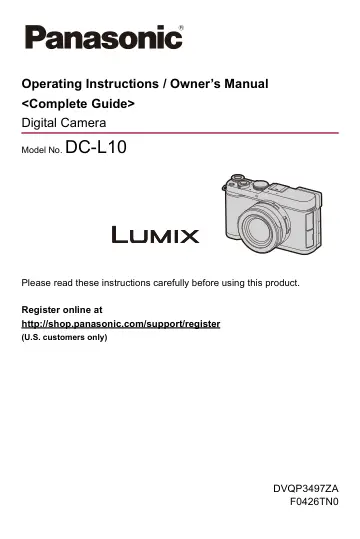
Panasonic LUMIX L10 Premium Point (DCL10S) user manual
- Type
- User manual
- Language
- English
- Pages
- 764
- Models
- DCL10SDVQP3497ZA
Open PDFOpens the file on content.abt.com.
Contents
- About Operating Instructionsp. 2
This document, “Operating Instructions / Owner’s Manual <Complete Guide>”, includes detailed explanations of all the functions and operations of the camera. •…
- Introductionp. 17
This chapter describes information you should know before starting. ≥Before Use: 18 ≥Standard Accessories: 21 ≥Memory Cards That Can Be Used: 23 ≥Names of…
- Getting Startedp. 35
Before recording, read this chapter to prepare the camera. ≥Attaching a Shoulder Strap: 36 ≥Charging the Battery: 37 ≥Inserting a Card (Optional): 49…
- Basic Operationsp. 58
This chapter describes basic camera operations and the Intelligent Auto mode which helps you start recording immediately. ≥How to Hold the Camera: 59…
- Taking Picturesp. 100
These are the basic operations and settings for taking pictures. ≥Basic Picture Operations: 101 ≥[Aspect Ratio]: 104 ≥[Picture Size]: 106 ≥[Rec. File…
- Recording Videosp. 114
These are the basic operations and settings for recording videos. • Please also refer to the following chapters for more detailed information about recording…
- Focus / Zoomp. 144
Smoother focusing is possible by selecting the focus mode and AF mode most suited to the recording conditions and the subject. • This camera supports phase…
- Drive / Shutter / Image Stabilizerp. 205
This chapter describes functions for recording in drive mode and the image stabilizer function. ≥Selecting the Drive Mode: 206 ≥Taking Burst Pictures: 208…
- Metering / Exposure / ISO Sensitivityp. 267
This chapter describes recording modes for determining exposure and ISO sensitivity. ≥[Metering Mode]: 268 ≥Program AE Mode: 270 ≥Aperture-Priority AE Mode…
- White Balance / Image Qualityp. 301
This chapter describes functions that enable you to record images how you imagine them, such as white balance and Photo Style. ≥White Balance (WB): 302 ≥[Photo…
- Flashp. 347
If you attach the external flash to the hot shoe, you can record using the flash. Furthermore, by attaching an external flash that supports wireless flash…
- Video Settingsp. 366
This section describes the settings used when recording video. ≥Displays Suited to Video Recording: 367 ≥[Photo/Video Separate Setting]: 368 ≥Using AF (Video)…
- Special Video Recordingp. 412
This chapter describes advanced video recording applications such as slow motion/quick motion video and Log recording. ≥Slow & Quick Video: 413 ≥High Frame…
- Playing Back and Editing of Imagesp. 459
This chapter explains how to play back and delete pictures and videos. You can also develop pictures recorded in the RAW format and repair video files that…
- Camera Customizationp. 503
This chapter describes the customization function with which you can configure the camera to your preferred settings. It also describes the [Custom] menu where…
- List of Menup. 594
Camera customization and many function settings are performed with menus on this camera. This chapter introduces all of the menu items in a list format.…
- Operating with a Smartphonep. 609
This chapter describes how to connect the smartphone app to the camera and how to use it. • This document refers to both smartphones and tablets as…
- Operations on a PCp. 635
This chapter describes connections with PCs. Connect using the USB port on the camera. ≥Connecting to a PC (USB Connection): 636 ≥Importing Images to a PC: 637…
- Wi-Fi/Bluetooth Connections and Settingsp. 645
This chapter describes connections and settings using Wi-Fi® and Bluetooth®. ≥[Wi-Fi] Menu: 648 ≥Connecting to a Bluetooth device: 651
- Connecting to Other Devicesp. 654
This chapter describes connections with other devices, for example, recorders. Connect using the USB port on the camera. ≥Connecting: 655 ≥Storing on a…
- Materialsp. 657
This chapter describes procedures to try when there is a problem and provides information about the specifications for your reference. ≥Digital Camera…