Loading manual…
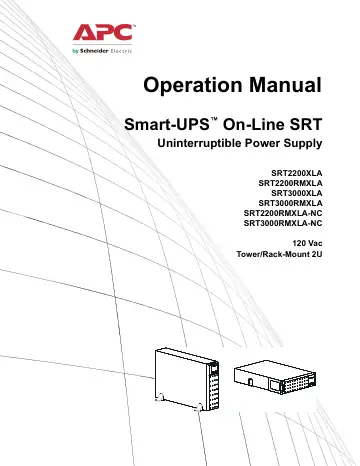
APC Uninterruptible Power Supply (SRT2200XLA) user manual
- Type
- User manual
- Language
- English
- Pages
- 33
- Category
- PC components
- Models
- SRT2200RMXLASRT2200XLASRT3000RMXLASRT3000XLA
Open PDFOpens the file on objects.icecat.biz.
Contents
- General Informationp. 3
Important Safety Messages Read the instructions carefully to become familiar with the equipment before attempting to install, operate, service or maintain the…
- Important Safety Messagesp. 3
Read the instructions carefully to become familiar with the equipment before attempting to install, operate, service or maintain the UPS. The following special…
- Product Handling Guidelinesp. 3
DANGER DANGER indicates a hazardous situation which, if not avoided, will result in death or serious injury. WARNING WARNING indicates a hazardous situation…
- Safety and General Informationp. 4
Adhere to all national and local electrical codes. • All wiring must be performed by a qualified electrician. • Changes and modifications to this unit not…
- Product Descriptionp. 6
The APC by Schneider Electric Smart-UPS™ On-Line SRT is a high performance uninterruptible power supply (UPS). The UPS helps to provide protection for…
- Product Overviewp. 6
Specifications For additional specifications refer to the APC by Schneider Electric web site, www.apc.com. Environmental Physical Temperature Operating 0º to…
- Specificationsp. 6
For additional specifications refer to the APC by Schneider Electric web site, www.apc.com. Environmental Physical Temperature Operating 0º to 40º C (32º to…
- Front Panel Featuresp. 8
Models Max. Rating Branch Circuit Overcurrent Rating / Building Circuit Breaker (CB) Current Rating Online Green Mode SRT2200XLA 2200 VA / 1800 W 1800 VA 20 A…
- Rear Panel Featuresp. 9
Note: Refer to the table “Key to identify rear panel features” on page 8, that provides a key to the callout numbers for the rear panel graphics depicted in…
- Operationp. 11
Connect Equipment Note: The UPS batteries will charge to 90% capacity in the first three hours of normal operation. Do not expect full battery runtime…
- Connect Equipmentp. 11
Note: The UPS batteries will charge to 90% capacity in the first three hours of normal operation. Do not expect full battery runtime capability during this…
- Turn the UPS On/Offp. 11
The first time the UPS is turned on the Setup Wizard screen will run. Follow the prompts to configure UPS settings. Refer to “Configuration” on page 13. To…
- UPS Display Interfacep. 12
operation Use the UP/DOWN buttons to scroll through the options. Press the OK button to accept the selected option. Press the ESC button to return to the…
- Configurationp. 16
UPS Settings There are three ways to select UPS configuration options. 1. The first time the UPS is turned on the Setup Wizard screen will open. On each menu…
- UPS Settingsp. 16
There are three ways to select UPS configuration options. 1. The first time the UPS is turned on the Setup Wizard screen will open. On each menu screen select…
- Controllable Outlet Groupsp. 21
provide battery backup power to connected equipment. Overview The controllable outlet groups can be configured using the Advanced menu options. Refer to…
- Emergency Power Offp. 22
Overview The Emergency Power Off (EPO) option is a feature that will immediately disconnect all connected equipment from mains power. The UPS will immediately…
- Network Management Interface (For NC models only)p. 23
Introduction The UPS has a network port and console port that can be used to access the Network Management Interface. Refer to the Network Management Card…
- Introductionp. 23
The UPS has a network port and console port that can be used to access the Network Management Interface. Refer to the Network Management Card utility CD…
- IP Address Configurationp. 23
The default TCP/IP configuration setting DHCP, assumes that a properly configured DHCP server is available to provide TCP/IP settings to the Network Management…
- Related Documentsp. 23
The Network Management Card Utility CD contains the following documentation: • UPS Network Management Card 2 User’s Guide • Network Management Card Upgrade…
- Smart Battery Managementp. 24
Definitions • Battery Module: A string of battery cells arranged to produce a battery assembly with a connector. • Replaceable Battery Cartridge (RBC): An APC…
- Troubleshootingp. 26
Use the table below to solve minor installation and operation problems. Refer to the APC by Schneider Electric web site, www.apc.com for assistance with…
- Transportp. 29
1. Shut down and disconnect all connected equipment. 2. Disconnect the unit from mains power. 3. Disconnect all internal and external batteries (if…
- Servicep. 29
section of this manual. Service If the unit requires service, do not return it to the dealer. Follow these steps: 1. Review the Troubleshooting section of the…
- Limited Factory Warrantyp. 30
Schneider Electric IT Corporation (SEIT), warrants its products to be free from defects in materials and workmanship for a period of three (3) years excluding…