Loading manual…
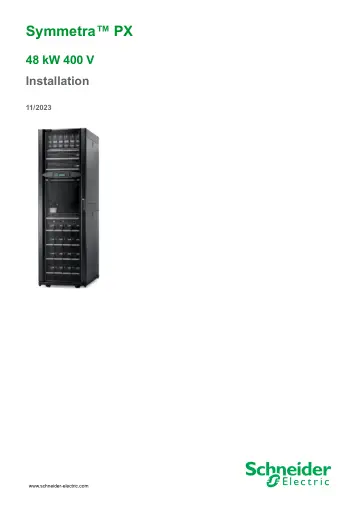
APC Symmetra PX48 Battery Frame for 9 Battery modules (SYCFXR48-S) user manual
- Type
- User manual
- Language
- English
- Pages
- 40
- Models
- SYCFXR48-S
Open PDFOpens the file on objects.icecat.biz.
Contents
- Important Safety Instructions — SAVE THESE INSTRUCTIONSp. 5
This manual contains important safety instructions for Symmetra PX 48 kW UPS and SYCFXR48 that should be followed during installation and maintenance of the…
- Specificationsp. 12
Input Specifications 380 V 400 V 415 V Input frequency (Hz) 40-70 Hz with 10 Hz/sec slewrate Nominal input current (A)1 77 73 70 Maximum input current (A)2…
- System Overviewp. 15
A. Power distribution modules B. Intelligence modules C. Power modules D. Maintenance bypass E. Communication interfaces F. Static switch module G. Modular…
- Clearance Symmetra PX 48 kWp. 16
NOTE: Clearance dimensions are published for airflow and service access only. Consult with the local safety codes and standards for additional requirements in…
- Prepare for Bottom Cable Entryp. 17
Rear View of the UPS 1. Open the back door. 2. Remove the back cover by loosening the two screws. Lift the cover up and out. 3. Remove the two screws and take…
- Level the Cabinetsp. 18
WARNING TIP HAZARD The system must be installed on a level floor. The leveling feet will stabilize the cabinet, but will not compensate for a badly sloped…
- Prepare for Cablesp. 19
The M8 nuts and cable ties are supplied in the UPS accessory kit. 1. Remove the screws and the three blind plates on the front, above the cable landing area.…
- Connect Input and Ground Cablesp. 22
CAUTION RISK OF EQUIPMENT DAMAGE Torque the power terminals in the UPS cabinet to 17.5 Nm. Failure to follow these instructions can result in injury or…
- EPO Switchp. 24
The UPS must be connected to either a dry contact or an external 24 VDC Emergency Power Off (EPO) switch. The EPO can be achieved with either a contact closure…
- Communication Cablesp. 26
Connect the Network Communication Cable The network communication cable is located on top of the UPS. Connect the cable to your local area network. Front View…
- Install the Power Distribution Modulesp. 27
DANGER HAZARD OF ELECTRIC SHOCK To install a power distribution module: • Turn off all power supplying the equipment and perform appropriate lockout/ tagout…
- Install the Modular Battery Solution (Option)p. 31
The Symmetra PX 48 can monitor up to four modular battery cabinets. DANGER HAZARD OF ELECTRIC SHOCK, EXPLOSION OR ARC FLASH Before installing the battery…
- Checklistp. 39
Check that the power wiring is torqued to correctly: UPS: 17.5 Nm Modular battery cabinet: 31.5 Nm Verify clockwise phase-rotation (L1, L2, L3) and make sure a…