Loading manual…
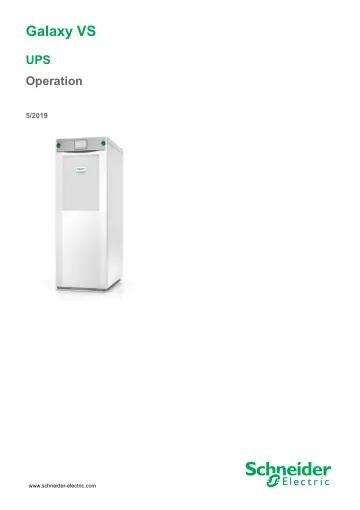
APC Galaxy VS UPS 60kW 400V for External Batteries (GVSUPS60KHS) user manual
- Type
- User manual
- Language
- English
- Pages
- 52
- Models
- GVSUPS30KHSGVSUPS40KHSGVSUPS60KHSGVSUPS80KHS
Open PDFOpens the file on objects.icecat.biz.
Contents
- Important Safety Instructions — SAVE THESE INSTRUCTIONSp. 5
UPS Important Safety Instructions — SAVE THESE INSTRUCTIONS Read these instructions carefully and look at the equipment to become familiar with it before…
- Single System Overviewp. 7
UPS Single System Overview UIB Unit input breaker SSIB Static switch input breaker IMB Internal maintenance breaker UOB Unit output breaker BB Battery breaker.…
- Parallel System Overviewp. 8
UIB Unit input breaker SSIB Static switch input breaker IMB Internal maintenance breaker UOB Unit output breaker SIB System isolation breaker BB Battery…
- Overview of User Interfacep. 11
UPS Overview of User Interface Display Overview of the Home Screen A. Home button - tap here on any screen to return to the home screen. B. Main menu button -…
- Operation Modesp. 16
The Galaxy UPS has two different levels of operation modes: • UPS mode: The operation mode of the individual UPS. See UPS Modes, page 16. • System mode: The…
- Configurationp. 20
Configure the UPS Input NOTE: This configuration is mandatory for correct UPS operation. 1. Tap Configuration > UPS. a. Set the Mains configuration to Single…
- Operation Proceduresp. 37
UPS Operation Procedures Start Up the UPS System from Off Mode NOTE: Use this procedure to start up a UPS from Off mode with no supplied load. If you are…
- Testsp. 45
UPS Tests The UPS system can perform the following tests to ensure correct performance of the system: • Buzzer • Status LEDs • Breaker lamp • Runtime…
- Maintenancep. 47
UPS Maintenance Replace the Air Filter 1. Open the front panel of the UPS. 2. Remove the air filter by pushing it upwards until you can ease it over the two…
- Troubleshootingp. 50
Status LED Lighting per UPS Operation Mode If the display becomes inoperable, you can see the UPS operation mode via the status LEDs behind the front panel. •…