Loading manual…
APC Rack Access, Pod, NetBotz, 175 Physical Security (NBPD0175) installation instructions
Open PDFOpens the file on objects.icecat.biz.
Contents
- Introductionp. 5
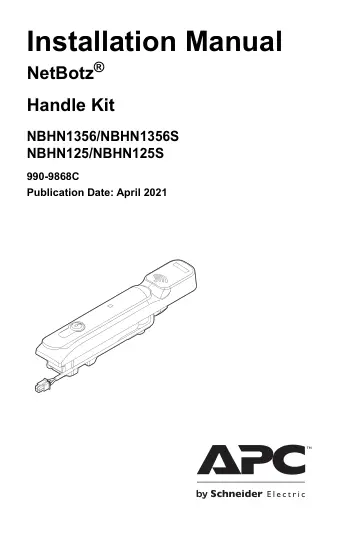
This manual provides instructions to install the APC by Schneider Electric NetBotz 125 kHz Handle Kit (NBHN125, NBHN125S) and NetBotz 13.56 MHz Handle Kit…
- Product Compatibilityp. 5
Racks. These Handle Kits are compatible with the following racks: • NetShelter® SX • NetShelter SX Colocation rack (AR3200) • NetShelter WX With Swing Handle…
- Receiving Inspectionp. 5
Inspect the package and its contents for shipping damage and ensure that the parts included in the shipment match all of the parts listed in the inventory…
- Inventoryp. 6
Item Description Not shown: Handle (NBHN125/NBHN1356–2) (NBHN125S/NBHN1356S–1) • Cable assembly (NBHN125/NBHN1356–2) (NBHN125S/NBHN1356S–1) • In line…
- Physical Descriptionp. 7
Swing handle with proximity reader Item Description Proximity reader Status LED Lock plug Sensor wire Lock connector port (not shown) Proximity…
- Installationp. 8
Manual Installation Before installing the Handle Kit, you must remove the front and rear door handles on your rack. You will need a #1 Phillips screwdriver to…
- Status LEDp. 11
The LED activity on the front of the handle (blue, magenta, red) signifies its status. LED Activity Status Action Solid blue Locked The handle is secured, the…
- Compatible Rack Access Cardsp. 12
You must access the NetBotz appliance’s user interface to register a rack access card. See the User Guide for your NetBotz appliance for instructions. Handle…
- Specificationsp. 13
Electrical Lock Supply voltage (Vsupply) 12 VDC to 24 VDC Standby current 50 mA maximum at 12 VDC Operating current 200 mA maximum at 12 VDC (with no external…
- Two Year Limited Factory Warrantyp. 14
APC by Schneider Electric warrants its products to be free from defects in materials and workmanship for a period of two (2) years excluding the batteries. The…
- Compliancep. 17
FCC This equipment has been tested and found to comply with the limits for a Class B digital device, pursuant to part 15 of the FCC rules. These limits are…
- Worldwide Customer Supportp. 20
Customer support for this product is available at www.apc.com. © 2021 APC by Schneider Electric. APC, the APC logo, NetBotz, StruxureWare, EcoStruxure, and…