Loading manual…
APC ™ Ultra (SRTL5KRM2UI) user manual
- Type
- User manual
- Language
- English
- Pages
- 33
- Models
- SRTL5KRM2UISRTL5KRM2UJSRTL5KRM2UT
Open PDFOpens the file on objects.icecat.biz.
Contents
- General Informationp. 3
Important Safety Instructions SAVE THESE INSTRUCTIONS - This manual contains important instructions that should be followed during installation and maintenance…
- Important Safety Instructionsp. 3
SAVE THESE INSTRUCTIONS - This manual contains important instructions that should be followed during installation and maintenance of the Smart-UPS Ultra and…
- Product Handling Guidelinesp. 3
DANGER DANGER indicates a hazardous situation which, if not avoided, will result in death or serious injury. WARNING WARNING indicates a hazardous situation…
- Safety and General Informationp. 4
Adhere to all national and local electrical codes. • All wiring must be performed by a qualified electrician. • Changes and modifications to this unit not…
- FCC Class A Radio Frequency Warningp. 6
NOTE: Applicable only for SRTL5KRM2UT model) This equipment has been tested and found to comply with the limits for a Class A digital device, pursuant to part…
- VCCI-A Cautionp. 6
NOTE: Applicable only for SRTL5KRM2UJ model su1115a
- Product Overviewp. 7
The APC Smart-UPS™ Ultra SRTL is a high performance uninterruptible power supply (UPS). The UPS helps to provide protection for electronic equipment from…
- Specificationsp. 7
For additional specifications visit our web site, www.apc.com. Environmental Physical Battery NOTE: The LED present on the front panel of the battery pack…
- Front panel features - UPSp. 8
Models Rating Branch Circuit Overcurrent Rating / Building Circuit Breaker (CB) Current Rating Online Green Mode SRTL5KRM2UI 5 kVA / 5 kW 5 kVA 40 A…
- Rear panel features - UPSp. 9
Note: Refer to the table “Key to identify rear panel features” on page 7, that provides a key to the callout numbers for the rear panel graphics depicted in…
- Rear Panel Features - XLBPp. 10
Safety Interlock Switch Battery Enable/Disable switch System Enable Switch System Enable/Disable switch. EPO terminal Emergency Power Off (EPO) terminal…
- Connect External Battery Pack (XLBP)p. 11
UPS model may differ in appearance from those depicted in the below illustrations. The process is identical for all models. Connect the ground cable 1. Locate…
- Operationp. 13
Connect Equipment Note: The UPS batteries will charge to 90% capacity in the first three hours of normal operation. Do not expect full battery runtime…
- Connect Equipmentp. 13
Note: The UPS batteries will charge to 90% capacity in the first three hours of normal operation. Do not expect full battery runtime capability during this…
- Turn the UPS on/offp. 13
The first time the UPS is turned on, the Setup Wizard screen will run. Follow the prompts to configure UPS settings. Refer to “Configuration” on page 15 for…
- UPS Display Interfacep. 14
LCD display interface rotation The orientation of the LCD display interface gets adjusted automatically based on UPS orientation. MENU button Battery status…
- Configurationp. 18
There are three ways to select UPS configuration options. 1. The first time the UPS is turned on the Setup Wizard screen will open. On each menu screen select…
- Emergency Power Offp. 23
Overview The Emergency Power Off (EPO) option is a feature that will immediately disconnect all connected equipment from mains power. The UPS will immediately…
- Network Management Interfacep. 24
Introduction The UPS has a network port and console port that can be used to access the Network Management Interface. The Network Management Interface have the…
- Introductionp. 24
The UPS has a network port and console port that can be used to access the Network Management Interface. The Network Management Interface have the same…
- Featuresp. 24
The Network Management Interface allows the UPS to function as a Web based, IPv6 ready product. The Network Management Interface can manage the UPS using…
- Related Documentsp. 24
For related documents refer our web site, www.apc.com. Hypertext Transfer Protocol (HTTP) Secure SHell (SSH) Simple Network Management Protocol versions 1 and…
- IP Address Configurationp. 25
The default TCP/IP configuration setting DHCP, assumes that a properly configured DHCP server is available to provide TCP/IP settings to the Network Management…
- Upgrade Firmwarep. 25
The firmware of the UPS, RBM and XLBPs can be updated using web-interface, which is built into the UPS network management card. The encrypted image of each…
- Smart Battery Managementp. 26
Definitions • Replaceable Battery Module (RBM): A string of battery cells arranged to produce a battery assembly with a connector. Replacement RBMs can be…
- Troubleshootingp. 28
Use the table below to solve minor installation and operation problems. Refer to our web site, www.apc.com for assistance with complex UPS problems. The UPS…
- Transportp. 30
1. Shut down and disconnect all connected equipment. 2. Disconnect the unit from mains power. 3. Disconnect the RBM and all the XLBPs (if applicable). 4.…
- Servicep. 30
section of this manual. Service If the unit requires service, do not return it to the dealer. Follow these steps: 1. Review the “Troubleshooting” on page 25…
- Limited Factory Warrantyp. 31
Schneider Electric IT Corporation (SEIT), warrants its products to be free from defects in materials and workmanship for a period of five (5) years from the…
- SUO UM 990-6458 MenuTree EN 29Nov21.pdfp. 1
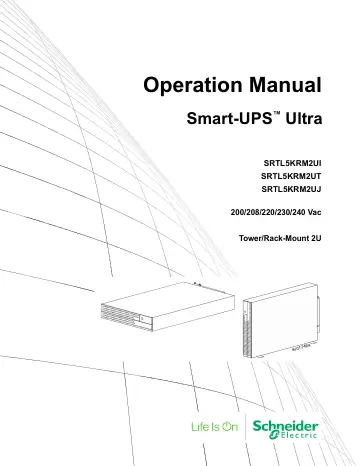
su01746a Operation Manual Smart-UPS ™ Ultra SRTL5KRM2UI SRTL5KRM2UT SRTL5KRM2UJ 200/208/220/230/240 Vac Tower/Rack-Mount 2U