Loading manual…
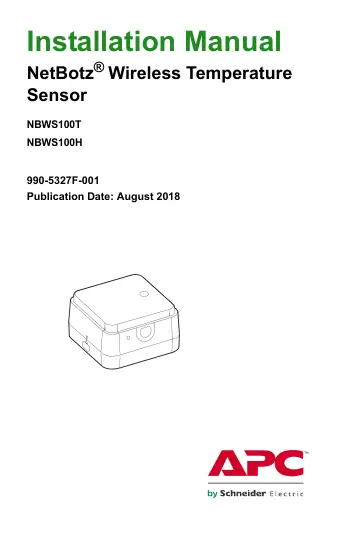
APC Sensor (NBWS100T) installation instructions
Open PDFOpens the file on objects.icecat.biz.
Contents
- Introductionp. 5
The NetBotz® Wireless Temperature Sensor connects to a NetBotz wireless sensor network, allowing you to monitor the temperature (NBWS100T) or the temperature…
- Additional documentationp. 5
Unless otherwise noted, the following documentation is available on the applicable product pages of the APC by Schneider Electric website, www.apc.com. To…
- Inventoryp. 6
Inspect the contents of the package to ensure that the parts included match those shown below. Report missing or damaged contents to APC by Schneider Electric…
- Physical Descriptionp. 7
Item Description Covered data port For factory use only Reset button Used to reboot the sensor or reset the sensor to factory defaults (see “Reset button”…
- Reset buttonp. 8
You can use the reset button on the side of the Wireless Temperature Sensor to reboot the sensor or reset the sensor to the factory defaults. Reboot. Press the…
- LED Activityp. 9
The LED on the sensor blinks to indicate certain statuses or alerts. LED activity during the boot process is different from LED activity during normal…
- The Wireless Sensor Networkp. 10
A ZigBee wireless network consists of a host appliance, a coordinator, and one or more devices in router mode or end device mode. • Host appliance: A wireless…
- Devices on the wireless sensor networkp. 10
Supported devices vary by host appliance. Check the documentation for your appliance to see which devices are supported. Wireless devices have a range of up to…
- Install the wireless sensor networkp. 11
The order in which you apply power and configure your wireless network is important. For best results, apply power and configure your wireless network as…
- Add Sensors to the Wireless Networkp. 12
The method to add sensors to the wireless sensor network varies by host appliance. See the documentation for your host appliance on www.apc.com for specific…
- Install the Wireless Temperature Sensorp. 13
When planning your installation locations, place each Wireless Temperature Sensor within range of a router or a coordinator. The maximum wireless range of the…
- Magnetic installationp. 13
Use the magnets on the base of the Wireless Temperature Sensor to mount it in the desired location on the rack
- Cable tie installationp. 13
To mount the Wireless Temperature Sensor on a rack door, 1. Place one or both cable tie holders in the desired location on the rack door. Press until each tie…
- Wall bracket installationp. 14
Use the provided screws and wall anchors or adhesive strips to secure the wall bracket to any surface. The magnets on the Wireless Temperature Sensor will…
- Monitor the Wireless Temperature Sensorp. 15
Once your wireless sensor network is installed and receiving power, you can monitor your system with the software interface of your appliance. See your…
- Receiving and sending datap. 15
If there is a change of 1º C or 1% RH or more, each Wireless Temperature Sensor sends its own data every 30 seconds. If there is no change, the Wireless…
- Advanced View sensor listingp. 15
When a Wireless Temperature Sensor is selected in the Navigation Pane in Advanced View, the following sensors are listed in the Sensor Pane: NOTE: Check the…
- Replace the Batteryp. 16
The Wireless Temperature Sensor uses a 3 V CR2477 battery. Battery life is estimated at an average of 3 years under normal use. To replace the battery: 1. Turn…
- Clean the Wireless Temperature Sensorp. 16
To clean the device, gently wipe its surfaces with a clean, dry cloth.
- Specificationsp. 17
Electrical Input voltage, nominal 3 V battery, CR2477 non-rechargeable primary cell Maximum total current draw 33 mA USB Physical Dimensions (H x W x D) 38.0 x…
- Two Year Limited Factory Warrantyp. 18
APC by Schneider Electric warrants its products to be free from defects in materials and workmanship for a period of two (2) years excluding the batteries. The…
- Warranty claimsp. 19
issues may access the APC by Schneider Electric worldwide customer support network through the APC by Schneider Electric website: www.apc.com. Select your…
- Radio Frequency Interferencep. 20
Changes or modifications to this unit not expressly approved by the party responsible for compliance could void the user’s authority to operate this equipment.…
- USA — FCCp. 20
- Canada — ICESp. 20
- European Unionp. 21
This product’s transmitter is in conformity with the requirements of EU Council Directive 2004/108/EC on the approximation of the laws of the Member States…
- Japanp. 21
This radio equipment is accredited in accordance with the Japanese Radio Law Article 38, Section 24(1).
- Russiap. 22
- Australiap. 22
- Brazilp. 22