Loading manual…
APC BR650MI user manual
Open PDFOpens the file on objects.icecat.biz.
Contents
- Safety and General Informationp. 1
Inspect the package contents upon receipt. Notify the carrier and dealer if there is any damage
- Inspect the package contents upon receipt. Notify the carrier and dealer if there is any damagep. 1
SAVE THESE INSTRUCTIONS - This section contains important instructions that should be followed during installation and maintenance of the UPS and batteries
- SAVE THESE INSTRUCTIONS - This section contains important instructions that should be followed during installation and mp. 1
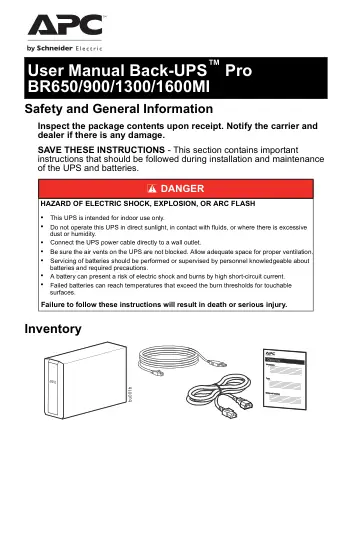
Inventory DANGER HAZARD OF ELECTRIC SHOCK, EXPLOSION, OR ARC FLASH • This UPS is intended for indoor use only. • Do not operate this UPS in direct sunlight, in…
- Inventoryp. 1
DANGER HAZARD OF ELECTRIC SHOCK, EXPLOSION, OR ARC FLASH • This UPS is intended for indoor use only. • Do not operate this UPS in direct sunlight, in contact…
- Connect the Batteryp. 2
The UPS is shipped with the battery disconnected
- BR650MI /BR900MIp. 2
BR1300MI / BR1600MI Remove the battery door. Remove the battery. Connect the wire. Push the battery into the unit. Replace the battery door. Remove…
- BR1300MI / BR1600MIp. 2
Connect the Battery The UPS is shipped with the battery disconnected. BR650MI /BR900MI BR1300MI / BR1600MI Remove the battery door. Remove the battery.…
- Install PowerChute™ Personal Edition Softwarep. 3
Use PowerChute Personal Edition software to configure the UPS settings. During a power outage, PowerChute will save any open files on your computer and shut it…
- Installationp. 3
Use the cable supplied with the Back-UPS to connect the data port on the Back-UPS to the USB port on your computer. On the computer, go to www.apc.com Search…
- Connect the Equipmentp. 3
Battery backup and surge protected outlets When the Back-UPS is receiving input power, the Battery Backup with Surge Protection outlets will supply power to…
- BR650MI / BR900MIp. 3
/ BR1300MI / BR1600MI 3 Install PowerChute™ Personal Edition Software Use PowerChute Personal Edition software to configure the UPS settings. During a power…
- BR1300MI /BR1600MIp. 3
- Operationp. 4
Power saving display The display interface can be configured to be continuously illuminated, or to save energy, it can be configured to darken after a period…
- Power saving displayp. 4
The display interface can be configured to be continuously illuminated, or to save energy, it can be configured to darken after a period of inactivity. 1. Full…
- Unit sensitivityp. 4
Adjust the sensitivity of the Back-UPS to control when it will switch to battery power; the higher the sensitivity, the more often the Back-UPS will switch to…
- Front panel buttons and display interfacep. 5
Use the three buttons on the front panel of the Back-UPS and the display interface to configure the Back-UPS. Front panel Mute button Power On/Off button…
- Alarms and System Errorsp. 6
- Audible indicatorsp. 6
Status icons Mute: If the line through the speaker icon is illuminated, the audible alarm has been turned off. Replace Battery: The battery is nearing the end…
- Status iconsp. 6
Mute: If the line through the speaker icon is illuminated, the audible alarm has been turned off. Replace Battery: The battery is nearing the end of its useful…
- System errorsp. 7
The Back-UPS will display these error messages. Except for errors F01 and F02, contact SEIT Technical Support. F01 On-Battery Overload Turn the Back-UPS off.…
- Function Button Quick Referencep. 8
Function Button Timing (seconds) UPS Status Description Power Power On 0.2 Off Press POWER to start receiving input AC power. If AC input power is not…
- Troubleshootingp. 9
Problem Possible Cause Corrective Action Back-UPS will not switch on. The Back-UPS is not connected to AC power. Ensure that the Back-UPS is securely connected…
- Specificationsp. 10
- Battery Replacementp. 11
The battery typically lasts for 3 to 5 years, a shorter period if subjected to frequent outages or elevated temperatures. Battery replacement parts for…
- Warrantyp. 11
The standard warranty is three (3) years from the date of purchase, valid in European Community. For all other regions, the standard warranty is two (2) years…
- APC by Schneider Electric IT Customer Support Worldwidep. 12
For country specific customer support, go to the APC by Schneider Electric Web site, www.apc.com. © 2019 APC by Schneider Electric. APC, the APC logo…
- User Manual Back-UPS™ Pro BR650/900/1300/1600MIp. 1