Loading manual…
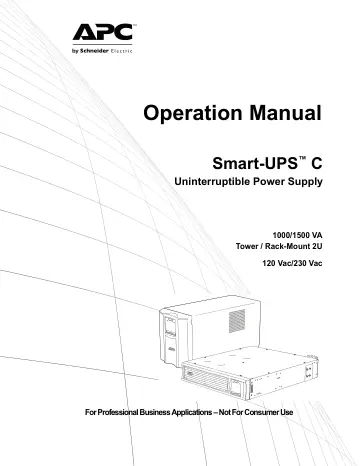
APC Smart-UPS C (SMC1500I-2UC) user manual
- Type
- User manual
- Language
- English
- Pages
- 22
- Models
- SMC1500I-2UC
Open PDFOpens the file on objects.icecat.biz.
Contents
- Important Safety Messagesp. 3
SAVE THESE INSTRUCTIONS - This manual contains important instructions that should be followed during installation and maintenance of the UPS and batteries.…
- Product Handling Guidelinesp. 3
DANGER DANGER indicates a hazardous situation which, if not avoided, will result in death or serious injury. WARNING WARNING indicates a hazardous situation…
- Safety and General Informationp. 4
Inspect the package contents upon receipt. Notify the carrier and dealer if there is any damage. • Adhere to all national and local electrical codes. • All…
- Specificationsp. 6
For additional specifications, refer to the APC Web site at www.apc.com. Environmental specifications SMC1000-2UC and SMC1000I-2UC Rack-Mount SMC1000C…
- Product Overviewp. 7
Front panel features Rear panel features =SMC1000-2UC and SMC1000I-2UC Rack-Mount SMC1500-2UC and SMC1500I-2UC Rack-Mount SMC1000C, SMC1000IC, SMC1500C, and…
- Installationp. 9
For UPS installation information, refer to the Installation Guide included with the UPS. The Installation Guide is also available on the Documentation CD…
- Status Indicatorsp. 11
Display panel features Display icons 1000/1500 VA 120 Vac 1000/1500 VA 230 Vac On Line/On Battery LED Display interface POWER ON/OFF button MENU button…
- Feature Reference Guidep. 13
Normal mode Configuration mode Configuration mode provides the ability to adjust UPS parameters and initiate control actions. To enter configuration mode hold…
- Troubleshootingp. 16
SmartConnect Product Key Displays the 14-character SmartConnect Product Key in 4 parts each time Mute is pressed. To see the characters, press MENU to toggle…
- System Errors and Message Codesp. 17
For more information on System Errors, contact customer support at the APC by Schneider Electric Web site, www.apc.com/support
- SmartConnectp. 17
APC SmartConnect allows you to monitor the health and status of your UPS from any device connected to the Internet. Visit www.smartconnect.apc.com to learn…
- Battery Replacementp. 18
* Contact Schneider Electric Worldwide Customer Support to determine the age of the installed battery modules. Always recycle used batteries. For information…
- Transportp. 18
1. Shut down and disconnect all connected equipment. 2. Disconnect the unit from utility power. 3. Disconnect all internal and external batteries (if…
- Servicep. 19
If the unit requires service, do not return it to the dealer. Follow these steps: 1. Review the Troubleshooting section of the manual to eliminate common…
- Limited Factory Warrantyp. 20
Schneider Electric IT Corporation (SEIT), warrants its products to be free from defects in materials and workmanship for a period of two (2) years from the…
- APC by Schneider Electric Worldwide Customer Supportp. 22
Customer support for this or any other APC by Schneider Electric product is available at no charge in any of the following ways: • Visit the APC by Schneider…