Loading manual…
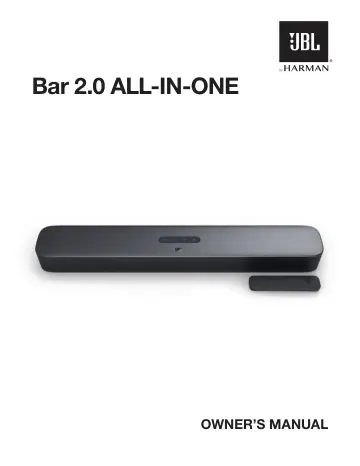
JBL Bar 2.0 All in One (JBLBAR20AIOBLKEP) user manual
- Type
- User manual
- Language
- English
- Pages
- 11
- Category
- Soundbars
- Models
- JBLBAR20AIOBLKEP
Open PDFOpens the file on objects.icecat.biz.
Contents
- IMPORTANT SAFETY INSTRUCTIONSp. 2
Verify Line Voltage Before Use The JBL Bar 2.0 (soundbar) has been designed for use with 100-240 volt, 50/60 Hz AC current. Connection to a line voltage other…
- 1 INTRODUCTIONp. 4
Thank you for purchasing the JBL Bar 2.0 All-in-One (soundbar) which is designed to bring an extraordinary sound experience to your home entertainment system.…
- 2 WHAT’S IN THE BOXp. 4
Unpack the box carefully and ensure that the following parts are included. If any part is damaged or missing, do not use it and contact your retailer or…
- 3 PRODUCT OVERVIEWp. 4
3.1 Controls and indicators 4 1 3 2 1. (Power) • Switch on or to standby 2. -/+ (Volume) • Decrease or increase the volume • Press and hold to decrease or…
- 3.1 Controls and indicatorsp. 4
1 3 2 1. (Power) • Switch on or to standby 2. -/+ (Volume) • Decrease or increase the volume • Press and hold to decrease or increase the volume continuously •…
- 3.2 Connectorsp. 5
2 3 4 1. POWER • Connect to power 2. OPTICAL • Connect to the optical output on your TV or digital device 3. USB • USB connector for software update • Connect…
- 3.3 Remote Controlp. 5
2 3 4 5 1. • Switch on or to standby 2. TV • Select the TV source 3. (Bluetooth) • Select the Bluetooth source • Press and hold to connect another Bluetooth…
- 4 PLACEp. 6
4.1 Desktop placement Place the soundbar on a flat and stable surface. TV NOTES: − − The power cord shall be properly connected to power. − − Do not place any…
- 4.1 Desktop placementp. 6
Place the soundbar on a flat and stable surface. TV NOTES: − − The power cord shall be properly connected to power. − − Do not place any objects on the top of…
- 4.2 Wall-mountingp. 6
3 4 2 ≤8 mm/ 0.31" 4mm/ 0.16" ≥30 mm/1.18" Figure 1 1. Preparation: a) With a minimum distance of 2” (50mm) from your TV, stick the supplied wall-mounting…
- 5 CONNECTp. 6
5.1 TV connection Connect the soundbar with your TV through the supplied HDMI cable or an optical cable (sold separately). Through the supplied HDMI cable An…
- 5.1 TV connectionp. 6
Connect the soundbar with your TV through the supplied HDMI cable or an optical cable (sold separately). Through the supplied HDMI cable An HDMI connection…
- 5.2 Bluetooth connectionp. 7
Through Bluetooth, connect the soundbar with your Bluetooth device, such as a smartphone, tablet and laptop. Settings Bluetooth Bluetooth DEVICES JBL BAR 2.0…
- 6 PLAYp. 7
6.1 Power-on/Auto standby/Auto wakeup POWER Switch on 1. Connect the soundbar to power by using the supplied power cord. 2. Press to switch on. NOTES: − − Use…
- 6.1 Power-on/Auto standby/Auto wakeupp. 7
POWER Switch on 1. Connect the soundbar to power by using the supplied power cord. 2. Press to switch on. NOTES: − − Use the supplied power cord only. − −…
- 6.2 Play from the TV sourcep. 8
With the soundbar connected, you can enjoy TV audio from the soundbar speakers. HDMI ARC OPTICAL 1. Make sure that your TV is set to support external speakers…
- 6.3 Play from the Bluetooth sourcep. 8
Through Bluetooth, stream audio from your Bluetooth device to the soundbar. 1. Check that the soundbar has been properly connected to your Bluetooth device…
- 7 SOUND SETTINGSp. 8
Audio sync With the audio sync function, you can synchronize audio and video to make sure that no delay is heard from your video content. 1. On the remote…
- 8 RESTORE FACTORY SETTINGSp. 9
By restoring the default settings defined at factories, you remove all your personalized settings from the soundbar. • On the soundbar, press and hold and for…
- 9 SOFTWARE UPDATEp. 9
For optimal product performance and your best user experience, JBL may offer software updates for the soundbar system in the future. Please visit www.jbl.com…
- 10 PRODUCT SPECIFICATIONSp. 9
- 11 TROUBLESHOOTINGp. 9
Never try to repair the product yourself. If you have problems using this product, check the following before you request services. System The unit will not…
- 12 TRADEMARKSp. 10
The Bluetooth® word mark and logos are registered trademarks owned by the Bluetooth SIG, Inc. and any use of such marks by HARMAN International Industries…
- 13 OPEN SOURCE LICENSE NOTICEp. 10
This product contains open source software licensed under GPL. For your convenience, the source code and relevant build instruction are also available at…