Loading manual…
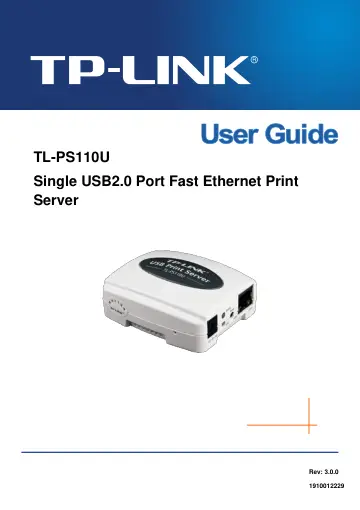
TP-Link TL-PS110U user manual
Open PDFOpens the file on objects.icecat.biz.
Contents
- Chapter 1. Introductionp. 6
1.1 Product Overview The external print servers enhance capability by letting you place your printers at convenient locations directly on the Ethernet network…
- 1.1 Product Overviewp. 6
The external print servers enhance capability by letting you place your printers at convenient locations directly on the Ethernet network, and by increasing…
- 1.2 Components and Featuresp. 6
➢ One USB2.0 port ➢ Fast Ethernet network port: RJ-45 for 10Base-T or 100Base-TX ➢ One Setup CD contains driver and manual for Windows system ➢ One external AC…
- 1.3 LED Indicatorp. 6
LED Status Indication Status Blinking (Orange) When power switched on, the Status indicator will flash five times, and then on. 100Mbps On (Green) LAN Port has…
- 1.4 Factory Defaultsp. 6
➢ Username: admin ➢ IP Address: 192.168.0.10 ➢ Subnet Mask: 255.255.255.0 Note: The TL-PS110U is produced without password by default.
- Chapter 2. Hardware Installationp. 7
2.1 Preparation Before you start, you should prepare the following items: ➢ One printer with USB port ➢ One USB printer cable ➢ One Router
- 2.1 Preparationp. 7
Before you start, you should prepare the following items: ➢ One printer with USB port ➢ One USB printer cable ➢ One Router
- 2.2 Connectionp. 7
Follow the instructions below to connect the print server. Figure 2-1 is a typical typology for the print server. ➢ Power off the printer. ➢ Connect the print…
- Chapter 3. How to Configure the Print Serverp. 8
3.1 Using PSWizard in Windows XP/ Windows Vista/ Windows 7 To connect to the print server using PSWizard, the configuration for Windows XP, Windows Vista and…
- 3.1 Using PSWizard in Windows XP/ Windows Vista/ Windows 7p. 8
To connect to the print server using PSWizard, the configuration for Windows XP, Windows Vista and Windows 7 are similar. Here take Windows XP for example. 1.…
- 3.2 Using Web Management Page in Windows XP/ Windows Vista/ Windows 7p. 19
To connect to the print server using the web management page, the configuration for Windows XP, Windows Vista and Windows 7 are similar. Here take Windows XP…
- 3.3 Using Web Management Page on MAC OSp. 25
1. Click the Apple Icon on the left side of the top-bar, and then choose System Preferences.
- 3.4 Printer Installationp. 32
Other computers in the same local network that need to share the printing should add the Standard TCP/IP port on their system. There’re two conditions. Please…
- Chapter 4. More Configuration for the Print Serverp. 43
The Print Server contains an embedded web server that can be accessed through a supported web browser on a WLAN, for example, IE6, Firefox or above is…
- 4.1 Loginp. 43
Open a web-browser and type in the IP address of the print server (the default is 192.168.0.10) in the address field of the browser to login to the web…
- 4.2 Statusp. 44
The Status page shows the current information about the print server as shown in Figure 4-3. By clicking the corresponding tab, you can view the following…
- 4.3 Setupp. 47
The Setup page allows you to configure general system settings of he print server. By clicking the corresponding tab, you can configure the following items…
- 4.4 Miscp. 49
4.4.1 Factory Default Click OK to restore the print server to its Factory Default settings.
- 4.5 Restartp. 51
Click OK to reboot the print server. Figure 4-11
- Appendix A: How to Reset the Print Serverp. 52
If you lose the connection with the TL-PS110U by doing wrong configuration, you need to reset it to factory and reconfigure it again. Here are the steps for…
- Appendix B: Troubleshootingp. 53
General Troubleshooting Overview The most common problems, which cause the print server to perform improperly, are covered in this chapter. If a problem still…
- Appendix C: Frequently Asked Questionsp. 56
1) Question A: Print jobs are sent to the print queue successfully, but fail to be sent to the printer. Possible explanations: 1. The Print server Name/Print…
- Appendix D: Additional Installation Instructionsp. 58
Panasonic KX-P6100/6300/6500 If you are using a Panasonic KX-P6100/6300/6500 laser printer with the print server through the Network Print Port under Windows…