Loading manual…
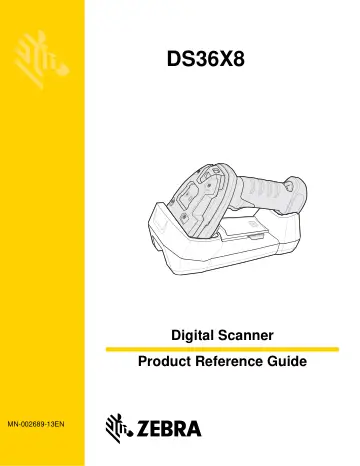
Motorola DS3678-HD (DS3678-HD2F003VZWW) user manual
- Type
- User manual
- Language
- English
- Pages
- 618
- Category
- Scanners
- Models
- DS3608-HP3U4602VZWDS3678-HD2F003VZWWDS36X8
Open PDFOpens the file on objects.icecat.biz.
Contents
- Warrantyp. 5
For the complete hardware product warranty statement, go to: www.zebra.com/warranty.
- Revision Historyp. 6
Changes to the original guide are listed below: Change Date Description -01 Rev A 06/2016 Initial release. -02 Rev A 08/2016 Added DS3678-ER configuration. -03…
- About This Guidep. 25
Introduction The DS36X8 Product Reference Guide provides general instructions for setting up, operating, maintaining, and troubleshooting the cordless DS3678…
- Chapter 1 Getting Startedp. 35
Introduction The cordless DS36X8 combines superior 1D and 2D omnidirectional barcode scanning performance and advanced ergonomics in a lightweight design. The…
- Chapter 2 123Scan and Software Toolsp. 53
Introduction This chapter briefly describes the Zebra software tools available for customizing scanner operation. 123Scan 123Scan is a software tool that…
- Chapter 3 Data Capturep. 57
Introduction This chapter provides beeper and LED definitions, techniques involved in scanning barcodes, general instructions and tips about scanning, and…
- Chapter 4 Maintenance & Technical Specificationsp. 73
Introduction This chapter provides suggested digital scanner maintenance, troubleshooting, technical specifications, and signal descriptions (pinouts).…
- Chapter 5 Radio Communicationsp. 85
Introduction This chapter provides information about the modes of operation and features available for wireless communication between the DS3678 cordless…
- Chapter 6 User Preferences & Miscellaneous Optionsp. 139
Introduction You can program the digital scanner to perform various functions, or activate different features. This chapter describes each user preference…
- Chapter 7 Imaging Preferencesp. 205
- Chapter 8 USB Interfacep. 231
Introduction This chapter provides instructions for programming the digital scanner to interface with a USB host. The digital scanner connects directly to a…
- Chapter 9 SSI Interfacep. 251
Introduction This chapter describes the system requirements of the Simple Serial Interface (SSI), which provides a communications link between Zebra decoders…
- Chapter 10 RS-232 Interfacep. 275
Introduction This chapter describes how to set up the digital scanner with an RS-232 host. Use the RS-232 interface to connect the digital scanner to…
- Chapter 11 IBM Interfacep. 297
- Chapter 12 Keyboard Wedge Interfacep. 305
Introduction This chapter describes how to set up a keyboard wedge interface with the digital scanner. With this interface, the digital scanner is connected…
- Chapter 13 Symbologiesp. 317
Introduction This chapter describes symbology features and provides programming barcodes for selecting these features. Before programming, follow the…
- Chapter 14 Intelligent Document Capturep. 427
Introduction Intelligent Document Capture (IDC) is Zebra advanced image processing firmware for select imager based decoders. This chapter describes the IDC…
- Chapter 15 Digimarc Barcodep. 449
Introduction Digimarc Barcode is an invisible machine-readable code. Digimarc Symbology Digimarc codes are reported as UPC-A, UPC-E, EAN-13, or GS1 DataBar…
- Chapter 16 Data Formatting: ADF, MDF, Preferred Symbolp. 451
Introduction This chapter briefly describes the Zebra features available for customizing scanner operation. Advanced Data Formatting (ADF) Advanced Data…
- Chapter 17 OCR Programmingp. 455
- Appendix A Standard Default Parametersp. 491
Table A-1 Parameter Defaults Parameter Parameter Number SSI Number Default Page Number Radio Communications Radio Communications Host Types 383 F0h 7Fh Cradle…
- Appendix B Country Codesp. 507
- Appendix C Country Code Pagesp. 525
Introduction This chapter provides barcodes for selecting code pages for the country keyboard type selected in Appendix C, Country Code Pages. If the default…
- Appendix D CJK Decode Controlp. 539
Introduction This appendix describes control parameters for CJK (Chinese, Japanese, Korean) barcode decode through USB HID Keyboard Emulation mode. NOTE…
- Appendix E Programming Referencep. 549
Symbol Code Identifiers Table E-1 Symbol Code Characters Code Character Code Type A UPC-A, UPC-E, UPC-E1, EAN-8, EAN-13 B Code 39, Code 32 C Codabar D Code…
- Appendix F Sample Bar Codesp. 557
- Appendix G Alphanumeric Bar Codesp. 561
Alphanumeric Bar Codes Space # $ %
- Appendix H Numeric Bar Codesp. 579
Numeric Bar Codes For parameters requiring specific numeric values, scan the appropriately numbered barcode(s). 0 1 2 3 4
- Appendix I ASCII Character Setsp. 581
- Appendix J Communication Protocol Functionalityp. 595
Functionality Supported via Communication (Cable) Interface Table J-1 lists supported scanner functionality by communication protocol. Table J-1 Communication…