Loading manual…
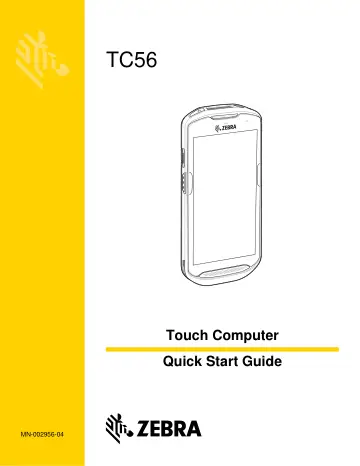
Motorola TC56 (TC56DJ-1PAZU2P-A6) quick start guide
- Type
- Quick start guide
- Language
- English
- Pages
- 15
- Models
- TC56DJ-1PAZU2P-A6
Open PDFOpens the file on objects.icecat.biz.
Contents
- Warrantyp. 2
For the complete Zebra hardware product warranty statement, go to: www.zebra.com/warranty. Service Information If you have a problem using the equipment…
- Installing a microSD Cardp. 3
The microSD card slot provides secondary non-volatile storage. The slot is located under the battery pack. Refer to the documentation provided with the card…
- Installing the SIM Cardp. 5
1. Remove access cover. 2. Slide the SIM card holder door to the unlock position. CAUTION Access door must be replaced and securely seated to ensure proper…
- Installing the Batteryp. 8
To install the battery: 1. Insert the silver end of the battery into the battery well. 2. Press the battery down until it snaps into place
- Charging the TC56p. 8
Use one of the following accessories to charge the TC56 and/or spare battery
- Charging the Spare Batteryp. 9
1. Insert a spare battery into the spare battery slot. 2. Ensure the battery is seated properly. The Spare Battery Charging LED blinks indicating charging. See…
- 1-Slot USB Charging Cradlep. 10
5-Slot Charge Only Cradle Power LED Power LED TC56 Charging Slot
- 5-Slot Charge Only Cradlep. 10
Power LED Power LED TC56 Charging Slot
- 4-Slot Charge Only Cradle with Battery Chargerp. 11
5-Slot Ethernet Cradle Spare Battery Charging LED Power LED Spare Battery Slot TC56 Charing Slot 1000 LED TC56 Charging Slot 100/100 LED
- 5-Slot Ethernet Cradlep. 11
Spare Battery Charging LED Power LED Spare Battery Slot TC56 Charing Slot 1000 LED TC56 Charging Slot 100/100 LED
- 4-Slot Battery Chargerp. 12
Rugged Charge/USB Cable Spare Battery Charging LEDs (4) Power LED Spare Battery Slot
- Rugged Charge/USB Cablep. 12
Spare Battery Charging LEDs (4) Power LED Spare Battery Slot
- Ergonomic Considerationsp. 14
NOTE Imager decoding usually occurs instantaneously. The TC56 repeats the steps required to take a digital picture (image) of a poor or difficult bar code as…