Loading manual…
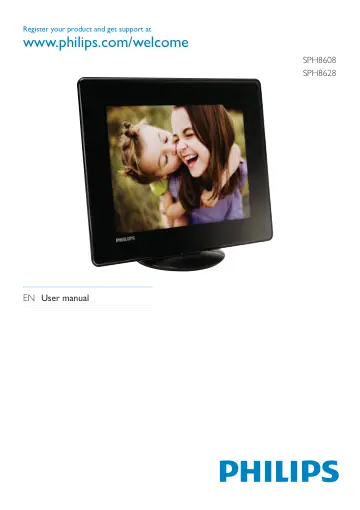
Philips Digital Photo Album SPH8628/12 user manual
- Type
- User manual
- Language
- English
- Pages
- 40
- Models
- SPH8608SPH8608/12SPH8628SPH8628/12
Open PDFOpens the file on objects.icecat.biz.
Contents
- 1 Importantp. 4
Safety Safety precautions and maintenance • Never touch, push, rub or strike the screen with hard objects as this may damage the screen permanently. • When the…
- Safetyp. 4
precautions and maintenance • Never touch, push, rub or strike the screen with hard objects as this may damage the screen permanently. • When the product is…
- 2 Your PhotoAlbump. 6
Congratulations on your purchase, and welcome to Philips! To fully benefit from the support that Philips offers, register your product at…
- Introductionp. 6
This is a Philips Digital PhotoAlbum with built-in rechargeable battery. With Philips Digital PhotoAlbum, you can use the PhotoAlbum to: • Display JPEG photos…
- 3 Get startedp. 8
Caution • Use the controls only as stated in this user manual. Always follow the instructions in this chapter in sequence. If you contact Philips, you will be…
- Charge the built-in batteryp. 8
Note • Charge the built-in battery before using the PhotoAlbum for the first time. The fully charged built-in battery lets you operate the PhotoAlbum for up to…
- 4 Playp. 13
Display photos Note • You can display JPEG photos in slideshow mode on the PhotoAlbum. 1 In the home screen, select [Play] and then tap OK. » » Photos are…
- Display photosp. 13
Note • You can display JPEG photos in slideshow mode on the PhotoAlbum. 1 In the home screen, select [Play] and then tap OK. » » Photos are displayed in…
- 5 Browsep. 15
Browse and manage albums and media You can browse and manage albums and media in wave mode or album mode. • Wave mode: • Album mode: Browse albums: 1 In the…
- Browse and manage albums and mediap. 15
You can browse and manage albums and media in wave mode or album mode. • Wave mode: • Album mode: Browse albums: 1 In the home screen, select [Browse] and then…
- 6 Clockp. 18
Display the clock 1 In the home screen, select [Clock] and then tap OK. » » A clock/calendar is displayed. Clock menu 1 When a clock/calendar is displayed, tap…
- Display the clockp. 18
In the home screen, select [Clock] and then tap OK. » » A clock/calendar is displayed. Clock menu 1 When a clock/calendar is displayed, tap MENU to enter the…
- 7 Event reminderp. 19
Create an event reminder 1 In the home screen, select [Event Reminder] and then tap OK. 2 Select [Create Event Reminder], and then tap OK. EN
- Create an event reminderp. 19
In the home screen, select [Event Reminder] and then tap OK. 2 Select [Create Event Reminder], and then tap OK. EN
- 8 Settingsp. 24
Select an on-screen language 1 In the home screen, select [Settings] and then tap OK. 2 Select [Language], and then tap OK. 3 Select a language, and then tap…
- Select an on-screen languagep. 24
In the home screen, select [Settings] and then tap OK. 2 Select [Language], and then tap OK. 3 Select a language, and then tap OK. EN
- 9 Upgrade the PhotoAlbump. 33
Caution • Do not power off the PhotoAlbum during software upgrade. If there is a software update, you can download the latest software from www.philips.com/…
- 10 Product informationp. 34
Note • Product information is subject to change without prior notice. Picture/Display • Viewing angle: @ C/R > 10, 130° (H)/110° (V) • Lifetime, to 50%…
- 11 Frequently asked questionsp. 36
Is the LCD screen touch-enabled? The LCD screen is not touch-enabled. After you turn on the PhotoAlbum, you can use the touch panel to control the PhotoAlbum.…
- 12 Glossaryp. 37
A Aspect ratio Aspect ratio refers to the length to height ratio of TV screens. The ratio of a standard TV is 4:3, while the ratio of a high-definition or wide…