Loading manual…
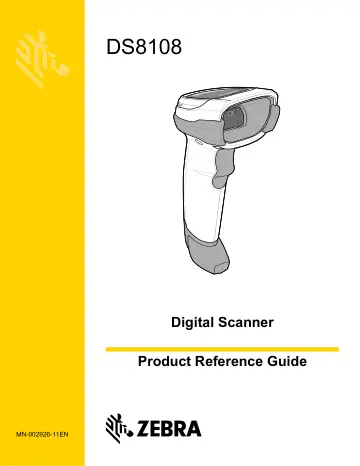
Motorola DS8108-HC (DS8108-HC4000BVZWW) user manual
- Type
- User manual
- Language
- English
- Pages
- 585
- Category
- Scanners
- Models
- DS8108DS8108-HC4000BVZWW
Open PDFOpens the file on objects.icecat.biz.
Contents
- Revision Historyp. 4
Changes to the original guide are listed below: Change Date Description MN-002926-01 Rev A 03/2017 Initial Release MN-002926-02 Rev A 3/2018 Updates: -…
- About This Guidep. 22
Introduction The DS8108 Digital Scanner Product Reference Guide provides general instructions for setting up, operating, maintaining, and troubleshooting the…
- Chapter 1 Getting Startedp. 27
Introduction The DS8108 combines superior 1D and 2D omnidirectional bar code scanning and transfer with a light-weight, Hands-free/Hand-held design. The…
- Chapter 2 123Scan and Software Toolsp. 31
Introduction This chapter briefly describes the Zebra software tools available for customizing scanner operation. 123Scan 123Scan is a software tool that…
- Chapter 3 Data Capturep. 35
Introduction This chapter provides beeper and LED definitions, techniques involved in scanning bar codes, general instructions and tips about scanning, and…
- Chapter 4 Maintenance, Troubleshooting, & Technical Specificationsp. 50
Introduction This chapter provides suggested digital scanner maintenance, troubleshooting, technical specifications, and signal descriptions (pinouts).…
- Chapter 5 USB Interfacep. 62
Introduction This chapter describes how to set up the scanner with a USB host. The scanner connects directly to a USB host, or a powered USB hub, which powers…
- Chapter 6 SSI Interfacep. 86
Introduction This chapter describes the system requirements of the Simple Serial Interface (SSI), which provides a communications link between Zebra decoders…
- Chapter 7 RS-232 Interfacep. 110
- Chapter 8 IBM 468X / 469X Interfacep. 132
- Chapter 9 Keyboard Wedge Interfacep. 138
Introduction This chapter describes how to set up a keyboard wedge interface with the scanner. The scanner connects between the keyboard and host computer and…
- Chapter 10 User Preferences & Miscellaneous Optionsp. 148
Introduction You can program the scanner to perform various functions, or activate different features. This chapter describes user preference features and…
- Chapter 11 Image Capture Preferencesp. 194
Introduction You can program the imager to perform various functions, or activate different features. This chapter describes image capture preference features…
- Chapter 12 Symbologiesp. 218
- Chapter 13 OCR Programmingp. 336
- Chapter 14 Intelligent Document Capturep. 370
Introduction Intelligent Document Capture (IDC) is Zebra advanced image processing firmware for select imager based scanners. This chapter describes the IDC…
- Chapter 15 Digimarc Bar codep. 392
Introduction Digimarc Barcode is a machine-readable code that is invisible to people. Digimarc Symbology Selection Digimarc codes are reported as UPC-A, UPC-E…
- Chapter 16 Data Formatting: ADF, MDF, Preferred Symbol, Data Parsingp. 395
Introduction This chapter briefly describes the Zebra features available for customizing scanner operation. Advanced Data Formatting (ADF) Advanced Data…
- Chapter 17 Driver’s License Set Up (DS8108-DL)p. 400
Introduction The scanner uses internally embedded algorithms to parse out bar code information from standard US driver's licenses and certain other American…
- Appendix A Standard Parameter Defaultsp. 444
Table A-1 Parameter Defaults Parameter Parameter Number 1 SSI Number 2 Default Page Number Dump Scanner Parameters N/A N/A N/A 4-7 Report Software Version N/A…
- Appendix B Numeric Bar Codesp. 460
Numeric Bar Codes For parameters requiring specific numeric values, scan the appropriately numbered bar code(s). 0 1 2 3
- Appendix C Alphanumeric Bar Codesp. 463
Cancel To correct an error or change a selection, scan the following bar code. Cancel
- Appendix D ASCII Character Setsp. 481
NOTE For the Keyboard Wedge Interface, Code 39 Full ASCII interprets the bar code special character ($ + % /) preceding a Code 39 character and assigns an…
- Appendix E Programming Referencep. 493
Symbol Code Identifiers Table E-1 Symbol Code Characters Code Character Code Type A UPC-A, UPC-E, UPC-E1, EAN-8, EAN-13 B Code 39, Code 32 C Codabar D Code…
- Appendix F Communication Protocol Functionalityp. 501
Functionality Supported via Communication (Cable) Interface Table F-1 lists supported scanner functionality by communication protocol. Table F-1 Communication…
- Appendix G Country Codesp. 503
Introduction This chapter provides instructions for programming the keyboard to interface with a USB or keyboard wedge host. The host powers the scanner. For…
- Appendix H Country Code Pagesp. 519
Introduction This chapter provides bar codes for selecting code pages for the country keyboard type selected in Appendix G, Country Codes. If the default code…
- Appendix I CJK Decode Controlp. 533
Introduction This appendix describes control parameters for CJK (Chinese, Japanese, Korean) bar code decode through USB HID Keyboard Emulation mode. NOTE…
- Appendix J Signature Capture Codep. 543
Introduction CapCode, a signature capture code, is a special pattern that encloses a signature area on a document and allows a scanner to capture a signature.…
- Appendix K Non-Parameter Attributes (Attribute Data Dictionary)p. 547
Introduction This appendix defines non-parameter attributes. Attributes Model Number Attribute #533 Model number of the scanner. This electronic output matches…