Loading manual…
LG 32GS95UX-B user manual
- Type
- User manual
- Language
- English
- Pages
- 17
- Category
- Monitors
- Models
- 32GS95UX-B
Open PDFOpens the file on objects.icecat.biz.
Contents
- 슬라이드 번호 1p. 1
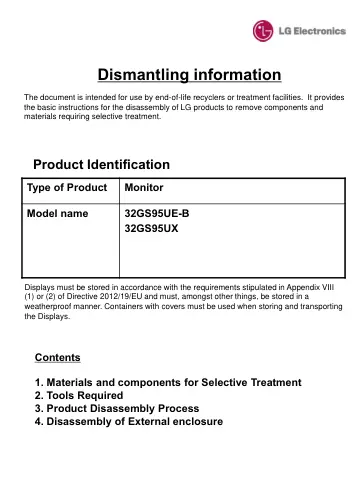
Dismantling information Type of Product Monitor Model name 32GS95UE-B 32GS95UX Product Identification Displays must be stored in accordance with the…
- 슬라이드 번호 2p. 2
1. Materials and components for Selective Treatment Displays may contain hazardous substances like Pb and BFRs which are covered by exemptions under the RoHS…
- 슬라이드 번호 3p. 3
2. Tools Required List the type that would typically be used to disassemble the product to a point where components and materials requiring selective treatment…
- 슬라이드 번호 4p. 4
3. Product Disassembly Process 1. Batteries No battery
- 슬라이드 번호 5p. 5
3. Product Disassembly Process 2. PCBs and LCD Module Detach Monitor head and stand by one-click button. Set-up the Monitor head with the back-cover is…
- 슬라이드 번호 6p. 6
Remove the back cover. (Tool set up : Plastic HERA JIG) Disassembly the Lighting Cover Start Point Disassembly the Lighting cable 2EA
- 슬라이드 번호 7p. 7
Disassembly the Cables Remove the screw 4ea Remove the woofer 2ea
- 슬라이드 번호 8p. 8
Remove the screw 16ea The picture of module.
- 슬라이드 번호 9p. 9
Remove screws 6ea and disassembly the control bracket and PCB Remove screws 5ea and disassembly the FAN
- 슬라이드 번호 10p. 10
- 슬라이드 번호 11p. 11
3. Product Disassembly Process 3. Power cord and signal cables A Power cord plugged into the back of the display can easily be removed by hand or cables are…
- 슬라이드 번호 12p. 12
4. Disassembly of External enclosure Detach Monitor head and stand by one-click button. Set-up the Monitor head with the back-cover is pointing upside. Remove…
- 슬라이드 번호 13p. 13
- 슬라이드 번호 14p. 14
- 슬라이드 번호 15p. 15
The picture of module.
- 슬라이드 번호 16p. 16
Remove the screws 21ea
- 슬라이드 번호 17p. 17
Disassembly the LED PCB Ass’y Remove the screws 3ea