Loading manual…
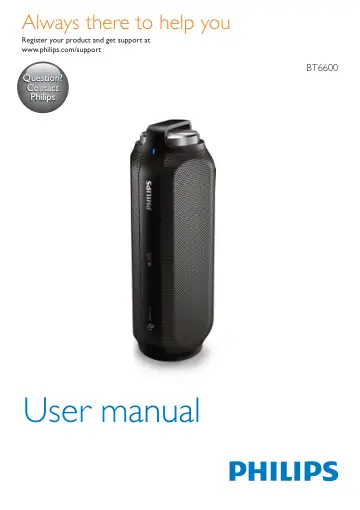
Philips wireless portable speaker BT6600A/12 user manual
- Type
- User manual
- Language
- English
- Pages
- 18
- Category
- Speakers
- Models
- BT6600BT6600A/12BT6600B/12
Open PDFOpens the file on objects.icecat.biz.
Contents
- 1 Importantp. 4
Warning • Never remove the casing of this speaker. • Never place this speaker on other electrical equipment. • Keep this speaker away from direct sunlight…
- 2 Your Bluetooth speakerp. 5
Congratulations on your purchase, and welcome to Philips! To fully benefit from the support that Philips offers, register your product at…
- Introductionp. 5
This speaker has passed splash-proof test (IPX4) and can be used near water. With this speaker, you can enjoy audio from Bluetooth-enabled devices or other…
- What's in the boxp. 5
Check and identify the contents of your package: • Speaker • USB cable for charging • USB adapter head • The charging base • Short user manual • Safety and…
- Overview of the speakerp. 6
a / /MULTIPAIR • Enter Bluetooth pairing mode. • Disconnect Bluetooth connection. • Answer or reject an incoming call. • End the current phone call. • Transfer…
- 3 Get startedp. 7
Always follow the instructions in this chapter in sequence
- Power supplyp. 7
Either AC power or battery can be used as power supply of this product. Option 1: Battery power The speaker can operate on the built-in rechargeable battery.…
- Turn on/offp. 8
To turn the speaker on or off, rotate the knob clockwise or anticlockwise until you hear a click. » » When the speaker is turned on, the blue LED indicator…
- Adjust volumep. 8
During play, rotate the knob to increase or decrease volume.
- 4 Use Bluetooth devicesp. 9
With this speaker, you can listen to audio from Bluetooth-enabled devices and control the incoming call through Bluetooth
- Connect a devicep. 9
Note • The speaker can memorize a maximum of three paired devices. The fourth paired device will replace the first one. • Make sure that Bluetooth function is…
- Connect three Bluetooth devices simultaneouslyp. 10
The speaker can connect to three Bluetooth devices at the same time. • If the speaker is connected to one device, press and hold MULTIPAIR for two seconds. » »…
- Play from Bluetooth devicep. 10
Note • If there is an incoming call on the connected mobile phone, music play pauses. After successful Bluetooth connection, play audio on the Bluetooth…
- Control your phone callp. 10
After Bluetooth connection, you can control an incoming call with this speaker. Button Function / Press to answer an incoming call. Press and hold for three…
- 5 Listen to an external devicep. 11
With this speaker, you can also listen to an external audio device such as an MP3 player. Note • Make sure that music playback through Bluetooth is stopped. 1…
- 6 Charge your devicep. 12
With this speaker, you can charge your external devices, such as your cell phone, MP3 player or other mobile devices. 1 Use a USB cable to connect the USB…
- 7 Product informationp. 13
Note • Product information is subject to change without prior notice
- Specificationsp. 13
Amplifier Rated Output Power 2 X 7.5 W RMS Frequency Response 63 -20KHz, +/-3 dB Signal to Noise Ratio > 72 dBA Audio in input 1000 mV RMS Bluetooth Bluetooth…
- 8 Troubleshootingp. 14
Warning • Never remove the casing of this device. To keep the warranty valid, never try to repair the system yourself. If you encounter problems when using…
- Generalp. 14
No power • Make sure that the AC power plug of the unit is connected properly. • Make sure that there is power at the AC outlet. • Recharge your speaker. No…
- About Bluetooth devicep. 14
The audio quality is poor after connection with a Bluetooth-enabled device. • The Bluetooth reception is poor. Move the device closer to this product or remove…
- 9 Noticep. 15
Any changes or modifications made to this device that are not expressly approved by Gibson Innovations may void the user’s authority to operate the equipment
- Compliancep. 15
Hereby, Gibson Innovations declares that this product is in compliance with the essential requirements and other relevant provisions of Directive 1999/5/EC.…
- Care of the environmentp. 15
Disposal of your old product and battery Your product is designed and manufactured with high quality materials and components, which can be recycled and…
- Trademark noticep. 16
The Bluetooth® word mark and logos are registered trademarks owned by Bluetooth SIG, Inc. and any use of such marks by Gibson Innovations Limited is under…