Loading manual…
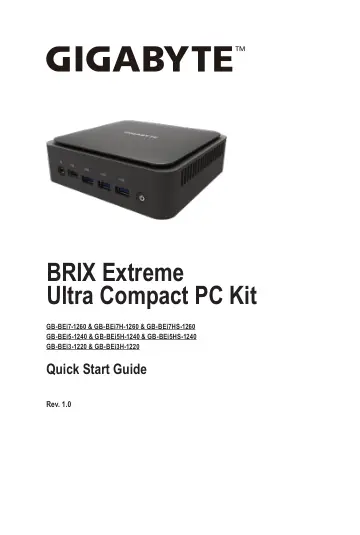
Gigabyte GB-BEI7-1260 quick start guide
- Type
- Quick start guide
- Languages
- English, Spanish, French, German
- Pages
- 37
- Category
- Desktops & servers
- Models
- GB-BEI3-1220GB-BEI3H-1220GB-BEI5HS-1240GB-BEI7-1260GB-BEI7HS-1260
Open PDFOpens the file on objects.icecat.biz.
Contents
- Chapter 1 System Informationp. 14
- 1-1 Installation Precautionsp. 14
The system contain numerous delicate electronic circuits and components which can become damaged as a result of electrostatic discharge (ESD). Prior to…
- 1-2 Product Specificationsp. 15
System Dimension 52 mm x 134.2 mm x 139.1 mm (2.0" x 5.3" x 5.4") CPU GB-BEi7-1260 & GB-BEi7H-1260 & GB-BEi7HS-1260 12th Generation Intel® Core™ i7-1260P…
- 1-3 Package Contentsp. 17
Lieferumfang / Contenu du colis / Contenido del paquete / Conteúdo da embalagem / Contenuto della confezione / Комплект поставки / Zawartość opakowania / Paket…
- Chapter 2 System Appearancep. 19
Getting Familiar with Your Unit Erste Schritte mit Ihrem Gerät / Se familiariser avec votre appareil / Familiarizándose con su unidad / Familiarizarse com a…
- 2-1 Front Viewp. 19
No. Description 1. Headphone/Microphone 2. USB 3.2 Gen2 with Type-C 3. 3 x USB 3.2 Gen2 Type A 4. Power Button
- 2-2 Rear Viewp. 21
No. Description No. Description 5. Mini DisplayPort 9. USB 3.2 Gen2 with Type-CAlt Mode Thunderbolt 4 *(5V/3A) 6. HDMI 2.1 10. RJ-45(10/100/1000/2500Mbps) 7.…
- 2-3 Left Viewp. 23
No. Description 15. Cooling Vent 15 15 SKU Model Standard GB-BEi7-1260, GB-BEi5-1240, GB-BEi3-1220 SKU Model HDD GB-BEi7H-1260, GB-BEi5H-1240, GB-BEi3H-1220…
- 2-4 Right Viewp. 24
- 2-5 Bottom Viewp. 25
No. Description 16. Vesa Bracket Screw Holes
- 2-6 PIN Definitionp. 26
- Chapter 3 System Hardware Installationp. 27
- 3-1 Removing the Bottom Coverp. 28
Before you remove the bottom cover • Make sure the system is not turned on or connected to AC power. Follow these instructions to remove/install the Bottom…
- 3-2 Installing the M.2 SSDp. 29
WARNING! Failure to properly turn off the system before you start installing components may cause serious damage. Follow these instructions to Install the M.2…
- 3-3 Installing the Memoryp. 30
Read the following guidelines before you begin to install the memory: • Make sure that the sysytem supports the memory. It is recommended that memory of the…
- 3-4 Remove the Wireless Modulep. 31
Drahtlosmodul: Sicheres Entfernen des Moduls / Module sans fil : Comment retirer le module en toute sécurité / Módulo inalámbrico: Cómo quitar el módulo de…
- 3-5 Installing the VESA Bracketp. 32
- 3-6 Installing Additional SATA 6Gbps HDD (2.5" HDD)p. 33
Follow these instructions to install the 2.5" HDD: 1. Unscrew and remove the HDD bracket. (將 HDD 支架從底蓋上移除) 2. Disconnect the SATA cable. (取下主機板上的 SATA 線) 3.…
- 3-7 Installing LAN/COM/M.2 Upgrade Kitp. 35
NOTE! This system does not support the installation of both LAN/COM kit and 2.5" HDD; also the M.2 module here cannot be equipped with a thermal plate due to…
- Chapter 4 BIOS Setupp. 37
4-1 USB Power On Function Allows Device Power-on Via USB. Useful When Mounted Behind a Display or TV • NOTE: ‘USB Power On’ functionality in Windows requires…