Loading manual…
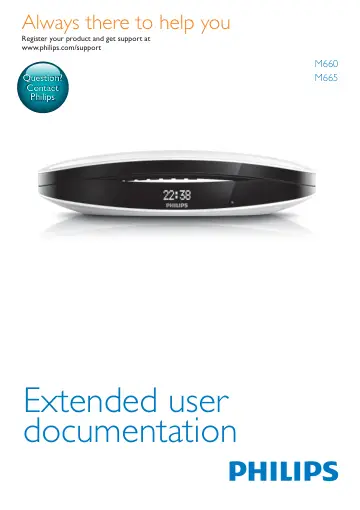
Philips Luceo design cordless phone M6601WB/22 user manual
- Type
- User manual
- Language
- English
- Pages
- 47
- Category
- Phones
- Models
- M6601WB/22
Open PDFOpens the file on objects.icecat.biz.
Contents
- 1 Important safety instructionsp. 5
Power requirements • This product requires an electrical supply of 100-240 volts AC. In case of power failure, the communication can be lost. • The voltage on…
- 2 Your phonep. 6
Congratulations on your purchase and welcome to Philips! To fully benefit from the support that Philips offers, register your product at www.philips.…
- 3 Get startedp. 9
Caution • Make sure that you have read the safety instructions in the 'Important safety instructions' section before you connect and install your handset.…
- 4 Callsp. 13
Note • When the power fails, the phone cannot access emergency services. Tip • Check the signal strength before you make a call or when you are in a call (see…
- 5 Intercom and conference callsp. 15
EN Make a conference call with the external callers Note • This service is network dependent. Check with the service provider for additional charges. When you…
- 6 Text and numbersp. 17
EN During an external call 1 Press and hold to initiate an internal call. » » The external caller is put on hold. » » For multi-handset versions, the handsets…
- 7 Phonebookp. 18
- 8 Call logp. 20
EN Add a record Note • If your phonebook memory is full, a notification message is displayed on the handset. Delete some records to add new ones. • When you…
- 9 Redial listp. 22
EN Return a call 1 Press . 2 Select a record on the list. 3 Press to make the call. Delete a call record 1 Press . » » The incoming call log is displayed. 2…
- 10 Phone settingsp. 23
- 11 Alarm clockp. 27
EN Note • When auto hang up is deactivated, you can put the handset to the base station or charging cradle and continue with your call through the speaker.…
- 12 Telephone answering machinep. 28
- 13 Servicesp. 32
EN Change the PIN/passcode 1 Press / or MENU/OK > [Answ. Machine] > MENU/OK. 2 Select [Remote access] > [Change PIN], then press MENU/OK to confirm. 3 Enter…
- 14 Technical datap. 36
EN Set the dial mode 1 Press MENU/OK. 2 Select [Services] > [Dial mode], then press MENU/OK to confirm. 3 Select a dial mode, then press MENU/OK to confirm. »…
- 15 Noticep. 37
EN Restore default settings You can reset your phone settings to the original factory settings. 1 Press MENU/OK. 2 Select [Services] > [Reset], then press…
- 16 Frequently asked questionsp. 39
EN 15 Notice Declaration of conformity Hereby, Gibson Innovations declares that this product is in compliance with the essential requirements and other…
- 17 Appendixp. 41
EN 16 Frequently asked questions No signal bar is displayed on the screen. • The handset is out of range. Move it closer to the base station. • If the handset…
- 18 Indexp. 43
EN 17 Appendix Text and number input tables Key Upper case characters (for English/ French/ German/ Italian/Turkish/ Portuguese/Spanish/Dutch/Danish/…
- 1 Important safety instructionsp. 5
- 2 Your phonep. 6
- 3 Get startedp. 9
- 4 Callsp. 13
- 5 Intercom and conference callsp. 16
Note • This feature is available for multihandset versions only. An intercom call is a call to another handset that shares the same base station. A conference…
- 6 Text and numbersp. 18
You can enter text and numbers for handset name, phonebook records, and other menu items. Enter text and numbers 1 Press once or several times on the…
- 7 Phonebookp. 19
This phone has a phonebook that stores up to 100 records. You can access the phonebook from the base station. Each record can have a name up to 16 characters…
- 8 Call logp. 21
The call log stores the incoming call history of all missed, received or blocked calls. The incoming call history includes the name and number of the caller…
- 9 Redial listp. 23
The redial list stores the call history of dialed calls. It includes the names and/or numbers you have called. This phone can store up to 20 redial records.…
- 10 Phone settingsp. 24
You can customize the settings to make it your own phone. Sound settings Set the handset's ringtone volume You can select among 5 ringtone volume levels or…
- 11 Alarm clockp. 28
Your phone has a built-in alarm clock. Check the information below to set your alarm clock. Set the alarm 1 Press MENU/OK. 2 Select [Alarm], then press MENU/OK…
- 12 Telephone answering machinep. 29
Note • Available only for M665. Your phone includes a telephone answering machine that records unanswered calls when it is on. By default, the answering…