Loading manual…
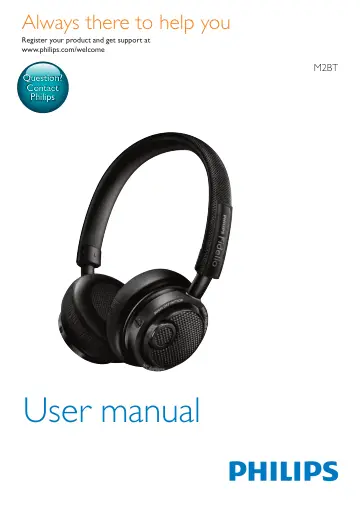
Philips Wireless Bluetooth® headphones M2BTBK/00 user manual
- Type
- User manual
- Language
- English
- Pages
- 16
- Category
- Headphones & headsets
- Models
- M2BTBK/00
Open PDFOpens the file on objects.icecat.biz.
Contents
- 1 Important safety instructionsp. 4
Hearing Safety Danger • To avoid hearing damage, limit the time you use the headset at high volume and set the volume to a safe level. The louder the volume…
- Hearing Safetyp. 4
Danger • To avoid hearing damage, limit the time you use the headset at high volume and set the volume to a safe level. The louder the volume, the shorter the…
- General informationp. 4
To avoid damage or malfunction: Caution • Do not expose the headset to excessive heat. • Do not drop your headset. • Headset shall not be exposed to dripping…
- Compliance with EMFp. 4
This product complies with all applicable standards and regulations regarding exposure to electromagnetic fields.
- 2 Your wireless on-ear headsetp. 5
Congratulations on your purchase, and welcome to Philips! To fully benefit from the support that Philips offers, register your product at…
- What's in the boxp. 5
Philips Bluetooth wireless on-ear headset M2BT USB charging cable (for charging only) Audio cable Pouch Quick start guide
- Other devicesp. 5
A mobile phone or device (e.g. notebook, PDA, Bluetooth adapters, MP3 players etc) which supports Bluetooth and is compatible to the headset (see 'Technical…
- Overview of your wireless on-ear headsetp. 5
- 3 Get startedp. 7
Charge your headset Note • Before you use your headset for the first time, charge the battery for 5 hours for optimum battery capacity and lifetime. • Use only…
- Charge your headsetp. 7
Note • Before you use your headset for the first time, charge the battery for 5 hours for optimum battery capacity and lifetime. • Use only the original USB…
- Pair the headset with your mobile phonep. 7
Before you use the headset with your mobile phone for the first time, pair it with a mobile phone. A successful pairing establishes a unique encrypted link…
- Multipointp. 8
The headset has a Multipoint feature which allows 2 devices to be connected simultaneously and switched between each other (see 'Manage your calls and music'…
- 4 Use your headsetp. 9
Connect the headset to a Bluetooth device 1 Turn on your mobile phone/Bluetooth device. 2 Press and hold the call/music button to turn the headset on. » » The…
- Connect the headset to a Bluetooth devicep. 9
Turn on your mobile phone/Bluetooth device. 2 Press and hold the call/music button to turn the headset on. » » The blue LED flashes. » » The headset is…
- Manage your calls and musicp. 9
Call/Music button Task Operation Sound or LED indicator Turn the headset on. Press and hold for 2 seconds. • 1 short beep • 3 white flashes: battery low < 25%…
- Wear your headsetp. 10
Adjust the headband to fit your head. Tip • After use, twist the headset for easy storage
- Use with the audio cablep. 10
Note • Make sure that you turn off the Bluetooth headset before connecting the audio cable. With the supplied audio cable, you can use the headset with…
- 5 Technical datap. 11
Minimum 10 hours of music time or talk time • Minimum 350 hours of standby time • Normal time for a full charge: 3 hours • Rechargeable Lithium-ion battery…
- 6 Noticep. 12
Declaration of conformity Hereby, WOOX Innovations declares that this product is in compliance with the essential requirements and other relevant provisions of…
- Declaration of conformityp. 12
Hereby, WOOX Innovations declares that this product is in compliance with the essential requirements and other relevant provisions of Directive 1999/5/EC. You…
- Disposal of your old product and batteryp. 12
Your product is designed and manufactured with high quality materials and components, which can be recycled and reused. This symbol on a product means that the…
- Trademarksp. 13
Bluetooth The Bluetooth word mark and logos are owned by the Bluetooth SIG, Inc. and any use of such marks by WOOX Innovations Limited is under license.…
- 7 Frequently asked questionsp. 14
My Bluetooth headset does not switch on. The battery level is low. Charge the headset. I cannot pair my Bluetooth headset with a mobile phone. The Bluetooth is…