Loading manual…
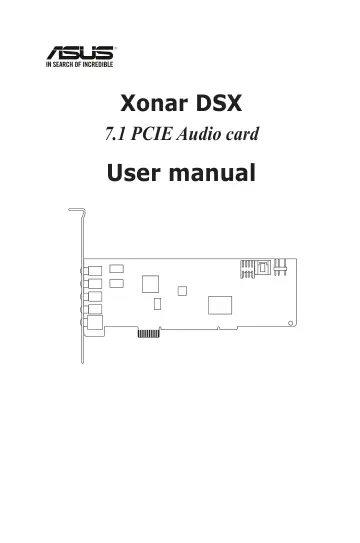
ASUS Xonar DSX (90-YAA0P1-0UAN0BZ) user manual
- Type
- User manual
- Language
- English
- Pages
- 54
- Models
- 90-YAA0P1-0UAN0BZ
Open PDFOpens the file on objects.icecat.biz.
Contents
- Noticesp. 4
Federal Communications Commission Statement This device complies with Part 15 of the FCC Rules. Operation is subject to the following two conditions: • This…
- Safety informationp. 5
Before installing the device on a motherboard, carefully read all the manuals that came with the package. • To prevent electrical shock hazard or short…
- Trademarksp. 5
Xonar and ASUS logo are trademarks of ASUSTek Computer Inc. “Dolby” and “Dolby Digital Live”, “Dolby Pro Logic IIx”, “Dolby Virtual Speaker”, “Dolby Headphone”…
- Licensep. 5
Dolby Master Studio driver is manufactured under license from Dolby Laboratories; DTS Connect driver is manufactured under license from Digital Theater…
- 1. Introductionp. 7
1.1 Package contents • ASUS Xonar DSX PCIE audio card • S/PDIF TOSLINK optical adapter x1 • Low profile bracket x1 • Support CD • Quick Start Guide 1.2 System…
- 2. Xonar DSX card layoutp. 10
- 3. Installing the hardwarep. 12
3.1 Installing the audio card Before you proceed with the following installation steps, it’s recommended that you disable your onboard audio device in your…
- 4. Installing softwarep. 14
Installing the card driver Ensure that you have installed the audio card driver before installing the Xonar DSX driver. Otherwise, driver installation error…
- 5. Connecting speakers and peripheralsp. 15
5.1 Connecting digital speaker systems (Home Theater) The Xonar DSX supports DTS Interactive technology, which transcodes any audio, including games and music…
- 6. Xonar Audio Centerp. 25
6.1 Xonar Audio Center GUI 1. After the driver installation is complete and your computer has been rebooted, you will find the Xonar Audio Center’s icon in the…
- 7. Troubleshooting and FAQsp. 48
Troubleshooting The audio card driver could not be installed on my PC. Instructions: 1. Make sure that you have properly plugged the audio card in the PCIE…
- ASUS Contact informationp. 54
ASUSTeK COMPUTER INC. Address 15 Li-Te Road, Peitou, Taipei, Taiwan 11259 Telephone +886-2-2894-3447 Fax +886-2-2890-7798 E-mail info@asus.com.tw Web site…