Loading manual…
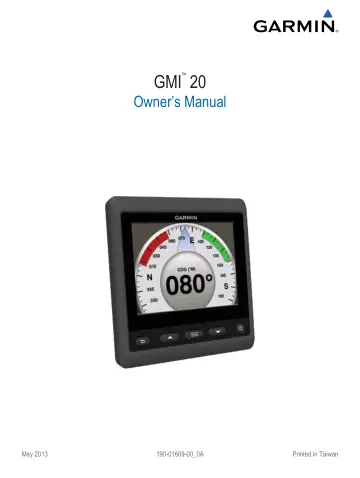
Garmin GMI 20 user manual
- Type
- User manual
- Language
- English
- Pages
- 10
- Category
- GPS & navigation
- Models
- GMI 20
Open PDFOpens the file on static.garmin.com.
Contents
- Introductionp. 5
WARNING See the Important Safety and Product Information guide in the product box for product warnings and other important information.
- Device Configurationp. 5
NOTE: Certain functions are available only if the appropriate sensors are connected to the device. The GMI 20 allows you to view data provided by sensors…
- Profilesp. 5
- Selecting a Profilep. 5
Select > Profiles > Select Profile. 2 Select a profile.
- Renaming a Profilep. 5
Select > Profiles > Rename Profile. 2 Select or to scroll through the letters. 3 Select Select to select a letter. 4 Select Done.
- Creating Custom Profilesp. 5
You can create up to three custom profiles. You can add up to ten pages from multiple instrument collections to a custom profile. 1 Select > Profiles >…
- Locking a Profilep. 5
You can lock a profile so no changes can be made to the data fields, page layout, or number of pages that can display at one time. Select > Profiles > Lock…
- Restoring Profiles to their Default Settingsp. 5
You can restore unlocked profiles to their factory default settings. 1 Select > Profiles > Reset Defaults. 2 Select Current Profile or All Profiles. 3…
- Instrument Pagesp. 5
and menus. Select to view the display settings. Select twice to view backlight settings. Hold to view the power off settings. Profiles Profiles are…
- Cycling Through Instrument Pagesp. 5
From the Instrument page, select or . Using Auto Scroll You can use auto scroll to automatically cycle through all of the instrument pages. 1 From the…
- Configuring the Data Fieldsp. 5
Data provided on an instrument page can be shown in various ways depending upon the instrument page that is displayed. Select > Configure Data Fields.…
- Changing the Layout of Instrument Pagesp. 6
NOTE: Instrument page layout can be changed only on pages that display more than one instrument. You can change the layout of instrument pages to display up…
- Adding an Instrument Pagep. 6
Select > Pages > Add Page. 2 Select an instrument page collection. 3 Select or to scroll through the instrument pages. 4 Select an instrument page to add.…
- Removing an Instrument Pagep. 6
Select > Pages > Remove Page. 2 Select a page to remove. 3 Select Yes.
- Changing the Order of Instrument Pagesp. 6
You can change the order of instrument pages. 1 Select > Pages > Reorder Pages. 2 Select an instrument page. 3 Select or to move the instrument page up or…
- Device Configurationp. 6
System Settings Select > Setup > System. Units: Sets the units of measure. Heading: Sets the reference used in calculating heading information. Beeper: Sets…
- System Settingsp. 6
Select > Setup > System. Units: Sets the units of measure. Heading: Sets the reference used in calculating heading information. Beeper: Sets if and when…
- Display Settingsp. 7
Select > Setup > Display. Color Mode: Sets the device to display day or night colors. Configure Colors: Sets the color configuration for each color mode.…
- Alarm Settingsp. 7
Select > System > Alarms. Shallow Water: Sets an alarm to sound when the depth is less than the specified value. Deep Water: Sets an alarm to sound when the…
- Viewing NMEA 2000 Settingsp. 7
You can view information about NMEA 2000 devices and change available device-specific options. 1 Select > Setup > NMEA 2000 Devices. 2 Select an option: • To…
- NMEA 2000 Data Type Informationp. 7
Each NMEA 2000 certified sensor provides unique information to the NMEA 2000 certified display device, such as the GMI 20. The data you can view on your…
- Registering Your Devicep. 7
Help us better support you by completing our online registration today. • Go to http://my.garmin.c .com. • Keep the original sales receipt, or a…