Loading manual…
Dell C5522QT service manual
- Type
- Service manual
- Language
- English
- Pages
- 22
- Category
- Commercial displays
- Models
- C5522QT
Open PDFOpens the file on objects.icecat.biz.
Contents
- 页 1p. 1
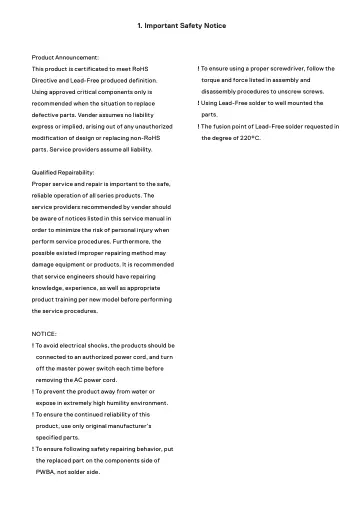
Product Announcement: This product is certificated to meet RoHS Directive and Lead-Free produced definition. Using approved critical components only is…
- 页 2p. 2
2. Exploded view diagram with list of items
- 页 3p. 3
3. Wiring Connectivity Diagram Panel Driver board 20W speaker 20W speaker RS232 USB type C with PD 90W
- 页 4p. 4
4. Disassembly and Assembly Procedures 4.1 Disassembly Procedures: Necessary repair and test equipment: 1. Philips-head screwdriver 2. Hex-head screwdriver 3.…
- 页 5p. 5
4. Disassembly and Assembly Procedures Use a screwdriver to remove 30pcs screws (left: 5pcs, right :5pcs, top: 10pcs, bottom: 10pcs) for unlocking 4pcs strips…
- 页 6p. 6
4. Disassembly and Assembly Procedures Tear off 2pcs shading mylar tape for releasing the wire hole of the lighter bar. Turn over the panel module with the…
- 页 7p. 7
4. Disassembly and Assembly Procedures Remove 1pcs DEBF film, 1pcs Diffuser film, 1pcs LGP, 1pcs Reflector film away from the back bracket. S20 Use a…
- 页 8p. 8
4. Disassembly and Assembly Procedures 4.2 Assembly Procedures: Put 1pcs back bracket on the working table, then take 2pcs VESA brackets to assemble with the…
- 页 9p. 9
4. Disassembly and Assembly Procedures Paste 2pcs shading foams on the lest and right of the unit. Take 1pcs bottom-middle bezel to assemble with the unit…
- 页 10p. 10
4. Disassembly and Assembly Procedures Use a sucking tool to suck 1pcs glass and set it on a jip, then check the glass carefully and make sure no particles on…
- 页 11p. 11
4. Disassembly and Assembly Procedures Take 1pcs top front bezel, 1pcs left front bezel, 1pcs right front bezel, 1pcs bottom front bezel, 4pcs filter films…
- 页 12p. 12
4. Disassembly and Assembly Procedures Paste 1pcs shading foam on the strip of bottom side, then assemble 1pcs key board holder with the strip as the picture…
- 页 13p. 13
Assemble 1pcs power board , 1pcs driver board , 1pcs 1pcs T- Con board with back bracket. Take 2pcs FFC cables to connect the T-con board with SB of O/C.…
- 页 14p. 14
Paste 1pcs conductive tape to cover main board and USB board. Paste 2pcs white mylar tape on the specific position as the picture below shown. Take 1pcs rear…
- 页 15p. 15
5. Trouble Shooting Instructions Self-Test Your display provides a self-test feature that allows you to check whether your display is functioning properly. If…
- 页 16p. 16
5. Trouble Shooting Instructions or Dell 55 Monitor No USB Type-C Cable www.dell.com/C5522QT C5522QT The display will go into Standby Mode in 4 minutes. 4.…
- 页 17p. 17
5. Trouble Shooting Instructions Common problems The following table contains general information about common display problems you might encounter and the…
- 页 18p. 18
5. Trouble Shooting Instructions Common Symptoms What You Experience Possible Solutions Stuck-on Pixels LCD screen has bright spots • Cycle power On-Off. •…
- 页 19p. 19
- 页 20p. 20
5. Trouble Shooting Instructions Specific Symptoms What You Experience Possible Solutions Intermittent charging when using USB Type-C connection to computer…
- 页 21p. 21
5. Trouble Shooting Instructions Universal Serial Bus (USB) specific problems Specific Symptoms What You Experience Possible Solutions USB interface is not…
- 页 22p. 22
5. Trouble Shooting Instructions Ethernet problems Specific Symptoms What You Experience Possible Solutions Ethernet not working Dell Web Management for…
- 页 23p. 1