Loading manual…
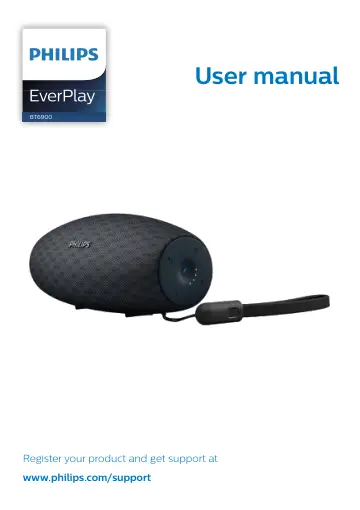
Philips wireless portable speaker BT6900A/00 user manual
- Type
- User manual
- Language
- English
- Pages
- 13
- Category
- Speakers
- Models
- BT6900A/00BT6900B/00
Open PDFOpens the file on objects.icecat.biz.
Contents
- 1 Importantp. 3
Safety Warning • Never remove the casing of this speaker. • Never place this speaker on other electrical equipment. • Keep this speaker away from direct…
- Safetyp. 3
Warning • Never remove the casing of this speaker. • Never place this speaker on other electrical equipment. • Keep this speaker away from direct sunlight…
- Noticep. 3
Any changes or modifications made to this device that are not expressly approved by Gibson Innovations may void the user’s authority to operate the equipment.…
- 2 Your Bluetooth speakerp. 5
Congratulations on your purchase, and welcome to Philips! To fully benefit from the support that Philips offers, register your product at…
- Introductionp. 5
With this speaker, you can enjoy audio from Bluetooth-enabled devices or other external audio devices through a 3.5mm audio-in cable
- What's in the boxp. 5
Check and identify the contents of your package: • Speaker • USB lanyard cable • Printed materials Quick Start Guide BT6900 Portable speaker Register your…
- Overview of the speakerp. 5
a -/+ • Adjust volume. b Battery level indicators • Show the charging progress. • Show the battery level. c • Enter Bluetooth pairing mode. • Clear Bluetooth…
- 3 Get startedp. 6
Always follow the instructions in this chapter in sequence
- Turn on/offp. 6
To turn the speaker on, press and hold for over two seconds. » » The Bluetooth indicator starts flashing. » » The battery level indicators light up briefly. »…
- Check the battery levelp. 6
The speaker is powered by the built-in rechargeable battery. After power-on, the speaker shows the battery level immediately, and the battery indication…
- Charge the built-in batteryp. 6
Note • It takes you approximately three hours to fully charge the battery. • The micro USB socket is for charging only. • Rechargeable battery has a limited…
- 4 Play from Bluetooth devicesp. 8
With this speaker, you can listen to audio from Bluetooth-enabled devices and control the incoming call through Bluetooth
- Connect a Bluetooth devicep. 8
Note • Make sure that Bluetooth function is enabled on your device, and your device is set as visible to all other Bluetooth devices. • Any obstacle between…
- Play from a connected Bluetooth devicep. 8
Note • Music play pauses when there is an incoming call, and resumes when your phone call ends.
- Disconnect a devicep. 9
Press and hold for two seconds; • Turn off the speaker; • Disable Bluetooth on your device; or • Move the device beyond the communication range
- Reconnect a devicep. 9
When you turn on the speaker, it tries to reconnect the last connected device automatically; • If not successful, select [Philips BT6900] on your Bluetooth…
- Clear pairing informationp. 9
Press and hold for 10 seconds
- Control your phone callp. 9
After Bluetooth connection, you can control an incoming call with this speaker. Button Function Press to answer an incoming call. Press and hold for two…
- 5 Other featuresp. 10
Listen to an external device With this speaker, you can also listen to an external audio device such as an MP3 player. Note • Make sure that music playback…
- Listen to an external devicep. 10
With this speaker, you can also listen to an external audio device such as an MP3 player. Note • Make sure that music playback through Bluetooth is stopped. 1…
- Adjust volumep. 10
During music playback, press -/+ to increase or decrease volume. Tip • You can press and hold -/+ to increase or decrease volume continuously. • When the…
- Attach the lanyard cablep. 10
For easy carrying, attach the supplied USB lanyard cable to this speaker as illustrated.
- 6 Specificationsp. 11
Note • Product information is subject to change without prior notice. Rated output power (Amplifier) 10W RMS ≤ 1% THD Acoustic frequency response 85-20000 Hz…
- 7 Troubleshootingp. 12
• If the issue remains, when the speaker is switched on, hold both the + and keys at the same time for 7 seconds until the speaker is off. Then wait for the…
- Generalp. 12
No power • Recharge the speaker. No sound • Adjust volume on this product. • Adjust volume on the connected device. • In AUDIO IN mode, make sure that music…
- About Bluetooth devicep. 12
The audio quality is poor after connection with a Bluetooth-enabled device. • The Bluetooth reception is poor. Move the device closer to this product or remove…