Loading manual…
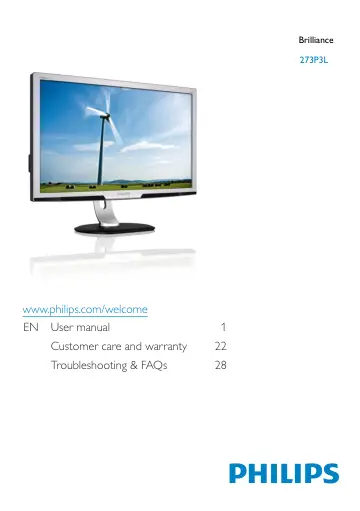
Philips LCD monitor, LED backlight 273P3LPHEB/00 user manual
- Type
- User manual
- Language
- English
- Pages
- 34
- Category
- Monitors
- Models
- 273P3LPHEB/00273P3LPHES/00
Open PDFOpens the file on objects.icecat.biz.
Contents
- 1. Importantp. 3
This electronic user’s guide is intended for anyone who uses the Philips monitor. Take time to read this user manual before you use your monitor. It contains…
- 1.1 Safety precautions and maintenancep. 3
- 1.2 Notational Descriptionsp. 4
The following subsections describe notational conventions used in this document. Notes, Cautions and Warnings Throughout this guide, blocks of text may be…
- 1.3 Disposal of product and packing materialp. 5
Waste Electrical and Electronic Equipment - WEEE This marking on the product or on its packaging illustrates that, under European Directive 2012/19/EU…
- 2. Setting up the monitorp. 6
2.1 Installation 273P3L Package contents VGA (optional) DVI (optional) HDMI (optional) 273P3L Register your product and get support at www.philips.com/welcome…
- 2.1 Installationp. 6
273P3L Package contents VGA (optional) DVI (optional) HDMI (optional) 273P3L Register your product and get support at www.philips.com/welcome Quick Start 2012…
- 2.2 Operating the monitorp. 6
Front view product description To access the OSD menu. Return to previous OSD level. Power sensor. To switch monitor’s power ON and OFF. To adjust the OSD…
- 2.3 Remove Base Stand and Basep. 9
Remove the Base Condition: • For VESA standard mounting applications. 273P3L 1. Remove the 4 screws. 2. Remove the base from the monitor. Note This monitor…
- 3. Image Optimizationp. 10
3.1 SmartImage What is it? SmartImage provides presets that optimize display for different types of content, dynamically adjusting brightness, contrast, color…
- 3.1 SmartImagep. 10
What is it? SmartImage provides presets that optimize display for different types of content, dynamically adjusting brightness, contrast, color and sharpness…
- 3.2 SmartContrastp. 11
What is it? Unique technology that dynamically analyzes displayed content and automatically optimizes a Monitor's contrast ratio for maximum visual clarity and…
- 4. Power Sensor™p. 12
PowerSensor is a unique environmentally friendly technology from Philips which enables user to save up to 80% of power consumption. In line with Philip’s Sense…
- 5. Technical Specificationsp. 14
273P3L Picture/Display Monitor panel type TFT-LCD Backlight LED Panel size 27" W (68.6 cm) Aspect ratio 16:9 Pixel Pitch 0.31 x 0.31 mm SmartContrast…
- 5.1 Resolution & Preset Modesp. 16
Maximum Resolution 1920 x 1080 at 60 Hz (analog input) 1920 x 1080 at 60 Hz (digital input) Recommended Resolution 1920 x 1080 at 60 Hz (digital input) H. freq…
- 6. Power Managementp. 17
If you have VESA DPM compliance display card or software installed in your PC, the monitor can automatically reduce its power consumption when not in use. If…
- 7. Regulatory Informationp. 18
Lead-free Product Lead free display promotes environmentally sound recovery and disposal of waste from electrical and electronic equipment. Toxic substances…
- 8. Customer care and warrantyp. 24
8.1 Philips’ Flat Panel Monitors Pixel Defect Policy Philips strives to deliver the highest quality products. We use some of the industry's most advanced…
- 8.1 Philips’ Flat Panel Monitors Pixel Defect Policyp. 24
Philips strives to deliver the highest quality products. We use some of the industry's most advanced manufacturing processes and practice stringent quality…
- 8.2 Customer Care & Warrantyp. 26
For warranty coverage information and additional support requirement valid for your region, please visit www.philips.com/support website for details. You may…
- 9. Troubleshooting & FAQsp. 30
9.1 Troubleshooting This page deals with problems that can be corrected by a user. If the problem still persists after you have tried these solutions, contact…
- 9.1 Troubleshootingp. 30
This page deals with problems that can be corrected by a user. If the problem still persists after you have tried these solutions, contact Philips customer…
- 9.2 General FAQsp. 32
Q1: When I install my monitor what should I do if the screen shows 'Cannot display this video mode'? Ans.: Recommended resolution for this monitor: 1920 x 1080…