Loading manual…
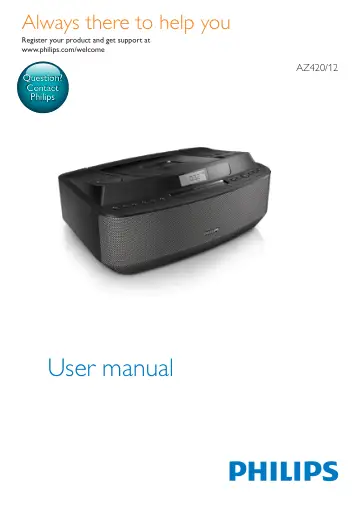
Philips CD Soundmachine AZ420/12 user manual
Open PDFOpens the file on objects.icecat.biz.
Contents
- 1 Importantp. 3
Safety • Read these instructions. • Follow all instructions. • Do not block any ventilation openings. Install in accordance with the manufacturer's…
- Safetyp. 3
Read these instructions. • Follow all instructions. • Do not block any ventilation openings. Install in accordance with the manufacturer's instructions. • Do…
- Noticep. 3
Hereby, Gibson Innovations declares that this product is in compliance with the essential requirements and other relevant provisions of Directive 2014/53/EU.…
- 2 Your CD Soundmachinep. 5
Introduction With this apparatus, you can enjoy music from audio discs, external devices, and listen to radio stations. The apparatus offers you multiple sound…
- Introductionp. 5
With this apparatus, you can enjoy music from audio discs, external devices, and listen to radio stations. The apparatus offers you multiple sound effect…
- What's in the boxp. 5
Check and identify the contents of the package: • Main unit • AC power cord • Short User Manual • Safety sheet
- Overview of the main unitp. 6
a MODE • Select a play mode: REPEAT or SHUFFLE. b PROG • Program tracks and browse the program. c DBB • Turn on/off dynamic bass boost. d - VOLUME + • Adjust…
- 3 Get startedp. 7
Caution • Use of controls or adjustments or performance of procedures other than herein may result in hazardous radiation exposure or other unsafe operation.…
- Install batteriesp. 7
Note • You can use both batteries and AC power as power supply of this apparatus. • Batteries are not supplied with the accessories. 1 Open the battery…
- Connect powerp. 8
Warning • Risk of product damage! Ensure that the power supply voltage corresponds to the voltage printed on the back or the underside of the apparatus. • Risk…
- 4 Playp. 8
Play CD 1 Open the disc compartment and insert a disc with the printed side facing up. 2 Press SOURCE repeatedly to select the CD source. » » Displayed on the…
- Play CDp. 8
Open the disc compartment and insert a disc with the printed side facing up. 2 Press SOURCE repeatedly to select the CD source. » » Displayed on the panel. •…
- Play from USB devicesp. 9
Note • Ensure that the USB device contains playable audio contents for supported formats. • The USB terminal can be loaded with 700 mA. 1 Insert the USB…
- Listen to an external devicep. 9
You can also listen to an external audio device through this unit. 1 Connect the AUDIO IN cable to • the AUDIO IN socket on this unit. • the headphone socket…
- 5 Adjust soundp. 10
Adjust volume level During play, press - VOLUME + to decrease/ increase the volume level
- Adjust volume levelp. 10
During play, press - VOLUME + to decrease/ increase the volume level
- Enhance bassp. 10
During play, turn on or off the DBB. » » If DBB is activated, DBB is displayed
- 6 Play optionsp. 10
Select play modes 1 Press MODE repeatedly to select a play mode: • [REP] (repeat) – repeat a track • [REP ALL] (repeat all) - repeat an entire CD/program •…
- Select play modesp. 10
Press MODE repeatedly to select a play mode: • [REP] (repeat) – repeat a track • [REP ALL] (repeat all) - repeat an entire CD/program • [SHUF] (shuffle) - play…
- Program tracksp. 11
Note • You can program a maximum of 10 tracks. 1 In CD/USB mode, press to stop playback. 2 Press PROG to activate the program mode. » » [PROG] (program) starts…
- 7 Listen to the radiop. 11
Tune to a radio station Note • For optimal reception, fully extend and adjust the position of the FM antenna. 1 Press SOURCE repeatedly to select FM mode. » »…
- Tune to a radio stationp. 11
Note • For optimal reception, fully extend and adjust the position of the FM antenna. 1 Press SOURCE repeatedly to select FM mode. » » displayed on the panel.…
- Program radio stations automaticallyp. 11
Note • You can program a maximum of 10 FM radio stations. In tuner mode, press and hold PROG for 2 seconds to activate automatic program mode. » » [AUTO]…
- Program radio stations manuallyp. 12
Note • You can program a maximum of 10 FM radio stations. 1 Tune to a radio station. 2 Press PROG to activate program mode. » » [PROG] (program) blinks on the…
- Select a preset radio stationp. 12
In tuner mode, press / or number buttons to select a preset radio station
- 8 Product informationp. 12
Note • Product information is subject to change without prior notice
- Specificationsp. 12
- 9 Troubleshootingp. 14
Warning • Never remove the casing of this device. To keep the warranty valid, never try to repair the system yourself. If you encounter problems when using…