Loading manual…
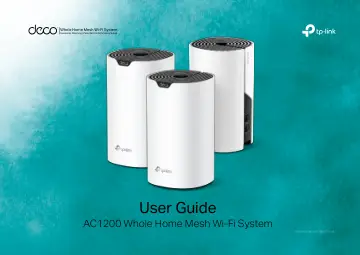
TP-Link AC1200 Whole Home Mesh Wi-Fi System, 3-Pack (DECO S4(3-PACK)) user manual
- Type
- User manual
- Language
- English
- Pages
- 44
- Category
- Routers & Wi-Fi
- Models
- DECO S4(3-PACK)
Open PDFOpens the file on objects.icecat.biz.
Contents
- About This Guidep. 3
This guide provides a brief introduction to Deco Whole Home Mesh Wi-Fi System and the Deco app, as well as regulatory information. Features available in Deco…
- Appearancep. 4
Each Deco has an LED that changes color according to its status, two RJ-45 Ethernet ports, a power slot, and a Reset button. See the explanation below: Power…
- Set Up Your Decop. 5
The intuitive Deco app guides you through an easy setup process that gets each unit up and running and all your devices connected and online. Follow the steps…
- Add More Decosp. 9
After created a Deco network, you can add more Deco units to the network to expand the Wi-Fi coverage and manage them easily on your Deco app. In Overview, tap…
- Dashboardp. 10
After you successfully set up your Deco network, you will see the dashboard of the Deco app. Here you can get an overview of the network status, check the…
- Check Deco Statusp. 11
In Overview, you can check the working status of all the Decos, check the details of each Deco unit, change the Deco's location/name, and more. 1. Tap to check…
- Set Main Decop. 12
After setup, you can replace the main Deco with any satellite Deco without resetting and reconfigure the whole network. 1. In Overview, tap . 3. Choose a…
- Manage Connected Devicesp. 13
In Overview, you can check the working status of all the connected devices, view the device details, and change the device settings. 1. Tap a client to check…
- Remove/Reboot Decop. 14
You can remove or reboot your Deco easily in the Deco app. Follow the steps below. Note: Removing a Deco will reset it to factory default settings. You can…
- Create A New Networkp. 15
In the Deco app, you can create different Deco networks linked with your TP-Link ID and manage them conveniently from the Deco app with one account. You can…
- Delete A Networkp. 17
You can delete a Deco network if you don't need it anymore. Deleting a Deco network will reset all Decos in this network to factory default settings. 1. In…
- Wi-Fi Settingsp. 18
You can change the network name and password of your main network at any time and share the network easily with family and friends. Manage main network (eg.…
- Guest Networkp. 19
You can create and share a separate network for guests to guarantee the security and privacy of your main network. Tap > Wi-Fi and enable Guest Network. Set a…
- Reboot Schedulep. 20
allows you to set when and how often your Deco reboots regularly. 2. Enable Reboot Schedule. 3. Set when and how often your Deco reboots. 1. Tap > Reboot…
- Network Optimizationp. 21
lets your Deco intelligently scan for a clearer channel and switch your devices to it, ensuring optimal Wi-Fi performance. 2. The app will scan the network…
- Deny Listp. 22
Compile a deny list to avoid devices added on the deny list to access to your network, ensuring the safety of your personal information shared in the network.…
- Upgrade Your Decop. 23
TP-Link is dedicated to improving product features and providing a better customer experience. An up-to-date firmware provides better and more stable network…
- WPSp. 24
(Wi-Fi Protected Setup) helps you to quickly and securely connect a client to a network with a tap without entering any password. 1. Tap > WPS. 2. Tap the WPS…
- Parental Controlsp. 25
allows you to filter content, limit time spent online and check internet history. Start by creating unique profiles for your family members. 1. Tap > Parental…
- QoSp. 26
(Quality of Service) helps you set priority for specific applications and devices, so that they can perform better with lower latency. 1. Tap > QoS. 3. Add…
- Advanced Featuresp. 27
Additional features are available under the Advanced menu. You can modify WAN settings (IPv4 & IPv6), add IPv6 firewall rules, modify LAN IP, set up DHCP…
- Monthly Reportp. 32
Review the monthly usage statistics, such as security threats and total connected network devices each day. Tap > Monthly Report. View monthly reports. Enable…
- Managersp. 33
Add friends and family members to help manage your network. Each manager should have their own TP-Link ID. Tap > Managers, and follow app instructions to add…
- Troubleshootingp. 34
Solutions to common problems during setup or use are provided here for reference. Follow the steps and the provided link below to diagnose and solve problems…
- Authenticationp. 35
FCC Compliance Information Statement Product Name: AC1200 Whole Home Mesh Wi-Fi System Model Number: Deco S4 Component Name Model I.T.E POWER SUPPLY…