Loading manual…
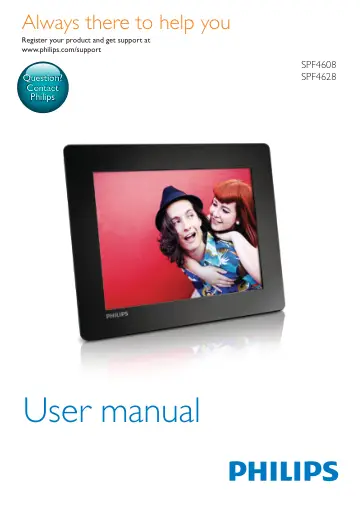
Philips Digital PhotoFrame SPF4608/12 user manual
- Type
- User manual
- Language
- English
- Pages
- 34
- Models
- SPF4608SPF4608/12SPF4628
Open PDFOpens the file on objects.icecat.biz.
Contents
- 1 Importantp. 4
Safety • Never touch, push, rub or strike the screen with hard objects as this may damage the screen permanently. • When the product is not used for long…
- 2 Your PhotoFramep. 6
Congratulations on your purchase, and welcome to Philips! To fully benefit from the support that Philips offers, register your product at…
- 3 Get startedp. 9
Always follow the instructions in this chapter in sequence. If you contact the Consumer Care, you will be asked for the model and serial number of this…
- 4 Playp. 13
EN 3 Press OK repeatedly to zoom in the photo (or exit the zoom mode). 4 Move the joystick to pan the photo. 5 Press MENU. 6 Select [Crop and Save], and then…
- 5 Browsep. 15
EN • [Move]: Move all photos from the card to another album • [Delete]: Delete all photos from the card Album 1 Select an album under [PhotoFrame]. 2 Press…
- 6 Clockp. 19
EN 7 Message Create a message 1 In the home screen, select [Message] and then press OK. 2 Select [Add a message to your photo], and then press OK. 3 Move the…
- 7 Messagep. 20
EN 5 Schedule the message. • [Message Name]: Enter the message name. For details, see "Enter the name of a message". • [Repeat]: Select a repeat frequency •…
- 8 Settingsp. 24
EN Set time/date format 1 In the home screen, select [Settings] and then press OK. 2 Select [Time and Date], and then press OK. 3 Select [Select Time Format] /…
- 9 Upgrade the PhotoFramep. 30
EN 10 Product information Note • Product information is subject to change without prior notice. Picture/Display • Viewing angle: @ C/R > 10, 140° (H)/120° (V)…
- 10 Product informationp. 31
EN 11 Frequently asked questions Is the LCD screen touch-enabled? The LCD screen is not touch-enabled. Use the buttons on the back to control the PhotoFrame.…
- 11 Frequently asked questionsp. 32
EN 12 Glossary A Aspect ratio Aspect ratio refers to the length to height ratio of TV screens. The ratio of a standard TV is 4:3, while the ratio of a…
- 12 Glossaryp. 33