Loading manual…
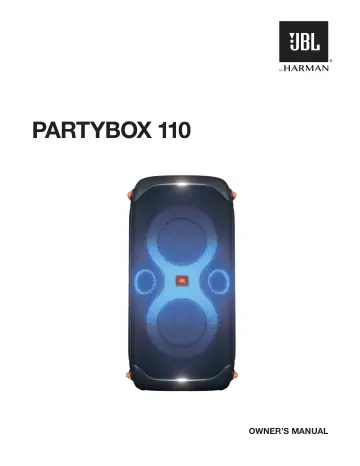
JBL PARTYBOX 110 (JBLPARTYBOX110EU) user manual
- Type
- User manual
- Language
- English
- Pages
- 17
- Category
- Speakers
- Models
- JBLPARTYBOX110EU
Open PDFOpens the file on objects.icecat.biz.
Contents
- IMPORTANT SAFETY INSTRUCTIONSp. 2
For all products: 1. Read these instructions. 2. Keep these instructions. 3. Heed all warnings. 4. Follow all instructions. 5. Clean only with a dry cloth. 6.…
- 1. INTRODUCTIONp. 6
Congratulations on your purchase! This manual includes information about PARTYBOX 110 speakers. We encourage you to take a few minutes to read this manual…
- 2. WHAT’S IN THE BOXp. 6
2 3 1) Main unit 2) Power cord* 3) Quick Start Guide, Safety Sheet, Warranty Card *Power cord quantity and plug type vary by regions. 1. INTRODUCTION…
- 3. PRODUCT OVERVIEWp. 7
3.1 Top Panel 4 6 1 8 2 3 7 5 1) Mobile device dock 2) • Turn the power on or off. 3) Battery level indicator 4) • Press to play, pause or resume. • Rotate…
- 3.1 Top Panelp. 7
6 1 8 2 3 7 5 1) Mobile device dock 2) • Turn the power on or off. 3) Battery level indicator 4) • Press to play, pause or resume. • Rotate clockwise /…
- 3.2 Back Panelp. 7
- 4. PLACEMENTp. 8
Caution: – Do not sit or lean on the speaker or push it sideways to avoid tipover and possible damages. Place the speaker on a flat, stable surface and ensure…
- 5. POWER ONp. 9
Cautions: – Use the provided power cords only. – You can use either AC power or the built-in battery as power supply to the speaker. OFF ON <15% 15% - 80% >80%…
- 6. USING YOUR PARTYBOXp. 9
Notes: – Only one sound source can be played at a time. The priority order is USB -> BLUETOOTH -> AUX. – Starting a source with higher priority will always…
- 6.1 Bluetooth Connectionp. 9
You can use the speaker with your Bluetooth enabled smartphone or tablet. DEVICES JBL PartyBox 110 Bluetooth Bluetooth 2 1 <10 m (33 ft) 1. Switch to the…
- 6.2 USB Connectionp. 10
Plug a USB storage device that contains playable audio contents into the USB port of the speaker. J The speaker switches to the USB source automatically. J…
- 6.3 Music Controlp. 10
x 1 x 2 x 3 • Press once to pause or resume playback. • Press twice to skip to the next track. • Press three times to skip to the previous track. • Rotate the…
- 6.4 AUX Connectionp. 10
1. Connect an external audio device to the speaker through a 3.5 mm audio cable (not supplied). 2. After stopping playback from any other source, start audio…
- 6.5 Mixing Sound with a Microphone and / or Guitarp. 11
By using a microphone or electric guitar (not supplied), you can mix sound with an audio source. Notes: – Always set the guitar or microphone volume to the…
- 6.6 Charging Your Mobile Devicep. 11
Note: – The USB port is for charging purpose only.
- 7. CARRYING YOUR PARTYBOXp. 12
Cautions: – Before carrying the speaker, ensure that all the cords are disconnected. – To avoid personal injury and/or property damage, hold the product firmly…
- 8. POLE-MOUNTING YOUR PARTYBOXp. 12
Cautions: – Installation must be done by qualified persons using safe rigging standards. – The installer is responsible for proper selection and use of…
- 9. ADVANCED USAGEp. 13
9.1 JBL PARTYBOX App Download and install the JBL PARTYBOX App to get more from the product
- 9.1 JBL PARTYBOX Appp. 13
Download and install the JBL PARTYBOX App to get more from the product
- 9.2 Light Effectp. 13
2S x1 • Press to turn the light effect on or off. • Hold for more than 2 seconds to turn strobe light on or off. • Rotate the knob to select your preferred…
- 9.3 TWS Modep. 13
You can connect two PARTYBOX speakers to each other via TWS mode. Press TWS on both speakers. To exit TWS mode: Power off or press TWS on either speaker. Tip…
- 9.4 Daisy Chainp. 13
9.5 Factory reset To restore the factory settings, hold and for more than 10 seconds.
- 9.5 Factory resetp. 13
To restore the factory settings, hold and for more than 10 seconds.
- 9.6 IPX4p. 14
Caution: – Always keep the charging port dry before connecting AC power. – To ensure splash resistance, always keep the protective covers closed securely. The…
- 10. SPECIFICATIONSp. 14
General specification Model No.: JBL PartyBox 110 Transducers: 2 x 154.6 mm / 5.25” woofer, 2 x 55 mm / 2.25” tweeter Output power: 160 W RMS Power input: 100…
- 11. TROUBLESHOOTINGp. 15
Caution: – Never try to repair the product by yourself. If you have any problems while using this product, check the following points before you request…
- 12. COMPLIANCEp. 15
The product is in compliance with the European Union energy legislation. Bluetooth connection mode The product is intended to be used for streaming music via…
- 13. TRADEMARKp. 16
The Bluetooth® word mark and logos are registered trademarks owned by Bluetooth SIG, Inc. and any use of such marks by HARMAN International Industries…