Loading manual…
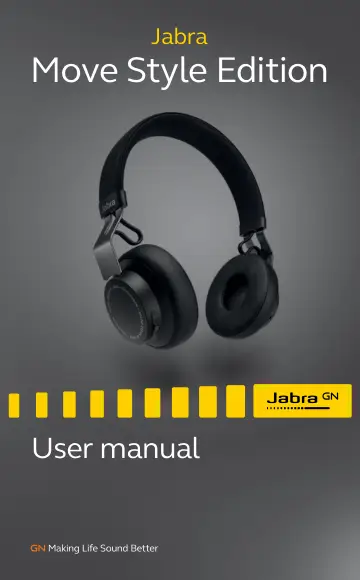
Hama Move Style Edition, Black (100-96300004-60) user manual
- Type
- User manual
- Language
- English
- Pages
- 14
- Category
- Headphones & headsets
- Models
- 100-96300004-60100-96300005-60
Open PDFOpens the file on objects.icecat.biz.
Contents
- 1. welcomep. 3
Thank you for purchasing the Jabra Move Style Edition. We hope you will enjoy it! JABRA MOVE STYLE EDITION FEATURES Premium wireless sound experience -…
- 2. what’s in the boxp. 4
Audio cable Micro-USB cable On/Off/ Pairing switch Volume up button 3.5 mm Jack Connector Micro-USB Port (charging only) Battery and Connection Status Lights…
- 3. how to wearp. 5
3.1 HEIGHT ADJUSTMENT Get the perfect fit by adjusting the headband, as illustrated.
- 3.1 Height adjustmentp. 5
Get the perfect fit by adjusting the headband, as illustrated.
- 4. how to chargep. 6
Plug the headphones into any available USB port on your PC using any micro-USB cable
- 4.1 Battery Statusp. 6
Tap the Multi-function button when not on a call to see the battery status. It takes 1-2 hours to fully charge the headphones. LED COLOR BATTERY LEVEL Green…
- 5. how to connectp. 7
The Jabra Move Style Edition will automatically attempt to Bluetooth connect to a mobile device whenever it is powered on (unless already connected to a…
- 5.1 Bluetooth connect to a new or second mobile devicep. 7
1. Hold the On/Off/Pairing switch in the Pairing position for 3 secs. 2. Pairing mode will be announced in the headphones, and the Bluetooth light will flash…
- 5.2 CONNECT to 3.5 MM JACK CONNECTORp. 8
Connect the headphones to a 3.5 mm jack connector on your mobile device or PC using the supplied audio cable. NOTE: Bluetooth connections are disabled when…
- 6. how to usep. 9
6.1 MUSIC & CHAT The buttons on the headphones enable you to control your music and phone calls. On/Off/ Pairing switch Volume up button Multi-function button…
- 6.1 music & chatp. 9
The buttons on the headphones enable you to control your music and phone calls. On/Off/ Pairing switch Volume up button Multi-function button Volume down button
- 6.2 turn headphones on/OFFp. 11
Slide the On/Off/Pairing switch to On or Off
- 6.3 Multiple call handlingp. 11
The headphones can accept and handle multiple calls simultaneously. FUNCTION HOW TO DO IT Put current call on hold and answer incoming call Press (2 secs) the…
- 6.4 voice guidancep. 12
CLICK TO LISTEN WHAT YOU HEAR To connect Move, go to the Bluetooth menu on your phone and select it from the list. Connected Disconnected Connection cancelled…
- 7. SUPPORTp. 13
7.1 FAQ View the full FAQ at jabra.com/movestyle edition
- 7.1 faqp. 13
View the full FAQ at jabra.com/movestyle edition
- 7.2 factory resetp. 13
To factory reset the headphones and clear the pairing list, press and hold (5 secs) both the Volume up button and the Multi-function button at the same time
- 7.3 How to care for your headphonesp. 13
Always store the headphones with the power off and safely protected. Avoid storage at extreme temperatures (above 85°C/185°F or below -20°C/-4°F). This…
- 8. Technical specificationsp. 14
JABRA MOVE HEADPHONES SPECIFICATION Weight: 150 grams Dimensions: H 172 mm x W 146.1 mm x L 59 mm Microphone: 4 mm Omni-directional microphone Speaker: 40 mm…