Loading manual…
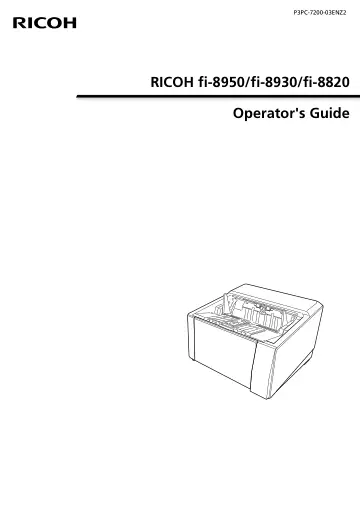
Ricoh fi-8930 (PA03830-B101) user manual
- Type
- User manual
- Language
- English
- Pages
- 428
- Category
- Scanners
- Models
- PA03830-B001
Open PDFOpens the file on objects.icecat.biz.
Contents
- RICOH fi-8950/fi-8930/fi-8820 Operator's Guidep. 1
- Introductionp. 10
Thank you for purchasing this product. About This Product • This product All models are equipped with an Automatic Document Feeder (ADF) for automatic document…
- Scanner Overviewp. 17
This section explains the main features of this product, the names of parts and their functions. Main Features The scanner is equipped with the following…
- Scanner Setupp. 28
This section describes the software that is required for the computer you want to connect the scanner to, the system requirements, and the scanner setup…
- Basic Operationsp. 46
This section explains how to operate the scanner. Turning the Power ON/OFF This section explains how to power on/off the scanner. HINT The method by which the…
- How to Perform a Basic Scanp. 78
This section explains how to perform a basic scan. HINT •If both a USB cable and LAN cable are connected at the same time, the USB connection has priority.…
- How to Load Documentsp. 88
This section explains how to load documents on the scanner. HINT It is recommended that A4 size documents are loaded horizontally. Doing so improves scanning…
- How to Use the Operator Panelp. 123
This section explains how to use the operator panel. Operator Panel Overview The operator panel consists of a touch screen and buttons. Names and Functions of…
- Various Ways to Scanp. 132
This section explains how to configure the scanner settings and scan different types of documents with a scanner driver or the image scanning application. For…
- Daily Carep. 162
This section describes how to clean the scanner. CAUTION •Do not use aerosol spray or spray that contains alcohol. Paper dust blown up by strong air from the…
- Replacing the Consumablesp. 185
This section explains how to replace the consumables for the scanner. CAUTION The inside of the ADF becomes very hot when the scanner is being used. Before you…
- Troubleshootingp. 205
This section explains about the countermeasures against paper jams and other troubles, items to check before contacting the distributor/dealer, and how to read…
- Scanner Settings (Touch Screen)p. 288
This section explains how to use the touch screen to configure the scanner settings. HINT Some settings can also be configured in the Software Operation Panel…
- Scanner Settings (Software Operation Panel)p. 324
This section explains how to use the Software Operation Panel to configure the scanner settings. With the Software Operation Panel, you can configure settings…
- Network Settings (fi Series Network Settings)p. 400
This section explains how to use fi Series Network Settings (browser) to configure the network settings. The network settings for the scanner can be configured…
- Appendixp. 414
Basic Specification Item Specification Scanner type ADF (Automatic Document Feeder) U-turn Scan/Straight Scan Manual feeding (Single/Continuous) is available…
- Contact for Inquiriesp. 428
Refer to the contact list on the following web page: https://www.pfu.ricoh.com/r/ctl/ •ABBYY FineReader for ScanSnap - Windows 10/Windows Server 2016/Windows…