Loading manual…
MSI Creator TRX40 quick start guide
- Type
- Quick start guide
- Language
- English
- Pages
- 91
- Category
- Motherboards
- Models
- CREATOR TRX40
Open PDFOpens the file on objects.icecat.biz.
Contents
- Quick Startp. 1
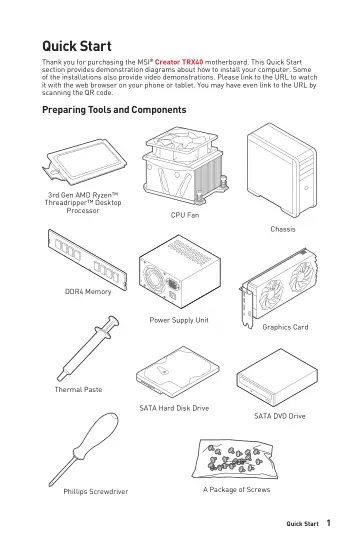
Thank you for purchasing the MSI® Creator TRX40 motherboard. This Quick Start section provides demonstration diagrams about how to install your computer. Some…
- Specificationsp. 15
CPU supports 3rd Gen AMD Ryzen™ Threadripper™ Desktop Processors Chipset AMD® TRX40 Chipset Memory •8x DDR4 memory slots, support up to 256GB* •Supports JEDEC…
- Block Diagramp. 22
x4 4 channel DDR4 memory 1x USB 3.2 Gen2x2 Type-C 1x USB 3.2 Gen2 Type C 1x USB 3.2 Gen2 PCIe x8 PCIe Bus TRX40 Processor NV6797 Super I/O Realtek ALC1220…
- Rear I/O Panelp. 23
Gigabit LAN 10Gigabit LAN Audio Ports Optical S/PDIF-Out USB 3.2 Gen1 Audio Ports Configuration Audio Ports Channel 2 4 6 8 Center/ Subwoofer Out • • Rear…
- Overview of Componentsp. 27
- Onboard LEDsp. 52
EZ Debug LED These LEDs indicate the debug status of the motherboard. CPU - indicates CPU is not detected or fail. DRAM - indicates DRAM is not detected or…
- Installing OS, Drivers & Utilitiesp. 58
Please download and update the latest utilities and drivers at www.msi.com Installing Windows® 10 1. Power on the computer. 2. Insert the Windows® 10…
- BIOS Setupp. 59
The default settings offer the optimal performance for system stability in normal conditions. You should always keep the default settings to avoid possible…
- Nahimic 3p. 79
is designed to offer the best audio experience it contains audio effects, microphone effects and Sound Tracker. Installation and Update Nahimic 3 is included…
- AMD RAID Configurationp. 82
The following are the RAID levels supported by RAIDXpert2. RAID 0 (Striping) breaks the data into blocks which are written to separate hard drives. Spreading…
- Troubleshootingp. 87
Before sending the motherboard for RMA repair, try to go over troubleshooting guide first to see if your got similar symptoms as mentioned below. The power is…