Loading manual…
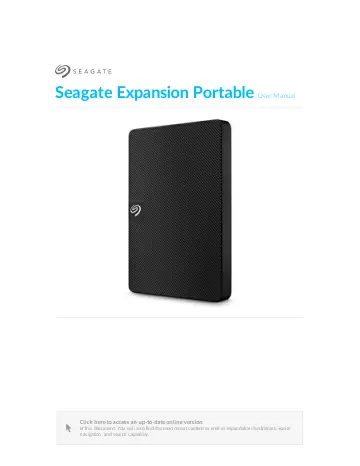
Seagate STKN4000400 user manual
- Type
- User manual
- Language
- English
- Pages
- 15
- Category
- Storage & drives
- Models
- SRD0NF1STKN1000400STKN4000400STKN5000400
Open PDFOpens the file on objects.icecat.biz.
Contents
- Welcomep. 4
Box content Seagate Expansion Portable USB 3.0 cable (USB micro-B to USB-A) Quick start guide
- Minimum system requirementsp. 4
Ports You can connect your Seagate device to a computer with a USB-A port. This device supports connections to computer ports that are USB 3.0 and higher.…
- Getting Startedp. 5
- Connect the USB cablep. 5
1. Connect the USB micro-B end of the cable to the USB micro-B port on Expansion Portable. 2. Connect the USB-A end of the cable to your computer’s USB-A port.…
- Back up filesp. 5
(Windows) How to back up files (macOS) You can connect your Seagate device to a USB-C port on your computer. The USB-C port must support USB 3.0 or higher. A…
- Optional Formatting and Partitioningp. 6
Op5onal Forma4ng and Par55oning Your device is preformatted exFAT (Extended File Allocation Table) for compatibility with both Mac and Windows computers.…
- Choosing a file system formatp. 6
, consider whether compatibility or performance is more important in your everyday use of the drive. Compatibility—You need a cross-platform format because you…
- Formatting instructionsp. 7
default. APFS (Apple File System) is an Apple file system optimized for solid state drives (SSDs) and flash-based storage systems, though it also works with…
- Safely Remove Device From Your Computerp. 8
Always eject a storage drive from your computer before physically disconnecting it. Your computer must perform filing and housekeeping operations on the drive…
- Windowsp. 8
Use the Safely Remove tool to eject a device. 1. Click the Safely Remove Hardware icon in your Windows System Tray to view the devices you can eject. 2. If you…
- Macp. 8
There are several ways you can eject your device from a Mac. See below for two options. Eject via Finder window 1. Open a Finder window. 2. On the sidebar, go…
- Frequently Asked Questionsp. 10
below. For additional support resources, go to Seagate customer support
- All usersp. 10
Problem: My file transfers are too slow Q: Are both ends of the USB cable firmly attached? A: Review troubleshooting tips for cable connections below: Check…
- Windowsp. 11
users) or HFS+ (Mac users). See Optional Formatting and Partitioning. Q: Did you get an error message telling you that the drive has been disconnected when…
- Macp. 12
Problem: The hard drive icon does not appear on my desktop Q: Is your Finder configured to hide hard drives on the desktop? A: Go to Finder and then check…
- Regulatory Compliancep. 14
Product Name Seagate Expansion Portable Regulatory Model Number SRD0NF1
- China RoHSp. 14
refers to the Ministry of Industry and Information Technology Order No. 32, effective July 1, 2016, titled Management Methods for the Restriction of the Use of…
- Taiwan RoHSp. 14
refers to the Taiwan Bureau of Standards, Metrology and Inspection’s (BSMI’s) requirements in standard CNS 15663, Guidance to reduction of the restricted…