Loading manual…
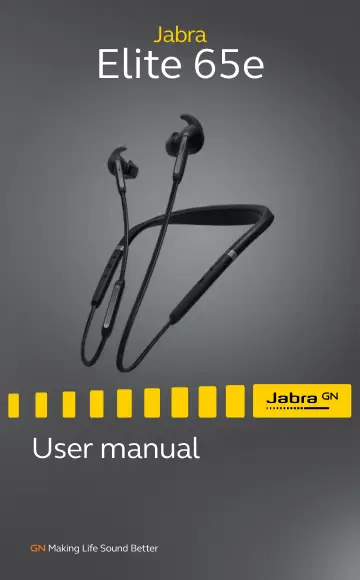
Hama Elite 65e Black (100-99020000-60) user manual
- Type
- User manual
- Language
- English
- Pages
- 26
- Category
- Headphones & headsets
- Models
- 100-99020000-60HSC070W
Open PDFOpens the file on objects.icecat.biz.
Contents
- 1. Welcomep. 5
Thank you for using the Jabra Elite 65e. We hope you will enjoy it! Jabra Elite 65e features • Active Noise Cancellation (ANC) to reduce disturbances • Power…
- 2. Jabra Elite 65e overviewp. 6
jabra jabra Vibrating neckband Microphone Audio mode LED Cycle between ANC and Hear- Through modes Magnetic zone Mute Voice assistant Power on/off (hold)…
- 2.1 Included accessoriesp. 6
- 3. How to wearp. 7
Jabra Elite 65e is designed to be worn around the neck. The earbuds have three microphones: one on each of the earbuds and one on the cable. For the optimal…
- 3.1 Getting the correct fitp. 8
The earbuds are supplied with three EarGel and EarWing sizes: large, medium and small. R L R L R L Small Small Medium Medium Large Large It is highly…
- 3.2 Attaching the EarWings and EarGelsp. 9
1. To attach an EarWing, align the indent on the EarWing with the ridge on the earbud (as illustrated), and stretch the EarWing over the earbud. It will fit…
- 3.3 Using the magnetic earbudsp. 10
The earbuds are magnetic, and connect together for convenient cable and power management. When the earbuds are connected, your music will be paused or your…
- 4. How to chargep. 11
To charge the earbuds, connect a USB charging cable to the USB charging port on the neckband. It is recommended to charge the earbuds using the supplied Jabra…
- 4.1 What the LEDs meanp. 12
Status LED ANC/ HearThrough LED Full Medium Low Very low Pairing mode Resetting ANC on HearThrough on
- 5. How to connectp. 13
5.1 Power on/off On: Hold the Multi-function button for 1 second. The LED will flash green, and the neckband will vibrate. Off: Hold the Multi-function button…
- 5.1 Power on/offp. 13
On: Hold the Multi-function button for 1 second. The LED will flash green, and the neckband will vibrate. Off: Hold the Multi-function button for 3 seconds.…
- 5.2 Pairing with a smartphonep. 14
1. Ensure the earbuds are powered off, and then hold (3 secs) the Multi-function button until the LED flashes blue and you hear an announcement in the earbuds.…
- 6. How to usep. 15
jabra jabra Status LED Volume down/ Skip track back button Microphone ANC/ HearThrough LED ANC/ HearThrough button Magnetic zone Mute/Voice button Volume up/…
- 6.1 Calls & musicp. 15
Calls & music Power on Hold (1 sec) the Multi-function button Power off Hold (3 sec) the Multi-function button Play/pause music Press the Multi-function…
- 6.2 Active Noise Cancellation (ANC)p. 17
The earbuds use Active Noise Cancellation (ANC) to reduce outside disturbance, allowing you to fully focus. Press the ANC/HearThrough button to cycle through…
- 6.3 HearThroughp. 18
HearThrough enables you to hear your surroundings or engage in conversations without needing to remove the earbuds. Press the ANC/HearThrough button to cycle…
- 6.4 Voice guidancep. 19
Voice guidance are announcements intended to guide you or give earbud status updates (e.g. connection and battery status). How to turn voice guidance On/Off…
- 6.5 Siri or Google Nowp. 20
Phone voice commands enable you to speak to Siri or Google Now on your smartphone using your earbuds. For more information on using Siri or Google Now, please…
- 6.6 Multiple call handlingp. 21
The earbuds can answer or reject calls when you are already on a call. Multiple call handling End current call and answer incoming call Press the…
- 6.7 Vibrate alertp. 22
The earbuds will vibrate whenever they are powered on/off, connected to your smartphone or computer, or when there is an incoming call.
- 6.8 How to resetp. 23
Resetting the earbuds clears the list of paired devices and all earbud settings. After resetting, it is necessary to re-pair the earbuds to your smartphone.…
- 7. Jabra Sound+ appp. 24
The Jabra Sound+ app also enables you to: • Firmware update the earbuds • Manage voice prompts • Enable/disable vibration Jabra Sound+ app Customize your music…
- 8. Supportp. 25
8.1 FAQ View the FAQs on Jabra.com/elite65e
- 8.1 FAQp. 25
View the FAQs on Jabra.com/elite65e
- 8.2 How to care for your earbudsp. 25
Always store the earbuds with the power off and safely protected. • Avoid storage at extreme temperatures (above 50°C/122°F or below -10°C/14°F). This can…