Loading manuals…
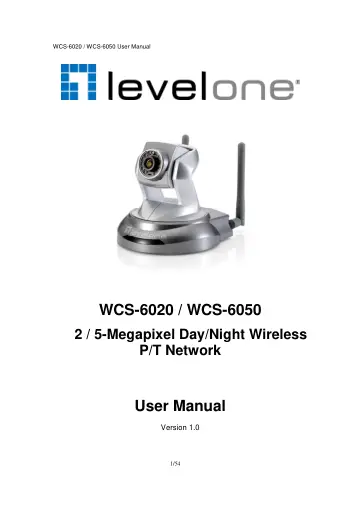
LevelOne WCS-6020 manual
PT Network Camera, 2-Megapixel, 150Mbps 802.11b/g/n, Day & Night, IR LEDs · Security cameras
1 document
What's in the LevelOne WCS-6020 user manual
From LevelOne PT Network Camera (WCS-6020) user manual · 54 pages · English. Tap a section to open the PDF at its page.
- Overviewp. 3
The LevelOne WCS-6020 / WCS-6050 is a quality yet cost-effective surveillance solution for the home and office. It is designed for easy and flexible…
- Hardware Descriptionp. 5
1. Light Sensor Automatically detects lighting condition to turn IR LEDs on/off. 2. Infrared LEDs There are twelve Infrared (IR) LEDs in front of camera for…
- Hardware Installationp. 7
1. Attach the Network Camera with the included stand 2. Place the Camera on the table or fix it onto ceiling or wall Use screws to fix the Network Camera onto…
- Connect to the Network Camerap. 10
For initial access to the network camera, users can search for the camera on the network through the installer program: CamFinder. Step 1 Insert product…
- Recording Softwarep. 17
The product software CD also contains recording software- IP CamSecure, allowing simultaneous monitoring and video recording for multiple network cameras.…
- Browser-based Viewer Introductionp. 18
Main Screen with Camera View The main page has three parts: 1. Configuration functions: The camera can be configured using these user interfaces. 2. Pan/Tilt &…
- Main Screen with Camera Viewp. 18
The main page has three parts: 1. Configuration functions: The camera can be configured using these user interfaces. 2. Pan/Tilt & connection control buttons…
- Client Settingp. 21
1. Video output setting: Set video output format. - Stream: Select use multiple stream video. - Picture: Select use serial video picture. 2. Internet Protocol…
- Definitions in Configurationp. 23
Please note that only the Administrator can access the system configuration. Each category in the left column will be explained on the following pages
- System parametersp. 23
1. General Setting (1) Host name The text displays the title on the top of the main page. (2) LED indicator Select turn on or turn off the led indicator.…
- User Managementp. 25
Security setting The administrator account name is “root”, which is permanent and can not be deleted. If you want to add more accounts in the Manage User…
- Networkp. 27
Camera User’s Manual 27/54 Network Any changes made on this page will restart the system in order to validate the changes. Make sure every field is entered…
- Access listp. 31
setting 1. Add denied address: This rule allows the user to assign a range of IP addresses to the Deny List. 2. Delete denied address: Delete IP address list…
- Audio and Video settingp. 32
General Setting 1. Color mode: Select use color or monochrome video display. 2. Video orientation: The orientation of video (1) Flip: Vertically rotate the…
- Video recordp. 34
Schedule mode (1) Every day: Enable/Disable every day application. (2) Week day: Enable/Disable week day application. (3) Selected day: Enable/Disable selected…
- Streamp. 36
Audio codec setting (1) Audio codec type: There are two choices of audio codec types available: AMR and AAC. (2) Bit rate -- AMR The bit rates are selectable…
- Camera controlp. 38
The pan and tilt functions can be controlled with these buttons. The Left button controls the camera to the left; the Right, Up, and Down buttons control the…
- Applicationp. 40
- Storagep. 43
Manage the storage device (like SD card or USB flash disk). Storage Status Displays the storage device information. File operation Move the mouse over the…
- Syslogp. 44
The Network camera supports log the system messages on remote server. The protocol is compliant to RFC 3164. If you have external Linux server with sys log…
- Status and Parametersp. 45
User can find a lot of information about the system such as Upnp port forwarding, Traversing NAT, Public IP and so on. User also can get the number of current…
- Maintenancep. 46
1. Reboot system: The Reboot button will reboot the Network Camera. It’s useful while the Network Camera has problems and needs to be rebooted. 2. Restore…
- Appendixp. 48
- A. Troubleshooting & Frequently Asked Questionsp. 48
- B. Technical specificationsp. 53
WCS-6020 WCS-6050 Camera Image Sensor 2-Megapixel 1/2.7" Progressive CMOS 5-Megapixel 1/3.2" Progressive CMOS Effective Pixels 1920x1080 2560x1920 Lens Board…