Loading manuals…
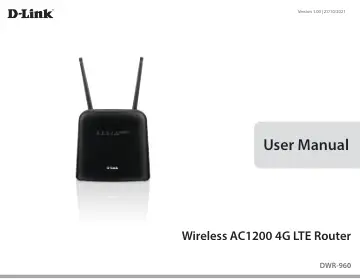
D-Link DWR-960 manual
D-Link LTE Cat7 Wi-Fi AC1200 Router · Routers & Wi-Fi
1 document
What's in the D-Link DWR-960 user manual
From D-Link LTE Cat7 Wi-Fi AC1200 Router (DWR-960) user manual · 89 pages · English. Tap a section to open the PDF at its page.
- Product Overviewp. 5
Package Contents If any of the above items are missing or damaged, please contact your reseller. Power Adapter D-Link DWR-960 Wireless AC1200 4G LTE Router…
- Installationp. 11
Initial Setup Ensure that your DWR-960 is disconnected and powered off before performing the steps below. 1. Verify that your SIM/UICC card is installed and…
- Configurationp. 13
Initial Connection to the Router This section shows you how to configure your new DWR-960 using the configuration utility that can be accessed via your web…
- Connecting to a Wireless Networkp. 58
WPS Button Step 2 - Within 2 minutes, press the WPS button on your wireless device (or launch the software utility and start the WPS process). Step 3 - Allow…
- Troubleshootingp. 67
This chapter provides solutions to problems that can occur during the installation and operation of the DWR-960. Read the following descriptions if you are…
- Networking Basicsp. 69
Check your IP address After you install your new D-Link adapter, by default, the TCP/IP settings should be set to obtain an IP address from a DHCP server (i.e.…
- Technical Specificationsp. 71
- Regulatory Informationp. 72
Regulatory Information Frequency Band(s) Frequenzband Fréquence bande(s) Bandas de Frecuencia Frequenza/e Frequentie(s) Max. Output Power (EIRP) Max. Output…