Loading manuals…
D-Link DWR-2101 manual
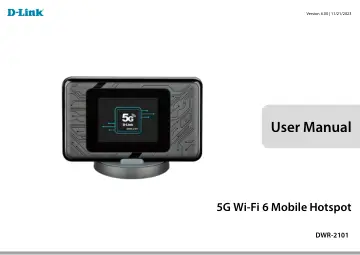
D-Link 5G Wi-Fi 6 Mobile Hotspot AX1800 · Other network devices
1 document
What's in the D-Link DWR-2101 user manual
From D-Link 5G Wi-Fi 6 Mobile Hotspot AX1800 (DWR-2101) user manual · 93 pages · English. Tap a section to open the PDF at its page.
- About the Devicep. 6
D-Link DWR-2101 User Manual 1 About the Device Meet the DWR-2101, the world’s first 5G and Wi-Fi 6 harnessing mobile hotspot. Bring revolutionary 5G speeds…
- System Requirementsp. 8
D-Link DWR-2101 User Manual 3 System Requirements Network Requirements A compatible Nano SIM card with mobile data service. Subject to services and service…
- Hardware Overviewp. 9
D-Link DWR-2101 User Manual 4 Hardware Overview Interface Buttons # Connector Description 1 Power Button Press the power button to power the device on.
- Setting Up Your Devicep. 12
D-Link DWR-2101 User Manual 7 Setting Up Your Device Nano SIM Card Installation Note: The DWR-2101 is only compatible with Nano SIM cards. 1. Make sure the…
- Charging Your Device and Battery Managementp. 16
D-Link DWR-2101 User Manual 11 Charging Your Device and Battery Management Charging Your Device You can charge your device by using the Type-C USB cable…
- Connecting Devicesp. 19
D-Link DWR-2101 User Manual 14 Connecting Devices Connecting via Wi-Fi You can find your Wi-Fi Name and Password at any time through the device's interface. 1.…
- Settingsp. 21
D-Link DWR-2101 User Manual 16 Settings The Settings application allows you to configure and customize your DWR-2101. Here, you can enable/disable WPS, Wi-Fi…
- EZ-Five Appp. 35
D-Link DWR-2101 User Manual 30 EZ-Five App Download the EZ-Five App to configure your device The EZ-Five App is currently available for iOS and Android smart…
- Homescreenp. 36
D-Link DWR-2101 User Manual 31 Homescreen The DWR-2101's lockscreen is the first screen that you will encounter when you press the power button. It gives you…
- Connection Guidep. 38
D-Link DWR-2101 User Manual 33 Connection Guide The Connection Guide application takes you through how to connect your Wi-Fi devices to your DWR-2101. It…
- Power Savingp. 40
D-Link DWR-2101 User Manual 35 Power Saving The Power Saving application allows you to set power saving options for the DWR-2101. You can set options such as…
- SSIDp. 42
D-Link DWR-2101 User Manual 37 SSID The SSID application allows you to modify the Wi-Fi network settings for the DWR-2101. You can set the SSID network name…
- SMSp. 44
D-Link DWR-2101 User Manual 39 SMS The SMS application allows you to view the short messages delivered to your DWR-2101 by your Internet Service Provider. The…
- Aboutp. 45
D-Link DWR-2101 User Manual 40 About The About application allows you to view the device information, explanations for the device icons, and the device…
- Login to the Web-based User Interfacep. 47
D-Link DWR-2101 User Manual 42 Login to the Web-based User Interface Make sure your device is connected either wirelessly or via an Ethernet cable to the…
- Hotspot Homepagep. 48
D-Link DWR-2101 User Manual 43 Hotspot Homepage The DWR-2101 Web-based User Interface homepage is the first page you see when you connect to your DWR-2101. It…
- Settings Wizardp. 49
D-Link DWR-2101 User Manual 44 Settings Wizard The Settings Wizard page will guide you through the steps required to configure the basic settings of your…
- APN Settingsp. 50
D-Link DWR-2101 User Manual 45 APN Settings The APN Settings page allows you to configure your Access Point Name (APN) settings. Depending on your mobile…
- SIM PIN Settingsp. 51
D-Link DWR-2101 User Manual 46 SIM PIN Settings The SIM PIN Settings page allows you to lock the SIM card currently inserted into the DWR-2101. Configuring…
- SIM Informationp. 52
D-Link DWR-2101 User Manual 47 SIM Information The SIM Information page gives you information about the SIM card being used by the DWR-2101. Viewing Your SIM…
- SSID Settings (2.4 G/5G)p. 53
D-Link DWR-2101 User Manual 48 SSID Settings (2.4 G/5G) The SSID Settings (2.4G/5G) page allows you to view your Wi-Fi security settings. In this section you…
- WPS Settingsp. 54
D-Link DWR-2101 User Manual 49 WPS Settings The WPS Settings page allows you to configure and enable the WPS settings for the device. Enabling WPS Open a web…
- MAC Filterp. 56
D-Link DWR-2101 User Manual 51 MAC Filter This page allows you to set MAC (Media Access Control) filters to deny devices from accessing the network. A MAC…
- WWAN Settingsp. 57
D-Link DWR-2101 User Manual 52 WWAN Settings The WWAN Settings page allows you to configure and enable the WWAN settings for the device. Enabling Roaming…
- WWAN Statisticsp. 58
D-Link DWR-2101 User Manual 53 WWAN Statistics The WWAN Statistics page provides you with at-a-glance information regarding data transfers and statistics of…
- NAT Settingsp. 59
D-Link DWR-2101 User Manual 54 NAT Settings The NAT Settings page allows you to configure and enable the NAT settings for the device. NAT translates IP…
- Firewall Settingsp. 61
D-Link DWR-2101 User Manual 56 Firewall Settings A firewall helps protect your network from external cyber attack and intrusions. This page allows you to alter…
- LAN Settingsp. 63
D-Link DWR-2101 User Manual 58 LAN Settings This page provides configuration options for local area network (LAN) settings. A DHCP server assigns an IP address…
- SMSp. 64
D-Link DWR-2101 User Manual 59 SMS The SMS page allows you to view the short messages delivered to your DWR-2101 by your Internet Service Provider. The…
- Firmware Upgradep. 65
D-Link DWR-2101 User Manual 60 Firmware Upgrade This page allows you to check and manually upgrade your device's firmware. Checking Your Firmware Open a web…