Loading manuals…
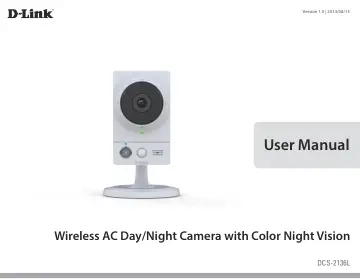
D-Link DCS-2136L/E manual
Security cameras
1 document
What's in the D-Link DCS-2136L/E user manual
From D-Link DCS-2136L (DCS-2136L/E) user manual · 68 pages · English. Tap a section to open the PDF at its page.
- Introductionp. 6
Congratulations on your purchase of the DCS-2136L Wireless AC Day/Night Camera with Color Night Vision. The DCS-2136L is a versatile and unique solution for…
- Featuresp. 7
Web Configuration Using a standard Web browser, administrators can configure and manage the DCS-2136L directly from its own Web page via Intranet or Internet.…
- Hardware Overviewp. 8
Power/Link LED Indicates the camera's current status 2 WPS Status LED Indicates the WPS connection status of the camera 3 White Light LED Used to illuminate…
- Zero Configuration Setupp. 12
If you have a D-Link Cloud Router, you can take advantage of Zero Configuration. Zero Configuration automatically configures your camera's settings for you…
- Camera Setup Wizardp. 16
Insert the Installation CD-ROM into your computer’s optical drive to start the autorun program. If the autorun program does not open, go to My Computer, browse…
- Manual Hardware Installationp. 18
If you wish to set up your camera without using the Camera Setup Wizard, please follow these steps. Note: In order to use the mydlink features of this product…
- Installationp. 19
This D-Link device can connect to your wireless network from anywhere within the operating range of your wireless network. However, the number, thickness and…
- Wireless Installation Considerationsp. 19
- WPS - Push Button Setupp. 20
If your router supports WPS, you can use the WPS button on the camera to easily create a secure wireless connection to your network. WPS Button
- mydlinkp. 21
After registering your DCS-2136L camera with a mydlink account in the Camera Setup Wizard. You will be able to remotely access your camera from the…
- Configurationp. 22
Utility After completing the Camera Installation Wizard, you are ready to use your camera. The camera’s built-in Web configuration interface is designed to…
- Configuration Utilityp. 22
After completing the Camera Installation Wizard, you are ready to use your camera. The camera’s built-in Web configuration interface is designed to allow you…
- Live Videop. 23
This section shows your camera’s live video. You may select any of the available icons listed below to operate the camera. You may also select your language…
- Setupp. 25
Wizard You may choose to configure your network by using the Internet Connection Setup Wizard that includes step-by-step instructions. Please refer to page…
- Advancedp. 53
This screen allows you to control the behavior of digital input and digital output devices. The I/O connector provides the physical interface for digital…
- Maintenancep. 57
You may modify the name and administrator’s password of your camera, as well as add and manage the user accounts for accessing the camera. You may also use…
- Statusp. 60
This page displays detailed information about your device and network connection. Device Info
- DI/DO Specificationsp. 63
Pin 1 Pin 4 Pin 3 Pin 2 PIN FUNCTION NOTE 1 Digital Out (DO) Uses an open-drain NFET transistor with the source connected to GND in camera. If used with an…
- Technical Specificationsp. 64
Camera Camera Hardware Profile 1/3” Megapixel progressive CMOS sensor 5 meter white light illumination distance Minimum illumination: 0 lux with white…
- Safety Statementsp. 67
CE Mark Warning: This is a Class B product. In a domestic environment, this product may cause radio interference, in which case the user may be required to…