Loading manuals…
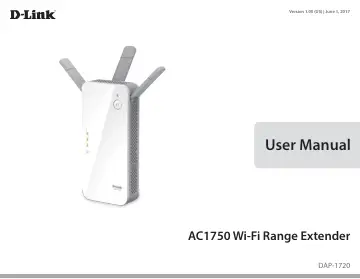
D-Link DAP-1720 manual
DAC1750 Wi-Fi Range Extender, White · Routers & Wi-Fi
1 document
What's in the D-Link DAP-1720 user manual
From D-Link DAC1750 Wi-Fi Range Extender, White (DAP-1720) user manual · 85 pages · English. Tap a section to open the PDF at its page.
- Prefacep. 2
ErP Power Usage This device is an Energy Related Product (ErP) with High Network Availability (HiNA), and automatically switches to a power-saving Network…
- Product Overviewp. 5
Package Contents Wi-Fi Configuration Note If any of the above items are missing, please contact your reseller. DAP-1720 AC1750 Wi-Fi Range Extender Wi-Fi…
- Installationp. 15
Wireless Installation Considerations The DAP-1720 lets you extend your existing wireless network’s coverage as long as it is within range of the uplink…
- Getting Startedp. 18
- Configurationp. 33
Home Configuration The home screen gives a summary of the current status of devices connected to the DAP-1720. A green check between the device and the uplink…
- Connecting Wireless Clients to the Extended Networkp. 48
Using the WPS Button Once an uplink network has been established, you may use the DAP-1720’s WPS function to add additional wireless clients to your extended…
- Troubleshootingp. 59
This chapter provides solutions to problems that can occur during the installation and operation of the DAP-1720. Read the following descriptions if you are…
- Wireless Basicsp. 61
D-Link wireless products are based on industry standards to provide easy-to-use and compatible high-speed wireless connectivity within your home, business or…
- Technical Specificationsp. 63
- GPL Code Statementp. 64
This D-Link product includes software code developed by third parties, including software code subject to the GNU General Public License (“GPL”) or GNU Lesser…
- Contacting Technical Supportp. 79
U.S. and Canadian customers can contact D-Link technical support through our web site or by phone. Before you contact technical support, please have the…
- Warrantyp. 80
Subject to the terms and conditions set forth herein, D-Link Systems, Inc. (“D-Link”) provides this Limited Warranty: • Only to the person or entity that…
- Registrationp. 85
Version 1.00 (US) June 1, 2017 Product registration is entirely voluntary and failure to complete or return this form will not diminish your warranty rights.…