Loading manuals…
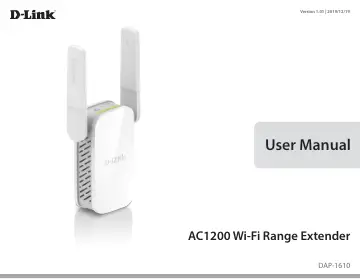
D-Link DAP-1610 manual
Routers & Wi-Fi
1 document
What's in the D-Link DAP-1610 user manual
From D-Link DAP-1610 user manual · 64 pages · English. Tap a section to open the PDF at its page.
- Prefacep. 2
Power Usage This device is an Energy Related Product (ErP) with High Network Availability (HiNA), and automatically switches to a power-saving Network Standby…
- Product Overviewp. 5
Package Contents Wi-Fi Configuration Note If any of the above items are missing, please contact your reseller. DAP-1610 AC1200 Wi-Fi Range Extender Wi-Fi…
- System Requirementsp. 6
- Introductionp. 7
Features Easily Extend Your Existing Network The DAP-1610 AC1200 Wi-Fi Range Extender lets you easily extend a secure wireless network with a press of a…
- Hardware Overviewp. 9
Top 1 2 3 4 1 Reset Button Use an unfolded paperclip to press and hold the reset button on the bottom of DAP-1610 until the status LED turns red, to reset the…
- Installationp. 13
Wireless Installation Considerations The DAP-1610 lets you extend your existing wireless network’s coverage as long as it is within range of the uplink…
- Wireless Installation Considerationsp. 13
The DAP-1610 lets you extend your existing wireless network’s coverage as long as it is within range of the uplink network. Keep in mind that the DAP-1610’s…
- Antenna Setupp. 14
The DAP-1610 is designed to give you the fastest, most stable network connection possible. In order to maximize performance, fully extend the antennas to…
- Hardware Setupp. 15
- Getting Startedp. 16
- WPS-PBC Configurationp. 17
Step 1 - Initiate WPS Mode While the Status/WPS LED is blinking amber. Push the WPS button on the source wireless router or AP, and then push the WPS button on…
- Optimize Extender Locationp. 18
- QRS Mobile App Setupp. 19
The DAP-1610 can be set up from your iPhone, iPod touch, iPad, or Android smartphone or tablet device using the QRS Mobile app. Step 2 Once your app is…
- Web-based Setupp. 24
Enter your password. By default, Admin is the username and cannot be changed, and by default, the password is blank. To access the setup utility for the…
- Setup Wizardp. 25
If this is your first time logging in to the extender and no connection has been established, the setup wizard will automatically appear. In the future, if you…
- Configurationp. 35
Home Configuration The home screen gives a summary of the current status of devices connected to the DAP-1610. A green check between the device and the uplink…
- Homep. 35
Configuration The home screen gives a summary of the current status of devices connected to the DAP-1610. A green check between the device and the uplink…
- Settingsp. 37
Extender Settings This page lets you configure the settings for the DAP-1610’s extended wireless network. To access this page, click the Settings dropdown menu…
- Managementp. 43
drop down menu at the top of the page, and select Admin. Click Save at any time to save the changes you have made on this page. Enter the Admin password. Click…
- Connecting Wireless Clients to the Extended Networkp. 47
WPS Button Once an uplink network has been established, you may use the DAP-1610’s WPS function to add additional wireless clients to your extended network.…
- WPS Buttonp. 47
Once an uplink network has been established, you may use the DAP-1610’s WPS function to add additional wireless clients to your extended network. Many wireless…
- Windows® 8p. 48
WPA/WPA2 It is recommended to enable wireless security (WPA/WPA2) on your wireless router or extender before configuring your wireless adapter. If you are…
- Windows® 7p. 50
It is recommended to enable wireless security (WPA/WPA2) on your wireless router or extender before configuring your wireless adapter. If you are joining an…
- Windows Vista®p. 53
users may use the built-in wireless utility. If you are using another company’s utility or Windows® 2000, please refer to the user manual of your wireless…
- Troubleshootingp. 56
This chapter provides solutions to problems that can occur during the installation and operation of the DAP-1610. Read the following descriptions if you are…
- Wireless Basicsp. 58
D-Link wireless products are based on industry standards to provide easy-to-use and compatible high-speed wireless connectivity within your home, business or…
- Tipsp. 59
Here are a few things to keep in mind when you are installing your AC1200 Wi-Fi Range Extender. Centralize the extender’s location For best performance, make…
- Technical Specificationsp. 60
- GPL Code Statementp. 61
This D-Link product includes software code developed by third parties, including software code subject to the GNU General Public License (“GPL”) or GNU Lesser…
- Safety Statementsp. 62
Federal Communication Commission Interference Statement This equipment has been tested and found to comply with the limits for a Class B digital device…