Loading manuals…
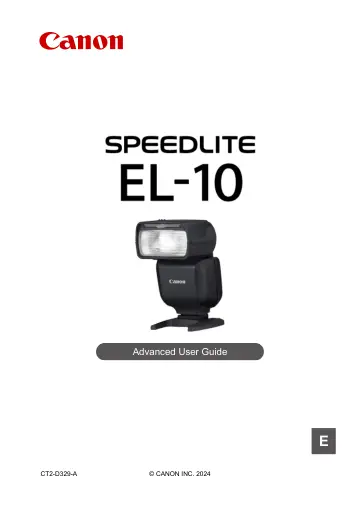
Canon 6579C002 manual
Speedlite EL-10 · Cameras & lenses
1 document
What's in the Canon 6579C002 user manual
From Canon Speedlite EL-10 (6579C002) user manual · 169 pages · English. Tap a section to open the PDF at its page.
- Introductionp. 4
Designed for EOS cameras equipped with a multi-function shoe, the Canon EL-10 is an external Speedlite compatible with E-TTL II / E-TTL autoflash. In normal…
- Supplemental Informationp. 5
Check the following website for supplemental information about the Speedlite. https://cam.start.canon/H001/ 5
- Compatible Accessoriesp. 6
Check the following website for the latest compatible cameras and accessories. https://cam.start.canon/H002/ 6
- About This Guidep. 8
Icons in This Guide Basic Assumptions Icons in This Guide < > Indicates the select dial. < > < > < > < > Indicates the < > cross key directional buttons. < >…
- Safety Instructionsp. 10
Be sure to read these instructions in order to operate the product safely. Follow these instructions to prevent injury or harm to the operator of the product…
- Part Namesp. 12
LCD Panel Included Accessories (1) (2) (3) (9) (4) (5) (6) (7) (8) (1) Catchlight panel (shown stowed) (2) Wide panel (shown stowed) (3) Flash head…
- Getting Started and Basic Operationsp. 22
This chapter describes the preparations before starting flash photography and the basic shooting operations. Caution Precautions on continuous flash firing To…
- Inserting Batteriesp. 23
The unit is powered by four AA/LR6 batteries. You can use AA/LR6 alkaline batteries or AA/LR6 Ni-MH batteries. Caution Do not use AA/LR6 lithium batteries. In…
- Attaching and Detaching the Speedlitep. 26
1. Attach the Speedlite. Remove the camera shoe cover and Speedlite mounting foot cover. Insert the Speedlite slowly, making sure the Speedlite mounting foot…
- Turning on the Powerp. 28
Quick Flash Auto Power Off Locking Flash Operations LCD Panel Illumination 1. Turn the power switch to < >. Flash recharging begins. < > appears on the LCD…
- Fully Automatic Flash Photographyp. 33
E-TTL II and E-TTL fully automatic flash shooting is available when the camera is set to < > (Program AE) or fully automatic shooting mode. 1. Press the < >…
- E-TTL II / E-TTL Autoflash, by Shooting Modep. 35
Auto Zoom for Sensor Size Transmission of Color Temperature Information AF-Assist Beam Check Firmware Version / Certification Logo E-TTL II or E-TTL autoflash…
- Advanced Flash Photographyp. 41
This chapter describes advanced shooting methods using Speedlite features. Caution Features on pages with in the upper right are not available when the camera…
- Flash Exposure Compensationp. 42
Flash output is adjustable. The amount of flash exposure compensation can be set in a range of ±3 stops, in 1/3-stop increments. 1. Press the < > button on the…
- FE Lockp. 44
Shooting with flash exposure (FE) locked provides suitable flash exposure over your specified area of the subject. With < > displayed on the LCD panel, press…
- High-Speed Syncp. 45
enables flash photography at even higher shutter speeds than the maximum flash sync shutter speed. This is effective when shooting with an open aperture in < >…
- Second-Curtain Syncp. 47
Using second-curtain sync at low shutter speeds enables natural shots of subject motion trails, such as car lights. The flash fires immediately before the…
- Bouncep. 49
Catchlight Shooting Shooting with a Bounce Adapter Pointing the flash head at a ceiling or wall to use the light reflected from it can soften subject shadows…
- Flash Coverage Settingp. 54
Wide Panel Flash coverage can be set automatically or manually. Set to < > (Auto) for automatic adjustment of flash coverage to suit the focal length (shooting…
- Manual Flashp. 58
Setting Manual Flash Output from FE Memory Metered Manual Flash Exposure Flash output can be set in a range of 1/1024 to full output (1/1), in 1/3-stop…
- Modeling Flashp. 65
The flash fires continuously for approx. 1 sec. in response to pressing the DOF preview button on the camera when cameras other than models in the EOS R or EOS…
- Color Filterp. 66
When shooting a tungsten light scene in flash photography, subject backgrounds that are out of flash range may have an unnatural reddish tint. By attaching a…
- Clearing Speedlite Settingsp. 68
You can restore default settings for Speedlite shooting functions, wireless shooting, and Custom flash modes. 1. Press the < > button. 2. Select < >. Turn the…
- Setting Flash Functions from the Camerap. 70
This chapter describes how to configure flash functions from the camera menu. Caution Operations described in this chapter are not available when the camera is…
- Flash Control from the Camera Menup. 71
Flash Function Settings Settings Available on the Flash Function Settings Screen Flash C.Fn Settings You can set flash functions and Custom Functions from the…
- Radio Transmission Wireless Flash Photographyp. 78
This chapter describes radio transmission wireless flash photography using sender and receiver functionality. For details on Speedlites compatible with this…
- Wireless Settingsp. 85
Setting as Sender Setting as Receiver Setting the Transmission Channel / Wireless Radio ID < > Lamp and Connection Indicator Sender Flash Firing On / Off Set…
- Autoflash with One Receiverp. 97
LCD Panel Illumination Flash Photography Applying Wireless Features Using Multiple Senders This section describes basic fully automatic wireless shooting with…
- Autoflash with Two Receiver Groupsp. 105
Receivers can be divided into firing groups A and B, and you can adjust the lighting balance (flash ratio) between them. Exposure is automatically controlled…