Loading manuals…
Canon 0021C018 manual
760D · Cameras & lenses
1 document
What's in the Canon 0021C018 user manual
From Canon 760D (0021C018) user manual · 430 pages · English. Tap a section to open the PDF at its page.
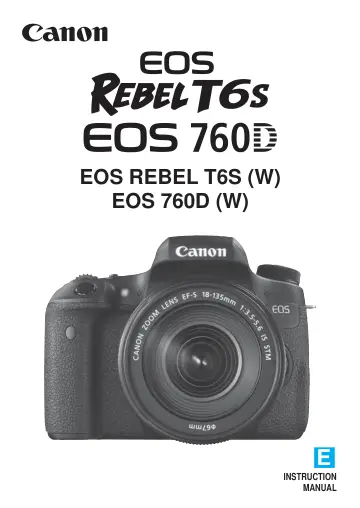
- Coverp. 1
- Introductionp. 2
- Getting Startedp. 35
This chapter explains preparatory steps before you start shooting and basic camera operations. Attaching the Provided Strap Pass the end of the strap through…
- Basic Shooting and Image Playbackp. 75
This chapter explains how to use the Basic Zone modes on the Mode Dial for best results and how to play back images. With Basic Zone modes, all you do is point…
- Setting the AF and Drive Modesp. 109
The 19 AF points in the viewfinder make AF shooting suitable for a wide variety of subjects and scenes. You can also select the AF operation and drive mode…
- Image Settingsp. 125
This chapter explains image-related function settings: Image-recording quality, ISO speed, Picture Style, white balance, Auto Lighting Optimizer, noise…
- Advanced Operationsp. 157
In Creative Zone modes, you can change various settings of the camera as you desire to obtain a wide variety of shooting results, by selecting the shutter…
- Flash Photographyp. 175
This chapter explains how to shoot with built-in flash and external Speedlites (EX-series, sold separately), how to set flash settings with the camera’s menu…
- Shooting with the LCD Monitor (Live View Shooting)p. 201
You can shoot while viewing the picture on the camera’s LCD monitor. This is called “Live View shooting”. If you handhold the camera and shoot while viewing…
- Shooting Moviesp. 233
Movie shooting is enabled by setting the power switch to <k>. The movie recording format will be MP4. For cards that can record movies, see page 5. If you…
- Handy Featuresp. 271
Disabling the Beeper (p.272) Card Reminder (p.272) Setting the Image Review Time (p.273) Setting the Auto Power-off Time (p.273) Adjusting the LCD Monitor…
- Image Playbackp. 291
This chapter explains functions related to viewing photos and movies, with more advanced uses than in Chapter 2 “Basic Shooting and Image Playback”. Here you…
- Post-Processing Imagesp. 325
After taking a picture, you can apply a Creative filter, resize the JPEG image (reduce the number of pixels), or crop the image. The camera may not be able to…
- Printing Imagesp. 333
Printing (p.334) You can connect the camera directly to a printer and print out the images on the card. The camera is compliant with “wPictBridge”, which is…
- Customizing the Camerap. 349
You can customize various camera functions to suit your picture-taking preferences with Custom Functions. Custom Functions can be set and used only in Creative…
- Referencep. 361
This chapter provides reference information for camera features, system accessories, etc. Certification Logo Select [54: Certification Logo Display] and press…
- Viewing the CD-ROM Instruction Manuals / Downloading Images to Your Computerp. 415
This chapter explains how to view the Camera Instruction Manual CD-ROM on your computer, download images from the camera to your computer, gives an overview of…