Loading manuals…
Brother HL-L6200DWT manual
Printers
1 document
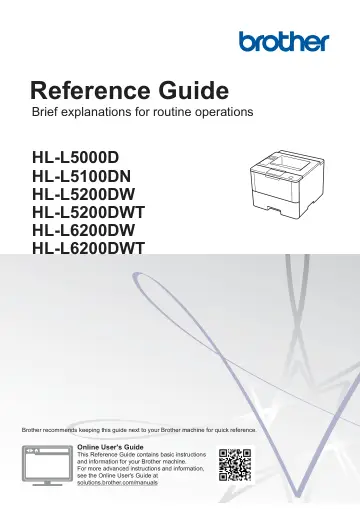
What's in the Brother HL-L6200DWT quick start guide
From Brother HLL6200DWT (HL-L6200DWT) quick start guide · 18 pages · English. Tap a section to open the PDF at its page.
- User's Guides and Where to Find Themp. 2
Which Guide? What's in It? Where Is It? Product Safety Guide Read this Guide first. Please read the Safety Instructions before you set up your machine. See…
- The Online User's Guide Helps You Get the Most Out of Your Machinep. 3
We hope that you find this guide helpful. To learn more about your machine's features, please take a look at our Online User's Guide. It offers: Quicker…
- Questions or Problems? Please Take a Look at our FAQs, Solutions, and Videos Onlinep. 4
Go to your model's FAQs & Troubleshooting page on the Brother Solutions Center at support.brother.com. • Provides several ways to search! • Displays related…
- 1 General Informationp. 5
- Control Panel Overviewp. 5
The control panel may vary depending on your model. 8 2 1 3 4 5 6 9 7 1. Liquid Crystal Display (LCD) Displays messages to help you set up and use the machine.…
- Access Brother Utilities (Windows®)p. 8
Brother Utilities is an application launcher that offers convenient access to all Brother applications installed on your computer. 1 Do one of the following: •…
- 2 Load Paperp. 9
Open the back cover (face up output tray) before printing to let the printed paper exit onto the face up output tray. 2 Open the back cover (face up output…
- Load Paper in the Paper Trayp. 9
Use the paper tray when printing on the following media: Plain paper Thin paper Recycled paper Letterhead Colored paper Thick paper 1 • Adjust the guides • Fan…
- Load Paper in the Multi-purpose Tray (MP Tray)p. 9
- 3 Printp. 10
- Print from Your Computerp. 10
Print a Document (Macintosh) For printing instructions, see the Online User's Guide: Print from Your Computer (Macintosh). Print a Document (Windows®) 1 Select…
- A Troubleshootingp. 11
- Identify the Problemp. 11
Even if there seems to be a problem with your machine, you can correct most problems yourself. First, check the following: • The machine's power cord is…
- Error and Maintenance Messagesp. 12
or see: FAQs & Troubleshooting on the Brother Solutions Center at support.brother.com. Error and Maintenance Messages The most common error and maintenance…
- Paper Jamsp. 15
An error message indicates where the paper is stuck in your machine. 1 2 3 4 Error messages: 1. Jam Rear 2. Jam 2-sided 3. Jam Tray 4. Jam Inside
- Solutions for Wireless Connectionp. 15
If you cannot connect your Brother machine to the wireless network, see the following: • Online User's Guide: Print the WLAN Report • Quick Setup Guide…
- B Appendixp. 16
- How to Enter Text on Your Brother Machinep. 16
When setting certain options, such as the Network Key, you must enter characters on the machine: • Hold down or repeatedly press a or b to select a character…
- Print Using Your Mobile Devicep. 16
Brother iPrint&Scan allows you to use features of your Brother machine directly from your mobile device, without using a computer. Download the Mobile…
- Suppliesp. 17
When the time comes to replace supplies, such as the toner or drum, an error message will appear on your machine's control panel or in the Status Monitor. For…