Loading manuals…
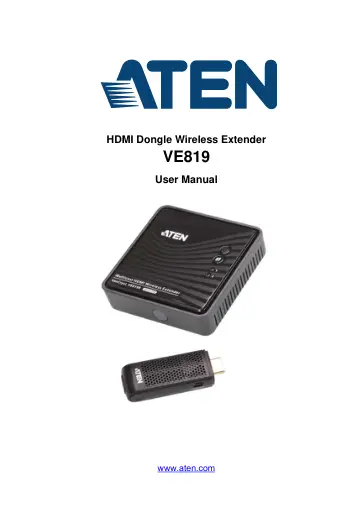
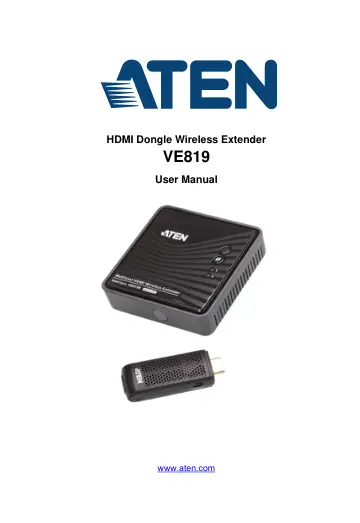
ATEN VE819 manual
HDMI Dongle Wireless Extender
Also sold as VE819T
2 documents
What's in the ATEN VE819 user manual
From ATEN HDMI Dongle Wireless Extender (VE819) user manual · 35 pages · English. Tap a section to open the PDF at its page.
- User Informationp. 4
Online Registration Be sure to register your product at our online support center
- Online Registrationp. 4
Be sure to register your product at our online support center
- Telephone Supportp. 4
For telephone support, call this number
- User Noticep. 4
All information, documentation, and specifications contained in this manual are subject to change without prior notification by the manufacturer. The…
- VE819 Package Contentsp. 5
- About this Manualp. 7
This User Manual is provided to help you get the most from your system. It covers all aspects of installation, configuration and operation. An overview of the…
- Chapter 1 Introductionp. 9
Overview The VE819 HDMI Dongle Wireless Extender is a wireless solution that can extend crystal clear image quality from laptops, DVD players, projectors and…
- Overviewp. 9
The VE819 HDMI Dongle Wireless Extender is a wireless solution that can extend crystal clear image quality from laptops, DVD players, projectors and other HDMI…
- Featuresp. 10
Wireless transmission of fully uncompressed HD videos up to 30ft.* (10m) Allows you to switch and independently select any of sources. When additional…
- Requirementsp. 11
Display A display device with an HDMI Type A input connector Sources A source player with an HDMI Type A output connector
- Componentsp. 12
VE819T Top and Side View No. Component Description 1 Status LED Solid blue when powered on and wireless link is established. 1 flash/sec when in pairing…
- Chapter 2 Hardware Setupp. 15
Wall Mounting For convenience and flexibility, the VE819R can be mounted on the wall. To mount a unit do the following: 1. The paper attached to the…
- Wall Mountingp. 15
For convenience and flexibility, the VE819R can be mounted on the wall. To mount a unit do the following: 1. The paper attached to the appendix(see page 26)…
- Setup the Wireless HDMI Transmitter and Receiverp. 17
To set up your HDMI Wireless Transmitter and Receiver, please follow these steps: 1. Connect the Wireless HDMI Transmitter to the HDMI port of the computer or…
- Chapter 3 Basic Operationp. 18
Overview The VE819 can be operated wirelessly and conveniently to connect your HDMI device to a HDMI display. Transmitters can be managed by using the OSD via…
- Overviewp. 18
The VE819 can be operated wirelessly and conveniently to connect your HDMI device to a HDMI display. Transmitters can be managed by using the OSD via the…
- Transmitter and Receiver Linkp. 18
This section explains how to use your receiver and transmitter. When they are both powered on they can automatically locate each other without installing any…
- Computer Display Settingsp. 19
You can adjust your display by going to your computer screen resolution preferences to change the display setting to Duplicate, Extend or Project Only. LED…
- Powering Off and Restartingp. 20
If it becomes necessary to power off the unit, before starting it back up you must do the following: 1. Safely disconnect device from the source. Then proceed…
- Chapter 4 OSD Operationp. 21
Overview The On-Screen Display (OSD) is a menu driven method to handle VE819T / VE819R control and switching operations. The OSD appears on the attached HDMI…
- Overviewp. 21
The On-Screen Display (OSD) is a menu driven method to handle VE819T / VE819R control and switching operations. The OSD appears on the attached HDMI display…
- Chapter 5 Additional Transmittersp. 24
Overview Adding additional Wireless HDMI Transmitters is the perfect solution to take advantage of your large screen HDTV and send your computer's screen…
- Overviewp. 24
Adding additional Wireless HDMI Transmitters is the perfect solution to take advantage of your large screen HDTV and send your computer's screen wirelessly or…
- Appendixp. 26
Safety Instructions Read all of these instructions. Save them for future reference. Follow all warnings and instructions marked on the device. This…
- Safety Instructionsp. 26
Read all of these instructions. Save them for future reference. Follow all warnings and instructions marked on the device. This product is for indoor use…
- Technical Supportp. 28
International For online technical support – including troubleshooting, documentation, and software updates: http://support.aten.com For telephone support…
- Specificationsp. 29
Function VE819T VE819R Video Input Interfaces 1 x HDMI Type A Male (Black) N/A Impedance 100 Ω N/A Max Distance N/A N/A Video Output Interfaces N/A 1 x HDMI…
- Troubleshootingp. 32
Operation problems can be due to a variety of causes. The first step in solving them is to make sure that all cables are securely attached and seated…
- Limited Warrantyp. 35
ATEN warrants its hardware in the country of purchase against flaws in materials and workmanship for a Warranty Period of two [2] years (warranty period may…