Loading manuals…
ATEN VC1280 manual
1 document
What's in the ATEN VC1280 user manual
From ATEN VC1280 user manual · 33 pages · English. Tap a section to open the PDF at its page.
- EMC Informationp. 2
FEDERAL COMMUNICATIONS COMMISSION INTERFERENCE STATEMENT: This equipment has been tested and found to comply with the limits for a Class A digital device…
- RoHSp. 2
This product is RoHS compliant.
- User Informationp. 3
Online Registration Be sure to register your product at our online support center
- Online Registrationp. 3
Be sure to register your product at our online support center
- Telephone Supportp. 3
For telephone support, call this number
- User Noticep. 3
All information, documentation, and specifications contained in this manual are subject to change without prior notification by the manufacturer. The…
- About this Manualp. 7
- Conventionsp. 8
This manual uses the following conventions
- Product Informationp. 8
For information about all ATEN products and how they can help you connect without limits, visit ATEN on the Web or contact an ATEN Authorized Reseller. Visit…
- Chapter 1 Introductionp. 9
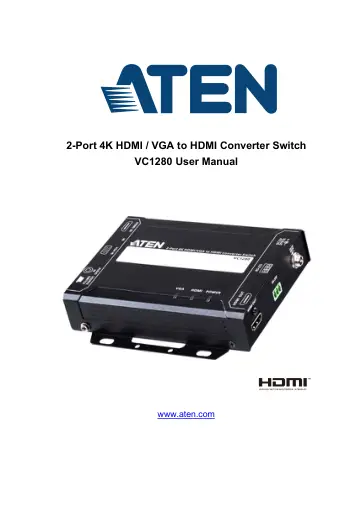
Overview The ATEN VC1280 is a user-friendly device that simply connects HDMI and VGA sources to one HDMI display or projector. Apart from being compliant with…
- Overviewp. 9
The ATEN VC1280 is a user-friendly device that simply connects HDMI and VGA sources to one HDMI display or projector. Apart from being compliant with HDCP 1.4…
- Featuresp. 10
Connects two sources (HDMI/VGA) to one HDMI display Converts VGA signals to HDMI output Easily switches sources among 3 modes (HDMI/VGA/AUTO) via a…
- Planning the Installationp. 11
Requirements Prepare the following before installing the VC1280 unit: 1 HDMI and/or VGA source device 1 HDMI Cable 1 HDMI display device Considerations …
- Componentsp. 12
Front View No. Component Description 1 HDMI In Port Connects to the HDMI Out port on the source device. 2 VGA In Port Connects to the VGA Out port on the…
- Chapter 2 Hardware Setupp. 15
Mounting the VC1280 Unit You can mount the VC1280 to the wall or on a rack. Wall Mounting Secure or hang the VC1280 unit to the wall using the built-in…
- Mounting the VC1280 Unitp. 15
You can mount the VC1280 to the wall or on a rack. Wall Mounting Secure or hang the VC1280 unit to the wall using the built-in mounting brackets. Rack Mounting…
- Connecting the VC1280 Unitp. 16
Follow the steps below to connect the VC1280 to a source, and other controls as required. 1. Connect the HDMI In Port on the VC1280 to the HDMI Out Port on…
- Chapter 3 Operationp. 17
Selecting the Input Mode Source Input Operation Press the Source Switch Pushbutton on the VC1280 to switch between different input modes - Auto, HDMI, and VGA…
- Selecting the Input Modep. 17
Source Input Operation Press the Source Switch Pushbutton on the VC1280 to switch between different input modes - Auto, HDMI, and VGA mode. Refer to the table…
- Chapter 4 The Firmware Upgrade Utilityp. 19
Introduction The purpose of the Windows-based Firmware Upgrade Utility is to provide an easy process for upgrading the VC1280. The program comes as part of a…
- Introductionp. 19
The purpose of the Windows-based Firmware Upgrade Utility is to provide an easy process for upgrading the VC1280. The program comes as part of a Firmware…
- Upgrade Failedp. 24
If the Upgrade Succeeded screen doesn't appear, it means that the upgrade failed to complete successfully. See the next section, Firmware Upgrade Recovery, for…
- Appendixp. 27
Safety Instructions General This product is for indoor use only. Read all of these instructions. Save them for future reference. Follow all warnings and…
- Safety Instructionsp. 27
General This product is for indoor use only. Read all of these instructions. Save them for future reference. Follow all warnings and instructions marked…